
AroMordeczko - Minecraft Skins & Skin History
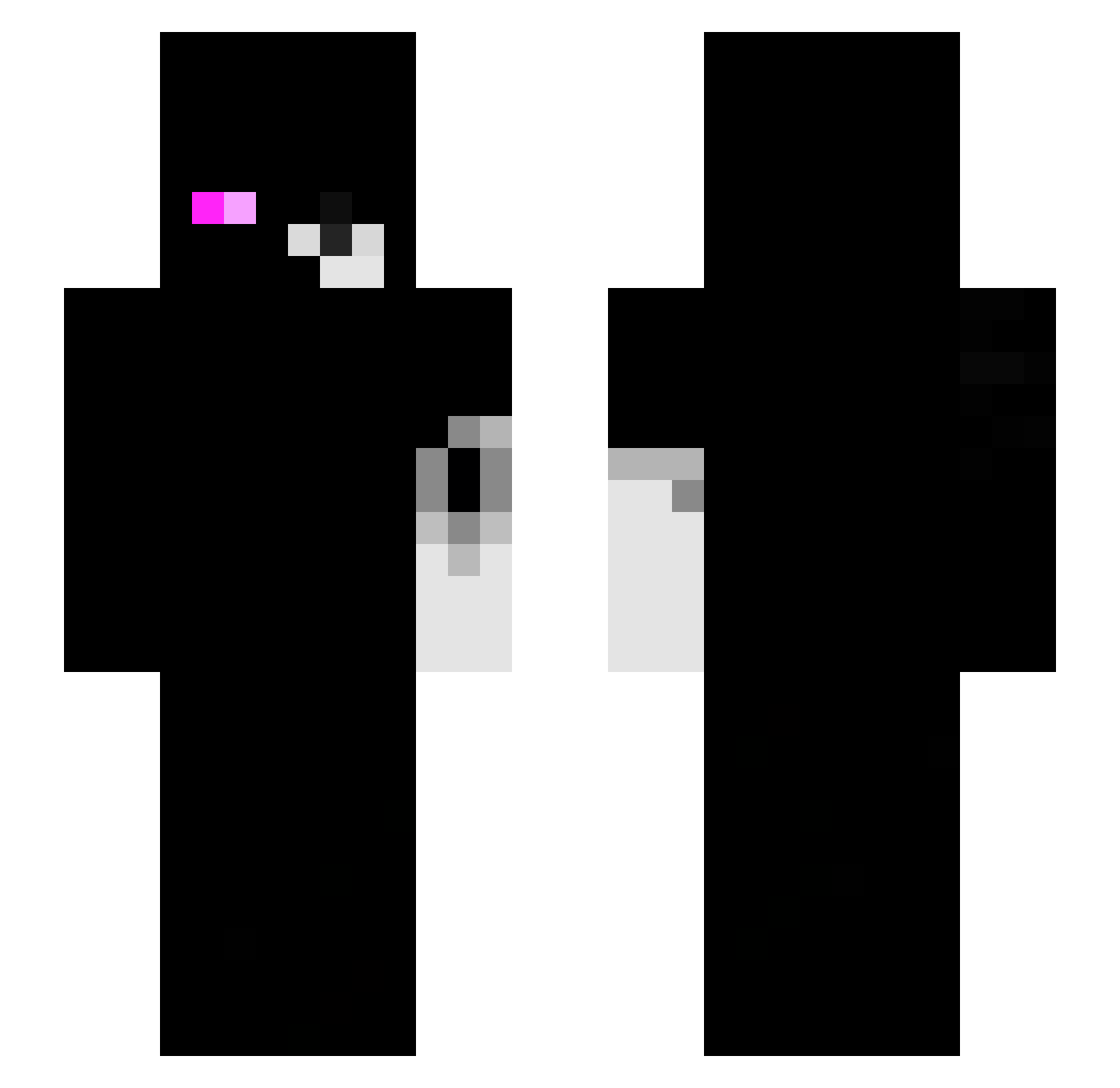
Current Minecraft skin of the player AroMordeczko, loaded from the official Mojang API. Rotate the 3D model with your mouse or finger, then download the skin as a PNG file and use it in Minecraft: Bedrock Edition or Java Edition for free. When AroMordeczko changes their skin, this page updates automatically and the old skin stays in the history below.
Other players with this skin (122)
AroMordeczko was the 78th player we have seen with this skin, first spotted on 03.10.2026. The same skin was seen on these players. Open a nickname to see their current skin and skin history.
 JustReaperX2 Fakenews7w7 matheusobrabo Spirit_Yt TheSecretBoss _vexxcz_ yyakub_ mike001 rryhan yeako_chan TvElite olsn_ Lxzada BuhBuhclient llat HumbleBlade Aylin01_ SauLmc Shiperka Neasse Zorplex10 VexyxZx Kubx00 Sturmy0502 334x nicotroste ICRIMAX111111111 Lczin_1533 Weko_Ow kentz1337 P4NZER3 J1a3n_0w0 ali202500 _axenik_ invertccety VincentPico Aglowsword Jeremiasshz hollowz4k barbbz_ Rexxted AKZ3R pedrogx ShadyyMF kingxvaa SnowFlex841 EliteAbdullah HB20rr MOIKAAA Hunter_Ace Alucard_X_X Memorial_Li vaLeVR11 4j44 _DarkPlayz cimera NoaLePro59 BotZetah PASIRgaoflz61znn CuteSNXP
More Monokuma Minecraft skins
How to install the AroMordeczko skin
- Press the Download button above to save the skin as a PNG file.
- Minecraft: Bedrock Edition (PE): open the Dressing Room from the main menu (or tap your character → Edit Character), go to Classic Skins → Owned, press the + (new skin) button, choose the downloaded PNG and pick the Slim (Alex) model. Works on PC and mobile; consoles cannot import custom skins.
- Minecraft: Java Edition: open the Minecraft Launcher, go to the Skins tab, click New Skin, load the PNG, pick the Slim (Alex) model and press Save & Use. You can also upload it at minecraft.net → Profile → Change Skin.
The skin does not show up after import - what should I do?
Restart Minecraft and open the Dressing Room again - imported skins sometimes appear only after a restart. Also make sure you selected the imported skin and picked the Slim (Alex) model.
Which model should I choose, Classic or Slim?
This skin is designed for the Slim (Alex) model. If you pick the wrong model, the arms of the skin will look stretched or squeezed.
Is the skin of AroMordeczko free to download?
Yes. Press Download, save the PNG file and use it in Minecraft: Bedrock Edition or Java Edition - no payment or registration needed. The skin also works on multiplayer servers and Realms.
More skins
Looking for more? Go back to all Minecraft skins and check the top skins of the week, month and all time, or find any player's skin by nickname.