
Army_Men87 - Minecraft Skins & Skin History
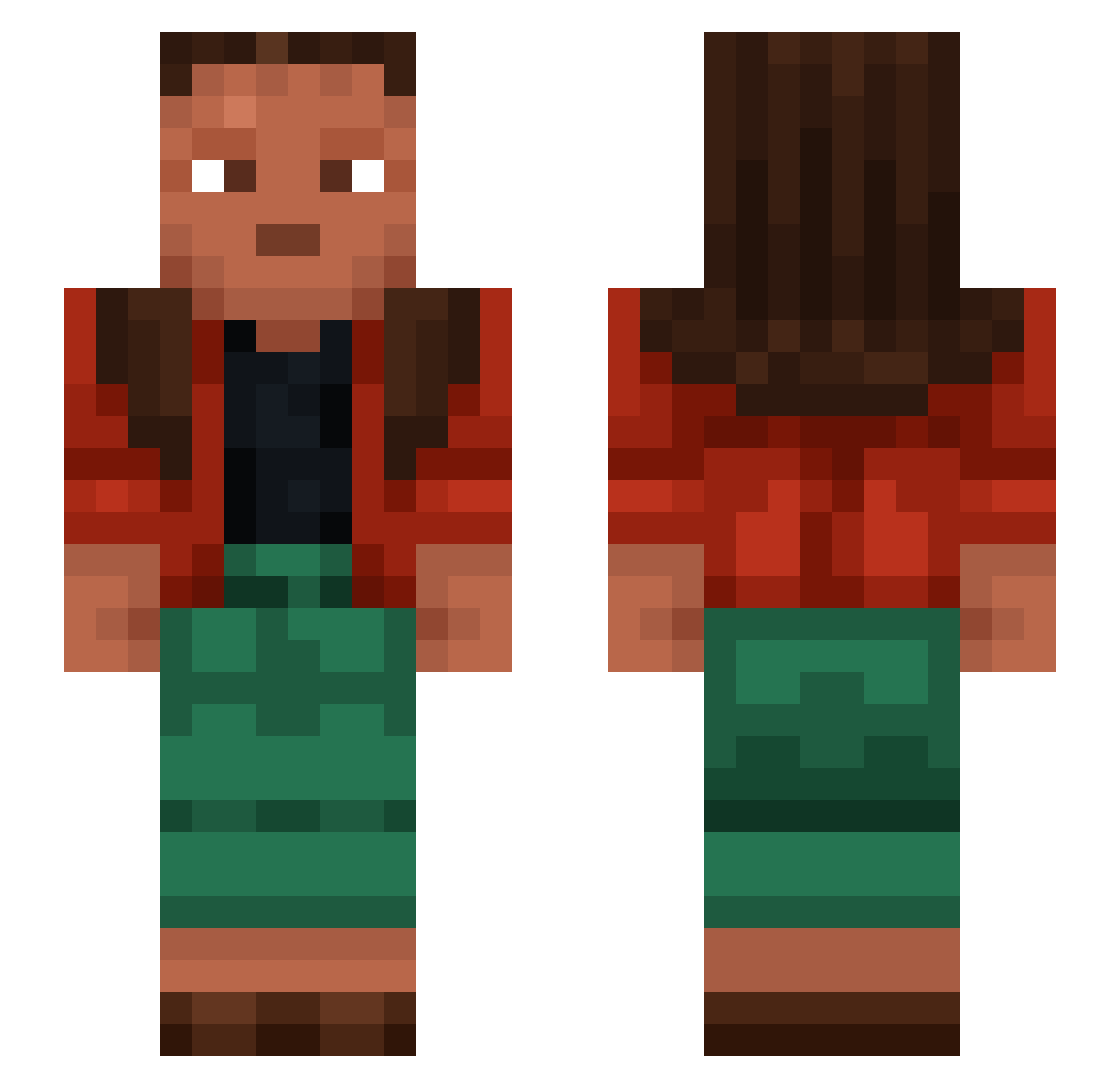
Current Minecraft skin of the player Army_Men87, loaded from the official Mojang API. Rotate the 3D model with your mouse or finger, then download the skin as a PNG file and use it in Minecraft: Bedrock Edition or Java Edition for free. When Army_Men87 changes their skin, this page updates automatically and the old skin stays in the history below.
Other players with this skin (1056)
Army_Men87 was the 606th player we have seen with this skin, first spotted on 22.09.2026. The same skin was seen on these players. Open a nickname to see their current skin and skin history.
 Troad llumox YT_FUNNICANJA_YT _VSun BruhF1sh xrilly DJ26122003 oBl4de NJVABOI Hurensohn__ zelkovas 45cmArm bagelwithcheese Howe6987 Consequences APT29 Undergoes rodomont Ichthyomancy SaMoRy fruitcake11 Zetetic Skabik Oratanias Graeme Lustres sebastian290701 Demihuman Neglee Helgesen Pls_not overSilver dieselockere TyganX SunNite OssiLMAO Cookie_Spielt JamesBaxter5 Euthanatize sadjnfdsjgh12 milia_king Magnitudinis Steelmaking TDogg07 Babatunde1111 hikunn BadEend21 NikaJo Mhb6 PappaMorten Hinders JUMPSMAN Luivan Systemization 1iq_plays itsjustdavid13 GENESIC compassing dola Gonzalopg15
How to install the Army_Men87 skin
- Press the Download button above to save the skin as a PNG file.
- Minecraft: Bedrock Edition (PE): open the Dressing Room from the main menu (or tap your character → Edit Character), go to Classic Skins → Owned, press the + (new skin) button, choose the downloaded PNG and pick the Slim (Alex) model. Works on PC and mobile; consoles cannot import custom skins.
- Minecraft: Java Edition: open the Minecraft Launcher, go to the Skins tab, click New Skin, load the PNG, pick the Slim (Alex) model and press Save & Use. You can also upload it at minecraft.net → Profile → Change Skin.
The skin does not show up after import - what should I do?
Restart Minecraft and open the Dressing Room again - imported skins sometimes appear only after a restart. Also make sure you selected the imported skin and picked the Slim (Alex) model.
Which model should I choose, Classic or Slim?
This skin is designed for the Slim (Alex) model. If you pick the wrong model, the arms of the skin will look stretched or squeezed.
Is the skin of Army_Men87 free to download?
Yes. Press Download, save the PNG file and use it in Minecraft: Bedrock Edition or Java Edition - no payment or registration needed. The skin also works on multiplayer servers and Realms.
More skins
Looking for more? Go back to all Minecraft skins and check the top skins of the week, month and all time, or find any player's skin by nickname.