
ArktisLC - Minecraft Skins & Skin History
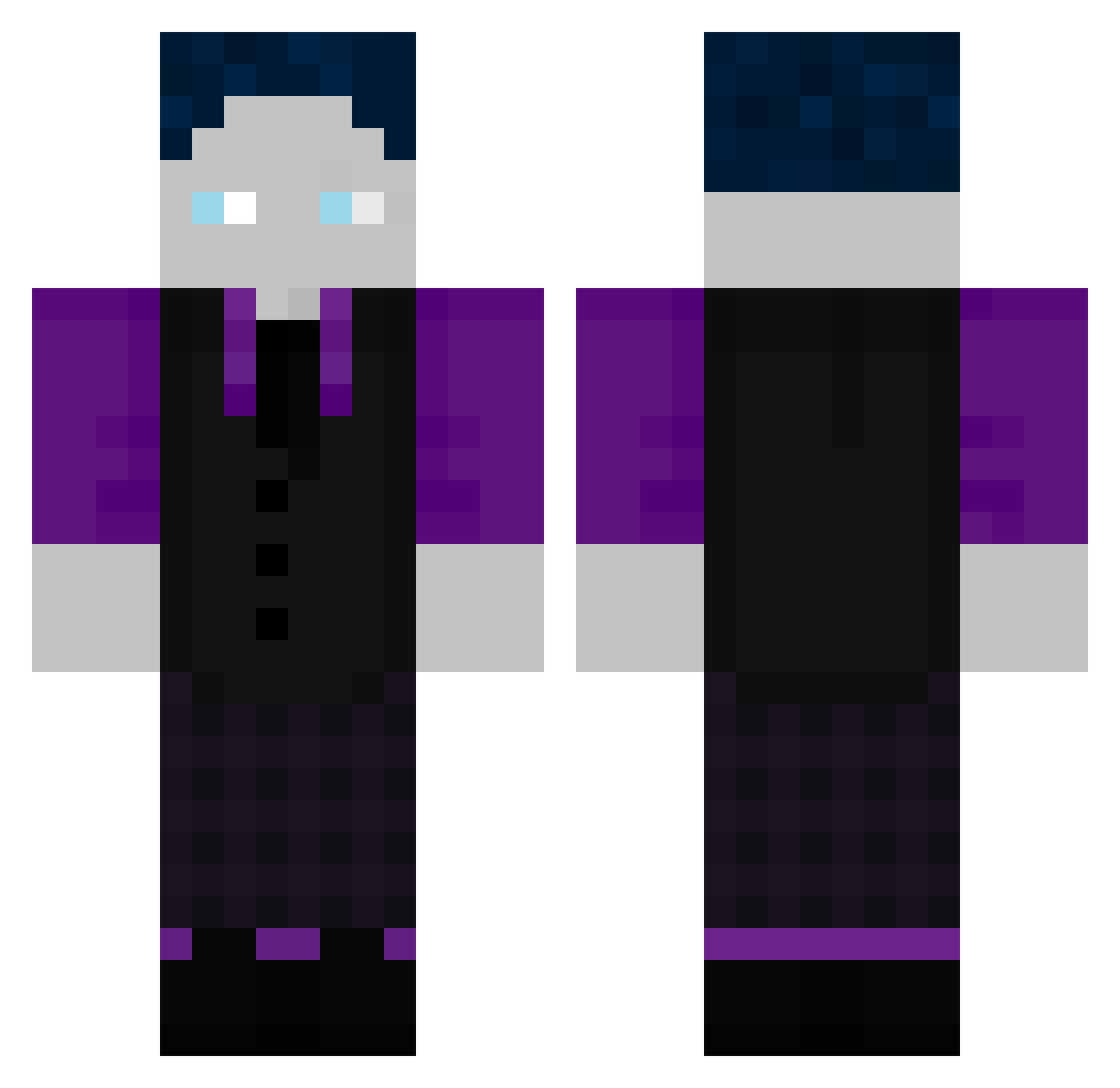
Current Minecraft skin of the player ArktisLC, loaded from the official Mojang API. Rotate the 3D model with your mouse or finger, then download the skin as a PNG file and use it in Minecraft: Bedrock Edition or Java Edition for free. When ArktisLC changes their skin, this page updates automatically and the old skin stays in the history below.
Other players with this skin (184)
ArktisLC was the 61st player we have seen with this skin, first spotted on 03.09.2026. The same skin was seen on these players. Open a nickname to see their current skin and skin history.
 destinyiscool Shadow_Snake_SDL bingerbruecker fyona1809 mojak_16 Ichpissmichein florenz_09 derechtejj btw_marvin xX_VENTURION_Xx KingBoohoo2 Gelix2 OhnezahnGHG PIPOOO__ Jan_Wiene Madara1875 Asuna_is_cool Blacky151107 Pain2x7 furfoxy524 Echotaler Luci_2010 fortnitetu JochelSchweitzr DinDjarin04 xAl3x2380x Treuerheiner_GHG David281007 Leon0078 Eroxay AndreDerEchte blackratdog safthusten123 SudsiestHydra37 LoveCookiezZ CHICKENBURBER Dasorjul l_Chaos_l
 mbappe100 Neltharion1909 simsonso QB1Mo OuiMashallah The_Real_SGYT
 Snifex722 Michiiiii11 TX_Toastbrot IceTea079 BlueBull247 MRjojo1420 LeniST2010 fellerkev Frapzy187 KleinerRiese399 fipsi6 lille1990 DerWikinger4789 Mangofreakz Mel0nHD DaRentner
How to install the ArktisLC skin
- Press the Download button above to save the skin as a PNG file.
- Minecraft: Bedrock Edition (PE): open the Dressing Room from the main menu (or tap your character → Edit Character), go to Classic Skins → Owned, press the + (new skin) button, choose the downloaded PNG and pick the Classic (Steve) model. Works on PC and mobile; consoles cannot import custom skins.
- Minecraft: Java Edition: open the Minecraft Launcher, go to the Skins tab, click New Skin, load the PNG, pick the Classic (Steve) model and press Save & Use. You can also upload it at minecraft.net → Profile → Change Skin.
The skin does not show up after import - what should I do?
Restart Minecraft and open the Dressing Room again - imported skins sometimes appear only after a restart. Also make sure you selected the imported skin and picked the Classic (Steve) model.
Which model should I choose, Classic or Slim?
This skin is designed for the Classic (Steve) model. If you pick the wrong model, the arms of the skin will look stretched or squeezed.
Is the skin of ArktisLC free to download?
Yes. Press Download, save the PNG file and use it in Minecraft: Bedrock Edition or Java Edition - no payment or registration needed. The skin also works on multiplayer servers and Realms.
More skins
Looking for more? Go back to all Minecraft skins and check the top skins of the week, month and all time, or find any player's skin by nickname.