
AridKingsheep - Minecraft Skins & Skin History
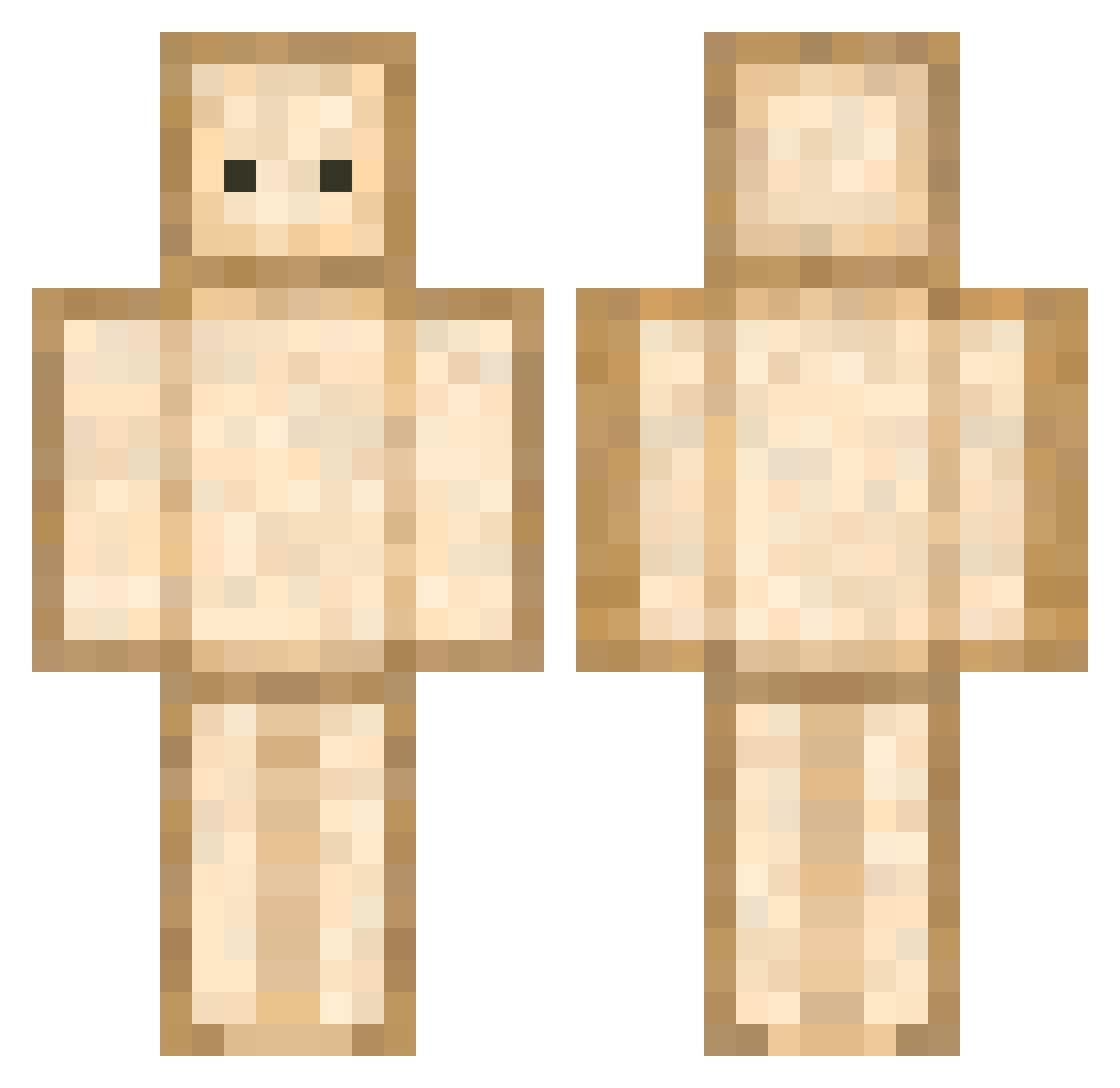
Current Minecraft skin of the player AridKingsheep, loaded from the official Mojang API. Rotate the 3D model with your mouse or finger, then download the skin as a PNG file and use it in Minecraft: Bedrock Edition or Java Edition for free. When AridKingsheep changes their skin, this page updates automatically and the old skin stays in the history below.
Other players with this skin (592)
AridKingsheep was the 164th player we have seen with this skin, first spotted on 20.08.2026. The same skin was seen on these players. Open a nickname to see their current skin and skin history.
 WantMySausage GajeelShadow1 Maladibadi policypig 06413 Spencerice somebreadboi Byman Kday0 wakamen_n Pan_Fried_Steak hamburgerpppp Alexor29 lazylay ThiccDrake GYEOSI minjik06 yulatama louloulefou30 Siigi99 jkimss fe3sha CheesyBeesy cph21 eightgums Hatchili Coolyo1077 aafor ANGEL0_ Louguy15 Naathii Deadly_skullman vekta sagegreenw SkyZzaKx Mastice4 Hidden_Nook Emezone SoCisson captrix3 Dosora sword9509 thebestdino13 FalseCredential_ Cinderlol Animallvy681796 SSOKKI AuthenticxRed Trabe Hochlauch2 _roll OliverHSG willy941031 Enjoiable powuser Kromch Klori2012 G0lden_Nugget FakeHistory FoxWhiskey55
More Toast Minecraft skins
How to install the AridKingsheep skin
- Press the Download button above to save the skin as a PNG file.
- Minecraft: Bedrock Edition (PE): open the Dressing Room from the main menu (or tap your character → Edit Character), go to Classic Skins → Owned, press the + (new skin) button, choose the downloaded PNG and pick the Classic (Steve) model. Works on PC and mobile; consoles cannot import custom skins.
- Minecraft: Java Edition: open the Minecraft Launcher, go to the Skins tab, click New Skin, load the PNG, pick the Classic (Steve) model and press Save & Use. You can also upload it at minecraft.net → Profile → Change Skin.
The skin does not show up after import - what should I do?
Restart Minecraft and open the Dressing Room again - imported skins sometimes appear only after a restart. Also make sure you selected the imported skin and picked the Classic (Steve) model.
Which model should I choose, Classic or Slim?
This skin is designed for the Classic (Steve) model. If you pick the wrong model, the arms of the skin will look stretched or squeezed.
Is the skin of AridKingsheep free to download?
Yes. Press Download, save the PNG file and use it in Minecraft: Bedrock Edition or Java Edition - no payment or registration needed. The skin also works on multiplayer servers and Realms.
More skins
Looking for more? Go back to all Minecraft skins and check the top skins of the week, month and all time, or find any player's skin by nickname.