
Arekusandaz - Minecraft Skins & Skin History
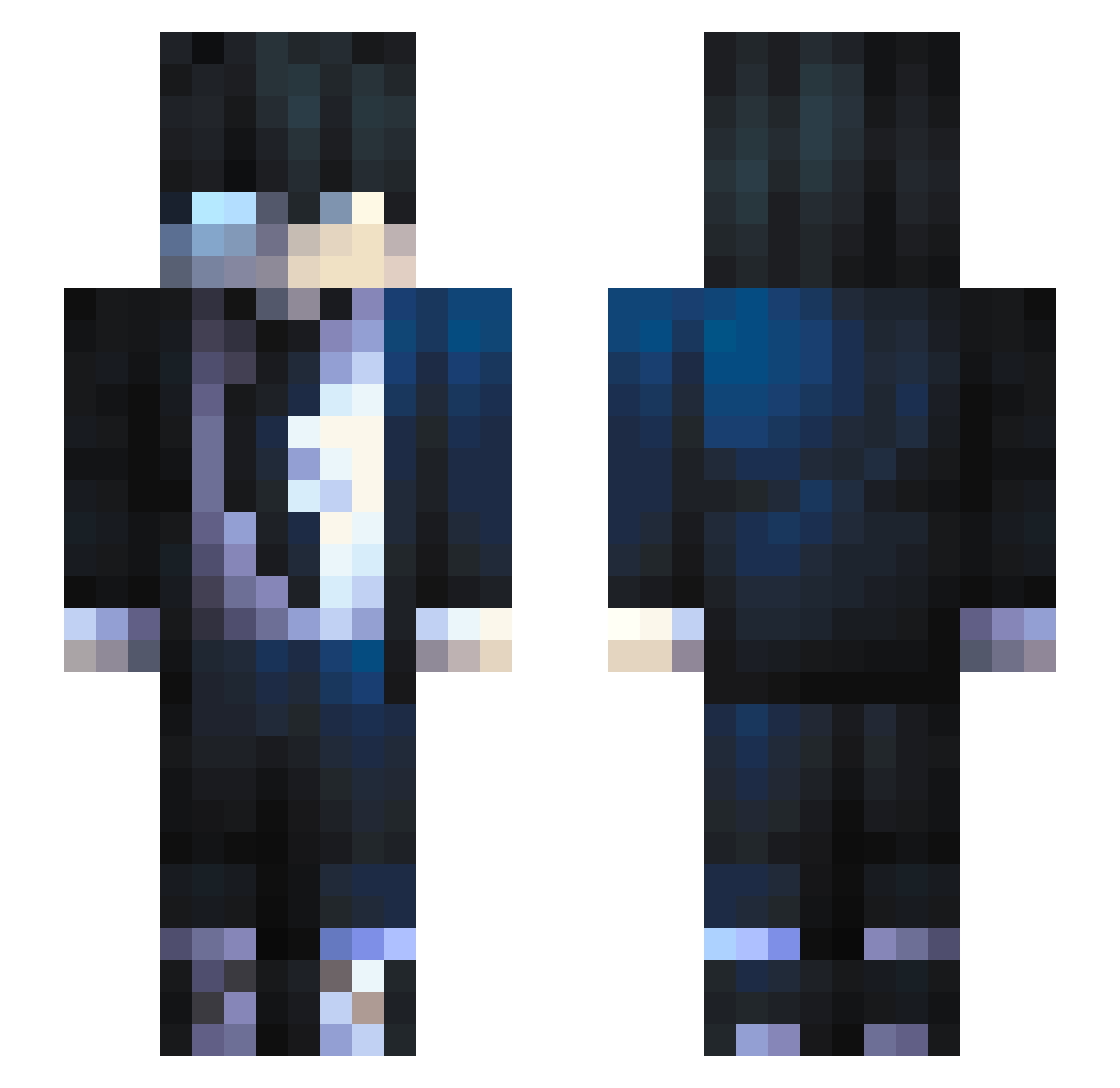
Current Minecraft skin of the player Arekusandaz, loaded from the official Mojang API. Rotate the 3D model with your mouse or finger, then download the skin as a PNG file and use it in Minecraft: Bedrock Edition or Java Edition for free. When Arekusandaz changes their skin, this page updates automatically and the old skin stays in the history below.
Other players with this skin (800)
Arekusandaz was the 699th player we have seen with this skin, first spotted on 04.11.2026. The same skin was seen on these players. Open a nickname to see their current skin and skin history.
 Mapherzz Liebenly SungJWoo guiaugs anonymoushackYT HiImDodo jamur14 W4rNoX Bautii_Fl __Dangi_YT__ YakstheLegend Reinarchh Miyamura_007 god_will DarkLight_8 Boj_000 Madsmega dragon4477 Cryptexyx Ferix24 ZNoZaWa ChinoSosa02 BARTxxxxxx Lekezze BladeMaster7492 Durelko Pinoyplays25 Wanersillo Noocklas casoti7 NinjaMonkey65 RMAD20 XiBaHaiX Ainelll Arthur1103 Mackaboo Serioton Odezious abyss_tm Vega20D Zedy__ T4urr Killaahh KumaMChihi Cenglb Light_140 Dark_Angel_l URGogeta Demowell Luvrii MadMan2018 Crovo__ soba04 Kain9158 boji10 Tr4shPando ImNightcore SJW_MS CrimsonRoz3 Urbi_PL
How to install the Arekusandaz skin
- Press the Download button above to save the skin as a PNG file.
- Minecraft: Bedrock Edition (PE): open the Dressing Room from the main menu (or tap your character → Edit Character), go to Classic Skins → Owned, press the + (new skin) button, choose the downloaded PNG and pick the Slim (Alex) model. Works on PC and mobile; consoles cannot import custom skins.
- Minecraft: Java Edition: open the Minecraft Launcher, go to the Skins tab, click New Skin, load the PNG, pick the Slim (Alex) model and press Save & Use. You can also upload it at minecraft.net → Profile → Change Skin.
The skin does not show up after import - what should I do?
Restart Minecraft and open the Dressing Room again - imported skins sometimes appear only after a restart. Also make sure you selected the imported skin and picked the Slim (Alex) model.
Which model should I choose, Classic or Slim?
This skin is designed for the Slim (Alex) model. If you pick the wrong model, the arms of the skin will look stretched or squeezed.
Is the skin of Arekusandaz free to download?
Yes. Press Download, save the PNG file and use it in Minecraft: Bedrock Edition or Java Edition - no payment or registration needed. The skin also works on multiplayer servers and Realms.
More skins
Looking for more? Go back to all Minecraft skins and check the top skins of the week, month and all time, or find any player's skin by nickname.