
Area5111 - Minecraft Skins & Skin History
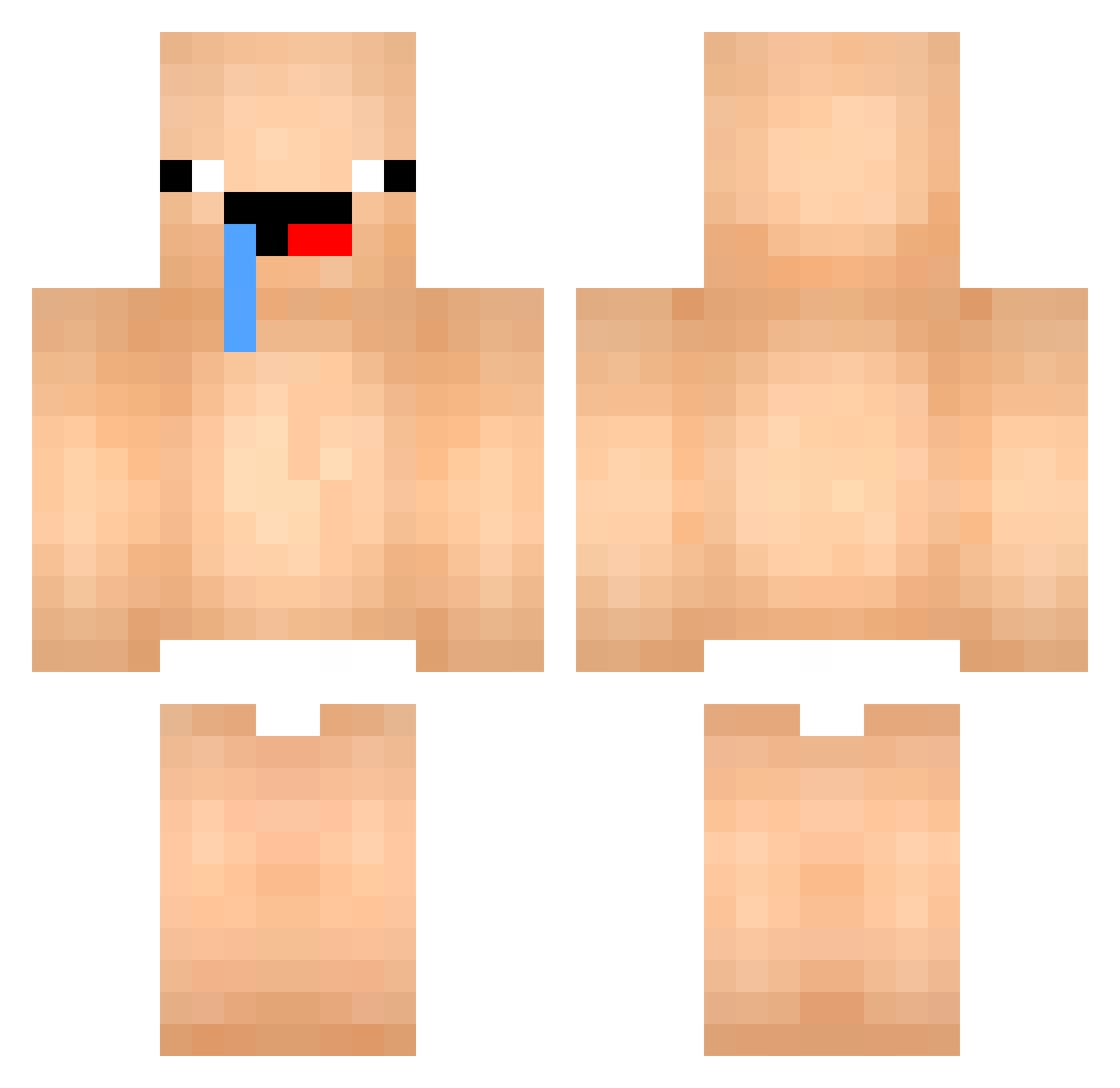
Current Minecraft skin of the player Area5111, loaded from the official Mojang API. Rotate the 3D model with your mouse or finger, then download the skin as a PNG file and use it in Minecraft: Bedrock Edition or Java Edition for free. When Area5111 changes their skin, this page updates automatically and the old skin stays in the history below.
Other players with this skin (522)
Area5111 was the 451st player we have seen with this skin, first spotted on 02.11.2026. The same skin was seen on these players. Open a nickname to see their current skin and skin history.
 Lzy0701 ZIIIIIJU BoMin0601 saint_devi zhong_you_bie_li JangSangHo Nolann2612 justxnk yeomsso340 k2die SsikSik2 SUSHIYO1 wuhaha123 Camilens lleas tiny49 zesterisLV tomgun_01 Toechowder ZREEC IgorNY depuntopoli11 prezmobil sergialaz Ryuli_ ShadowKy_ dh_v Baby_523 hectix_vhxpnotic dedpetro2281 Jambalamba00 KDHoshino MCddong illNumerous denyes1208 renabolso Matanga4 AOKUNN0 Mikolud PughRogefeldt feliciano435 SoMe1C00L HAERIN__NewJeans EryksenPapi ThANOLOL03 DapperDad27 sobo123 Pororoking Kylymaolut berko21 bearcat07 Buggati666 ey520ye UltraHand5115 DDOTTO1022 TolgaYlmzYzlm MilionG52 TwelveLand bocchi116 s1ph13
More Baby Minecraft skins
How to install the Area5111 skin
- Press the Download button above to save the skin as a PNG file.
- Minecraft: Bedrock Edition (PE): open the Dressing Room from the main menu (or tap your character → Edit Character), go to Classic Skins → Owned, press the + (new skin) button, choose the downloaded PNG and pick the Classic (Steve) model. Works on PC and mobile; consoles cannot import custom skins.
- Minecraft: Java Edition: open the Minecraft Launcher, go to the Skins tab, click New Skin, load the PNG, pick the Classic (Steve) model and press Save & Use. You can also upload it at minecraft.net → Profile → Change Skin.
The skin does not show up after import - what should I do?
Restart Minecraft and open the Dressing Room again - imported skins sometimes appear only after a restart. Also make sure you selected the imported skin and picked the Classic (Steve) model.
Which model should I choose, Classic or Slim?
This skin is designed for the Classic (Steve) model. If you pick the wrong model, the arms of the skin will look stretched or squeezed.
Is the skin of Area5111 free to download?
Yes. Press Download, save the PNG file and use it in Minecraft: Bedrock Edition or Java Edition - no payment or registration needed. The skin also works on multiplayer servers and Realms.
More skins
Looking for more? Go back to all Minecraft skins and check the top skins of the week, month and all time, or find any player's skin by nickname.