
Ara4i - Minecraft Skins & Skin History
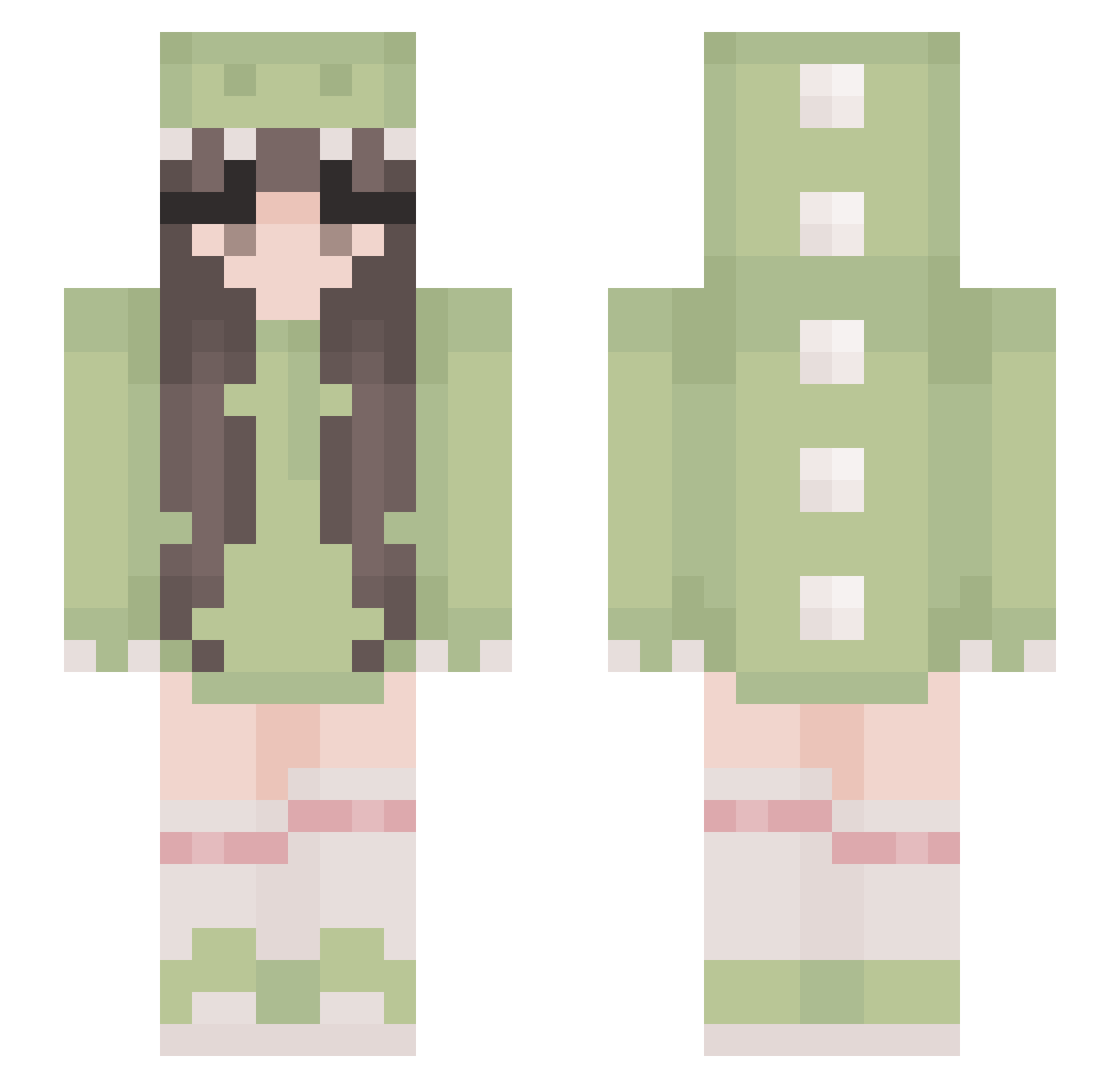
Current Minecraft skin of the player Ara4i, loaded from the official Mojang API. Rotate the 3D model with your mouse or finger, then download the skin as a PNG file and use it in Minecraft: Bedrock Edition or Java Edition for free. When Ara4i changes their skin, this page updates automatically and the old skin stays in the history below.
Other players with this skin (529)
Ara4i was the 358th player we have seen with this skin, first spotted on 05.10.2026. The same skin was seen on these players. Open a nickname to see their current skin and skin history.
 kuon2321 po0kies me6lizzy hamikuro Dinolove113 IZeroZeroTwoI PrincessDCS_ Alyfee qifengjiang233 ghost7765 6ean5 KessiSoares pxmzy Claire70240 liuuwu aimlesslyy beyoncaya Qeeny368 MissEllie18 Jessy_0211 Boniat0 Mysticplayer BlackOrchiid EightStraw97730 Zoveria haboona19 Clara_S2_ DerCurryer buzhihua Meily_25 LadyJulq TS_fan SrtaNia Arilinchen Amy_Fu candiceeeeee hakuphanthomhive toriyaki_chicken Yi_Qun KatPlays599 EternalLucia OMDubers maybeblizz did_wn JulieKrll illlillii Mily_y claramln vxKiwiiz Kananikamai eviie_04 Sabrina12001 lotten0tfound Smindle pennyeeeee TACSnntyhh _pixelmoon_ Leo_Ironfist Holis_Phoenix emilyzhouuu
More Cute Minecraft skins
How to install the Ara4i skin
- Press the Download button above to save the skin as a PNG file.
- Minecraft: Bedrock Edition (PE): open the Dressing Room from the main menu (or tap your character → Edit Character), go to Classic Skins → Owned, press the + (new skin) button, choose the downloaded PNG and pick the Slim (Alex) model. Works on PC and mobile; consoles cannot import custom skins.
- Minecraft: Java Edition: open the Minecraft Launcher, go to the Skins tab, click New Skin, load the PNG, pick the Slim (Alex) model and press Save & Use. You can also upload it at minecraft.net → Profile → Change Skin.
The skin does not show up after import - what should I do?
Restart Minecraft and open the Dressing Room again - imported skins sometimes appear only after a restart. Also make sure you selected the imported skin and picked the Slim (Alex) model.
Which model should I choose, Classic or Slim?
This skin is designed for the Slim (Alex) model. If you pick the wrong model, the arms of the skin will look stretched or squeezed.
Is the skin of Ara4i free to download?
Yes. Press Download, save the PNG file and use it in Minecraft: Bedrock Edition or Java Edition - no payment or registration needed. The skin also works on multiplayer servers and Realms.
More skins
Looking for more? Go back to all Minecraft skins and check the top skins of the week, month and all time, or find any player's skin by nickname.