
Aplanat - Minecraft Skins & Skin History
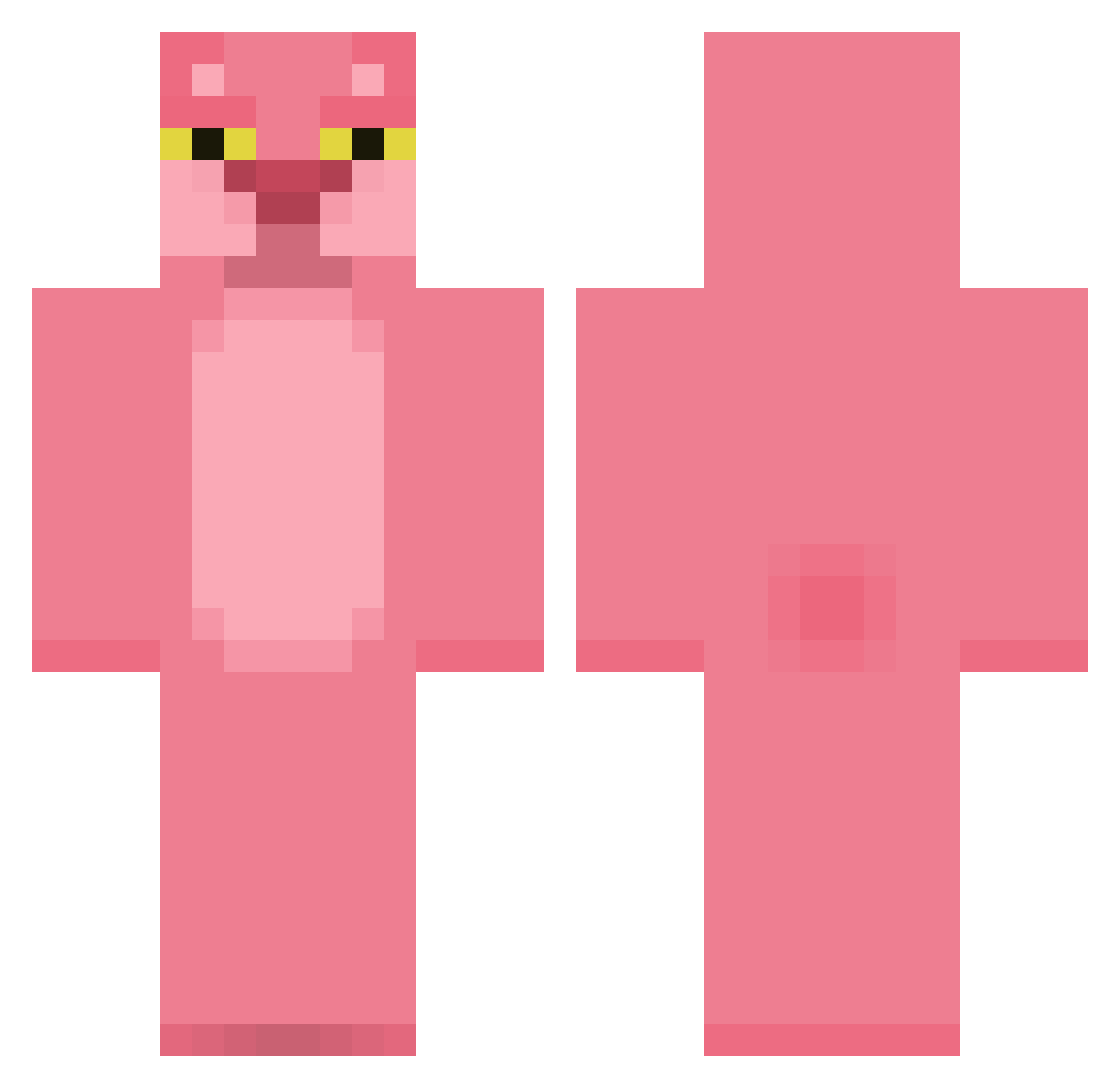
Current Minecraft skin of the player Aplanat, loaded from the official Mojang API. Rotate the 3D model with your mouse or finger, then download the skin as a PNG file and use it in Minecraft: Bedrock Edition or Java Edition for free. When Aplanat changes their skin, this page updates automatically and the old skin stays in the history below.
Other players with this skin (420)
Aplanat was the 273rd player we have seen with this skin, first spotted on 05.10.2026. The same skin was seen on these players. Open a nickname to see their current skin and skin history.
 Sand_Eater___ LucasRR_ young_yazik TheConstabulary Dawg69420 Guu255 yang0518 Phsx2 ByPAc0 SCHIMA710 ZYROX54 BaptTheBat Tophatduck12 HayDoisTe Qshu777_ pyyypski cocacolight Luzzziii wooksang xPortossx Sendayas Professorpig6 ilikepickles069 Mariefleur123 Mr_Dirpy AzzoKun reske_definite23 stupsi09 IdaBabyBeluga HappyFraise Naehvits DUDUSSS2137 gio6980 Princesspepe2 DongHa2 Neowave84 choi0716 Summer_11 SamPipe Cqncro Manax_H afk_rogue _Meliodass Stryszko Phorfeit NIWAKASENBEI Jazzie520 dovahkihn990 phlpm AliceGuilty duobomber TinoTrevi Iamweifeng PooPooYa Nixert Trulum ElanoL joulyy yayuii hmushawty
More The Pink Panther Minecraft skins
See all 147 The Pink Panther skins
How to install the Aplanat skin
- Press the Download button above to save the skin as a PNG file.
- Minecraft: Bedrock Edition (PE): open the Dressing Room from the main menu (or tap your character → Edit Character), go to Classic Skins → Owned, press the + (new skin) button, choose the downloaded PNG and pick the Classic (Steve) model. Works on PC and mobile; consoles cannot import custom skins.
- Minecraft: Java Edition: open the Minecraft Launcher, go to the Skins tab, click New Skin, load the PNG, pick the Classic (Steve) model and press Save & Use. You can also upload it at minecraft.net → Profile → Change Skin.
The skin does not show up after import - what should I do?
Restart Minecraft and open the Dressing Room again - imported skins sometimes appear only after a restart. Also make sure you selected the imported skin and picked the Classic (Steve) model.
Which model should I choose, Classic or Slim?
This skin is designed for the Classic (Steve) model. If you pick the wrong model, the arms of the skin will look stretched or squeezed.
Is the skin of Aplanat free to download?
Yes. Press Download, save the PNG file and use it in Minecraft: Bedrock Edition or Java Edition - no payment or registration needed. The skin also works on multiplayer servers and Realms.
More skins
Looking for more? Go back to all Minecraft skins and check the top skins of the week, month and all time, or find any player's skin by nickname.