
Aparental - Minecraft Skins & Skin History
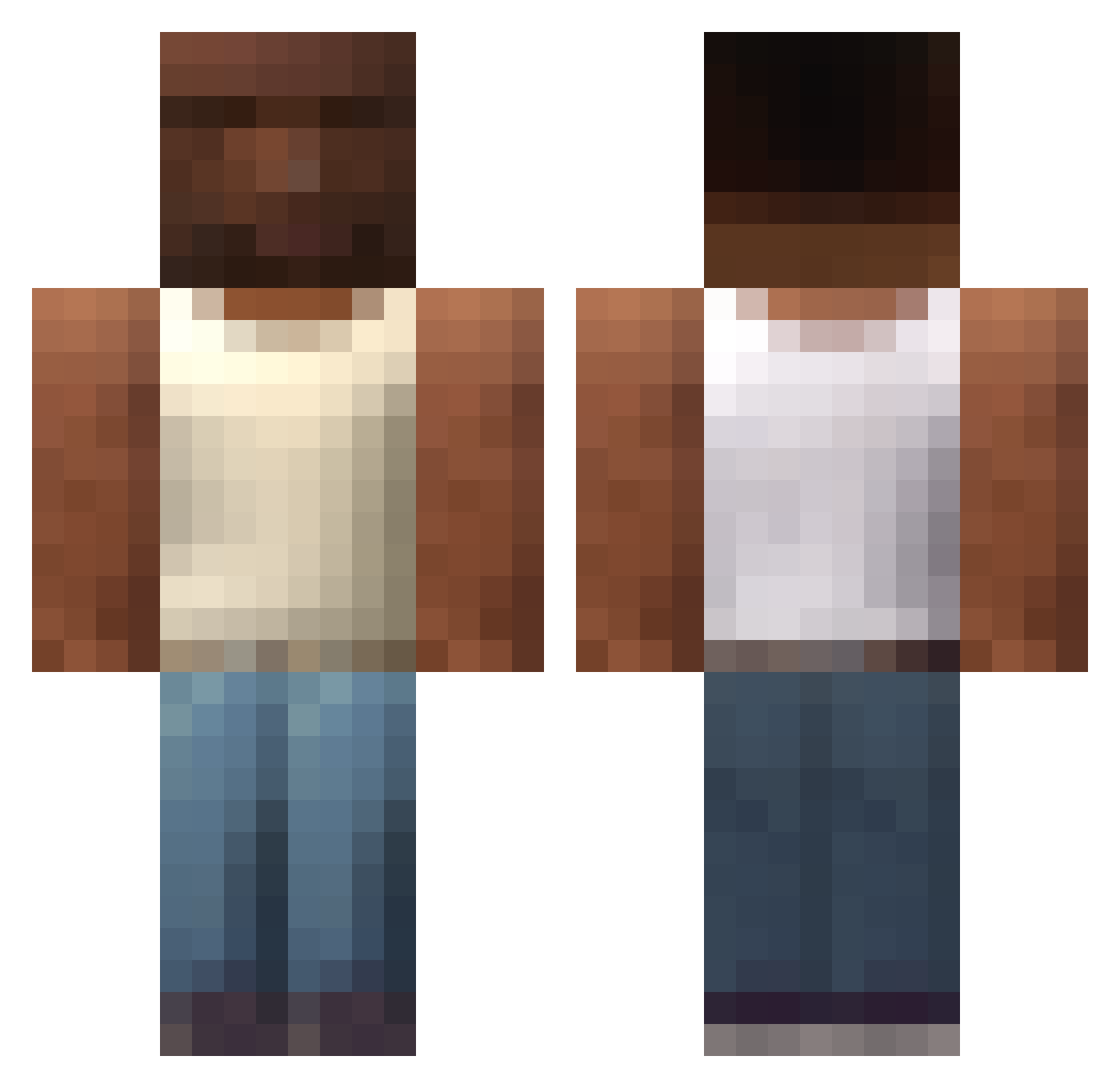
Current Minecraft skin of the player Aparental, loaded from the official Mojang API. Rotate the 3D model with your mouse or finger, then download the skin as a PNG file and use it in Minecraft: Bedrock Edition or Java Edition for free. When Aparental changes their skin, this page updates automatically and the old skin stays in the history below.
Other players with this skin (587)
Aparental was the 587th player we have seen with this skin, first spotted on 31.10.2026. The same skin was seen on these players. Open a nickname to see their current skin and skin history.
 m0derated GiLdF13 0fey1 1337Gang MoniTheGoat loonman FlopigBoSinn Ligglyfuff phasta Aethalred Empolic 6XXB Nexter_PL Master_Youghurt7 BondaTres OgboSmith AlexHtk09 K1K0_420 BRCbgb bookaj_ BreAKingBones99 T100_ DeusInfinite FtoSlayer YoungsterEddie fuflyzhnik Ktachix_ Israelocus Code0 ViniiSwan SanyPchela CochaBurras sverrekielland TheFrenchDood lkala4 ColoColo31 ZeNordeste MrStealUrWaifu ryersonnn yhaly jfkisafk1808 Juhmill supremevibes420 Villads003XvX divs__ bbbalazs_ BA3O999 FranekJD DonChusco illojuan1 grunkn StampedBirch66 WiLLiHD97 LPmitSaton bezinhu JegueSUPERdotado jackq_ goonToSkibidi zain0099 dolly3212
More San Andreas Minecraft skins
How to install the Aparental skin
- Press the Download button above to save the skin as a PNG file.
- Minecraft: Bedrock Edition (PE): open the Dressing Room from the main menu (or tap your character → Edit Character), go to Classic Skins → Owned, press the + (new skin) button, choose the downloaded PNG and pick the Classic (Steve) model. Works on PC and mobile; consoles cannot import custom skins.
- Minecraft: Java Edition: open the Minecraft Launcher, go to the Skins tab, click New Skin, load the PNG, pick the Classic (Steve) model and press Save & Use. You can also upload it at minecraft.net → Profile → Change Skin.
The skin does not show up after import - what should I do?
Restart Minecraft and open the Dressing Room again - imported skins sometimes appear only after a restart. Also make sure you selected the imported skin and picked the Classic (Steve) model.
Which model should I choose, Classic or Slim?
This skin is designed for the Classic (Steve) model. If you pick the wrong model, the arms of the skin will look stretched or squeezed.
Is the skin of Aparental free to download?
Yes. Press Download, save the PNG file and use it in Minecraft: Bedrock Edition or Java Edition - no payment or registration needed. The skin also works on multiplayer servers and Realms.
More skins
Looking for more? Go back to all Minecraft skins and check the top skins of the week, month and all time, or find any player's skin by nickname.