
Anubis7731 - Minecraft Skins & Skin History
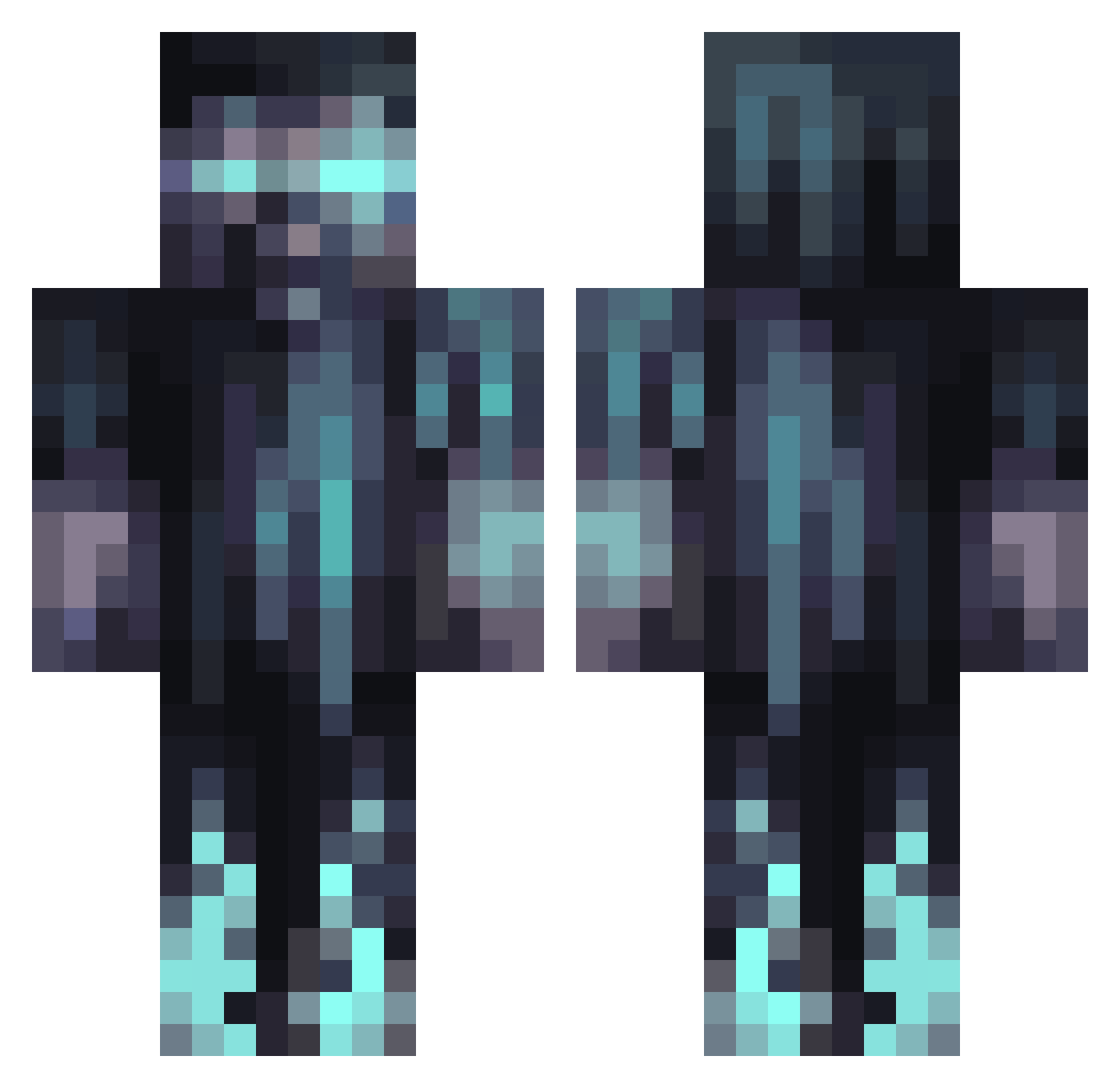
Current Minecraft skin of the player Anubis7731, loaded from the official Mojang API. Rotate the 3D model with your mouse or finger, then download the skin as a PNG file and use it in Minecraft: Bedrock Edition or Java Edition for free. When Anubis7731 changes their skin, this page updates automatically and the old skin stays in the history below.
Other players with this skin (1291)
Anubis7731 was the 1229th player we have seen with this skin, first spotted on 13.11.2026. The same skin was seen on these players. Open a nickname to see their current skin and skin history.
 Maxbutcher JKX1 SajreC _Frieza Aut0Fire yarncode Trufelowicz StoneAAron Smarmii Lt_Lettuce_029 Julian_Tuwim LoldaExist kapsgiorgos06 GiggleStomper Sunny_0boy Cmucych SpiritsUnited chan_2010 F1uffle ci4ga tomHEHEHEHA ajemyou StammTheMan1927 SmokingMC Daboiihanse FakerMayfield broham43 koty004 Ludvigthorsell CinderedWolf MudBugKing xX_man_of_sex_Xx i3BOODe DragonEdoy BinxQuen MrToobs73 gaychad SuperLux_Ninja CalebP05 Acc_1 Thomasmarmol banan66669 Artorias1296 Aquatic_Towel PISIEASY NextRealHero Boosheya 28thViruz GGMA2007 GlennTattoos Cheexy Nevel2005 Chocotombo GameStine18 ChrisCross2019 Skully211 Zeus_Harvest fusuy2 drkavnger99 DLCMAIN
More Warden Minecraft skins
How to install the Anubis7731 skin
- Press the Download button above to save the skin as a PNG file.
- Minecraft: Bedrock Edition (PE): open the Dressing Room from the main menu (or tap your character → Edit Character), go to Classic Skins → Owned, press the + (new skin) button, choose the downloaded PNG and pick the Classic (Steve) model. Works on PC and mobile; consoles cannot import custom skins.
- Minecraft: Java Edition: open the Minecraft Launcher, go to the Skins tab, click New Skin, load the PNG, pick the Classic (Steve) model and press Save & Use. You can also upload it at minecraft.net → Profile → Change Skin.
The skin does not show up after import - what should I do?
Restart Minecraft and open the Dressing Room again - imported skins sometimes appear only after a restart. Also make sure you selected the imported skin and picked the Classic (Steve) model.
Which model should I choose, Classic or Slim?
This skin is designed for the Classic (Steve) model. If you pick the wrong model, the arms of the skin will look stretched or squeezed.
Is the skin of Anubis7731 free to download?
Yes. Press Download, save the PNG file and use it in Minecraft: Bedrock Edition or Java Edition - no payment or registration needed. The skin also works on multiplayer servers and Realms.
More skins
Looking for more? Go back to all Minecraft skins and check the top skins of the week, month and all time, or find any player's skin by nickname.