
Antoine5707 - Minecraft Skins & Skin History
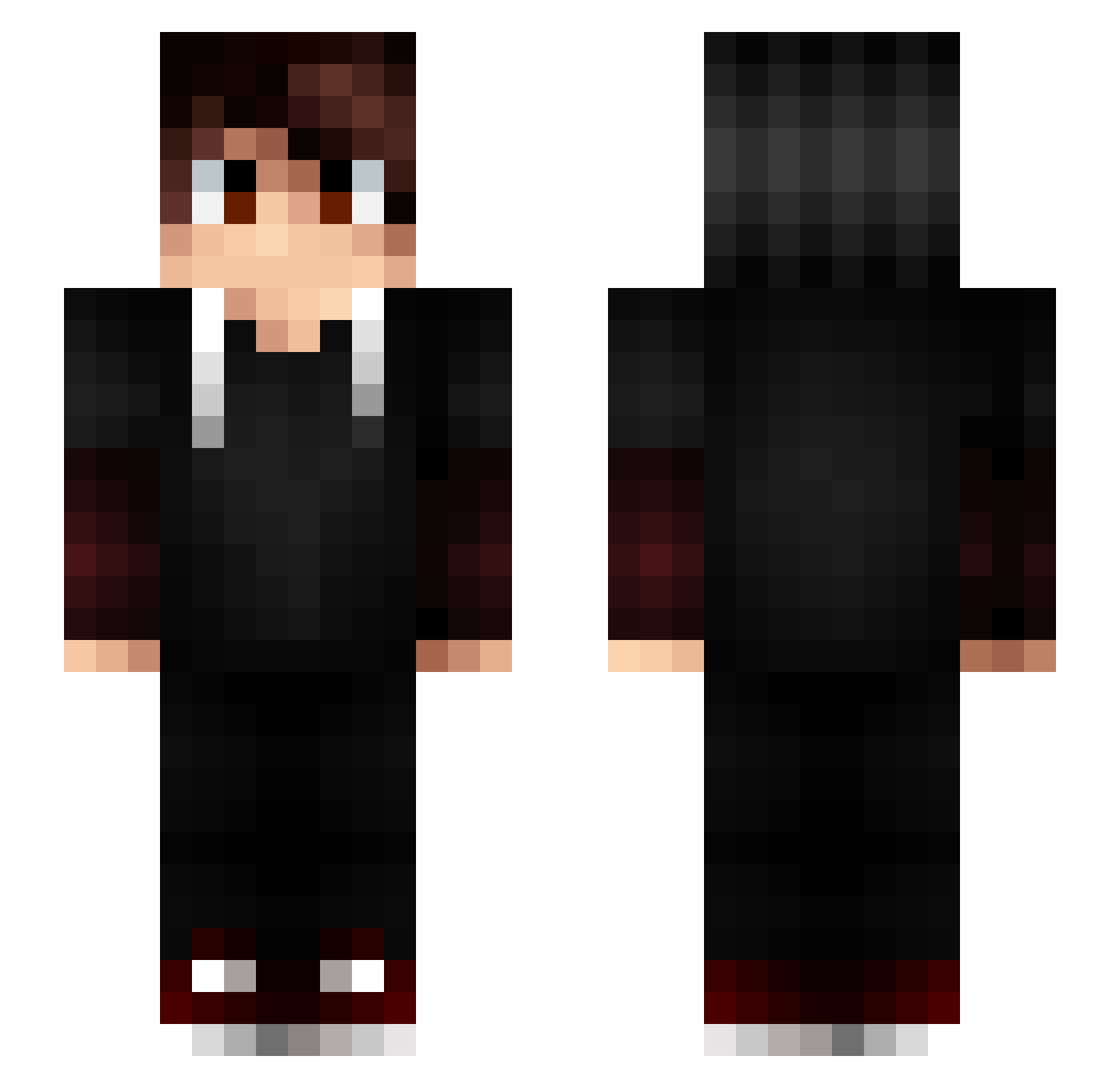
Current Minecraft skin of the player Antoine5707, loaded from the official Mojang API. Rotate the 3D model with your mouse or finger, then download the skin as a PNG file and use it in Minecraft: Bedrock Edition or Java Edition for free. When Antoine5707 changes their skin, this page updates automatically and the old skin stays in the history below.
Other players with this skin (197)
Antoine5707 was the 128th player we have seen with this skin, first spotted on 07.10.2026. The same skin was seen on these players. Open a nickname to see their current skin and skin history.
 lespectre01 pedrockszika hobit012 nyZzo Dumplongus wariors04 radiateur2001 LiamDiePaulchen Ledrig CrazyMoors Jia_Jhang Nath_Mc SafakBey1 Minospvp SkipsbicepS AkHaze Lunaire_Hitek TheBlackMan31 Natpdu64 JessanGria ryan92181 Im_JoKozz Sklinay Etienne794 ViveLaVodka_ SeeScale Pommeuh NoStress60 pgGeek P_Nexus_P Vynillebolos Polat_YT chevaliertitan76 ItZ_SkyzZ_Bat jokeroo Tamaraki robotdu57 Talla29 rorololororo peachy_Makos Ogabachin Eryzes COZMAYT jejesuper_007 Game_Fire57 ciol84 ImNuqz Alexdidi28 zozogamer LuckyARS PhoenicianDlp YaLesHendeck Sathariel_FR Coco_gamer69 JackFly94 Zupson ZrKos Gahoshiro MamanRelou Arteuty
More Layered Sleeves Minecraft skins
See all 65 Layered Sleeves skins
How to install the Antoine5707 skin
- Press the Download button above to save the skin as a PNG file.
- Minecraft: Bedrock Edition (PE): open the Dressing Room from the main menu (or tap your character → Edit Character), go to Classic Skins → Owned, press the + (new skin) button, choose the downloaded PNG and pick the Slim (Alex) model. Works on PC and mobile; consoles cannot import custom skins.
- Minecraft: Java Edition: open the Minecraft Launcher, go to the Skins tab, click New Skin, load the PNG, pick the Slim (Alex) model and press Save & Use. You can also upload it at minecraft.net → Profile → Change Skin.
The skin does not show up after import - what should I do?
Restart Minecraft and open the Dressing Room again - imported skins sometimes appear only after a restart. Also make sure you selected the imported skin and picked the Slim (Alex) model.
Which model should I choose, Classic or Slim?
This skin is designed for the Slim (Alex) model. If you pick the wrong model, the arms of the skin will look stretched or squeezed.
Is the skin of Antoine5707 free to download?
Yes. Press Download, save the PNG file and use it in Minecraft: Bedrock Edition or Java Edition - no payment or registration needed. The skin also works on multiplayer servers and Realms.
More skins
Looking for more? Go back to all Minecraft skins and check the top skins of the week, month and all time, or find any player's skin by nickname.