
AntekGaming113 - Minecraft Skins & Skin History
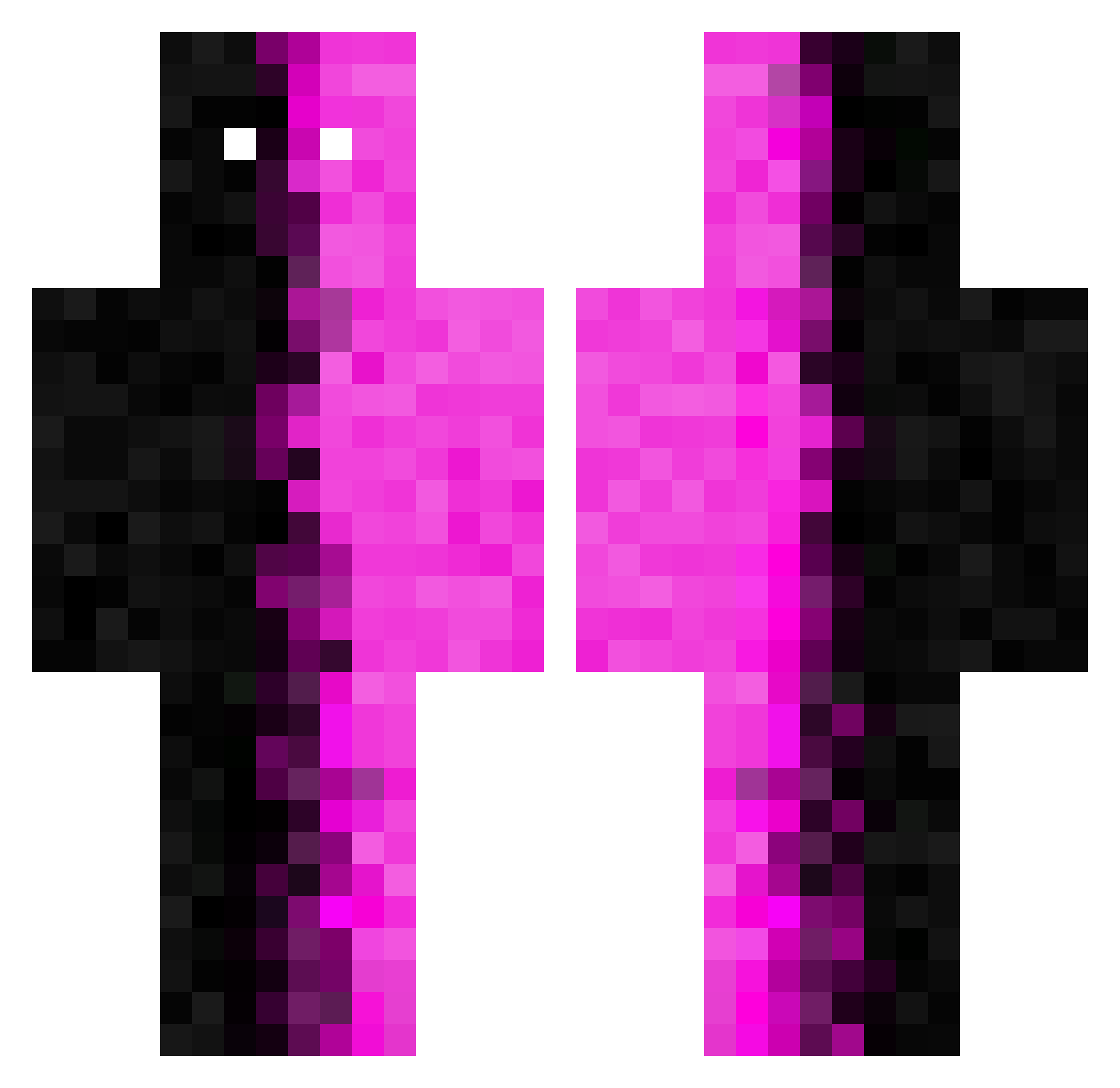
Current Minecraft skin of the player AntekGaming113, loaded from the official Mojang API. Rotate the 3D model with your mouse or finger, then download the skin as a PNG file and use it in Minecraft: Bedrock Edition or Java Edition for free. When AntekGaming113 changes their skin, this page updates automatically and the old skin stays in the history below.
Other players with this skin (289)
AntekGaming113 was the 178th player we have seen with this skin, first spotted on 27.09.2026. The same skin was seen on these players. Open a nickname to see their current skin and skin history.
 FreedOrc9160608 xKacperSzef AutomaticARs 9simba9 manbearpig05731 reapyx1 KAMADA ShELdOr5489 Mukki05 Mody39 Blak0Z ITStheKIG WhozAdam Sol7836 mastergavin6 himtimrick Kamix_11 Chopa_a tAPYneedone OleckiB15 malik123121 warmmn ALEXLOUTRE87 Hazza_34 tssk401 Ivo1234657890 bootjemonk _Daquavis_1 sumod_cm Innocentgrape Growagardenpro2 And_Im_IronMan GubiFortnite458 D4quavisMC aa63081 Janpek1234 eggbn Ricky2169 m1n_j00 dimywas DreamVssDaquavis Karasiu01 TOMPP18 DaquavisMC proni_21 Arjinski aazhton pro_omri MoLegend786 Daquavis22 alllllllllllllla CFBogdan Daquaviousdoesmc Daquavis_MCC tiertests karis6969 Csabi2013 KultainenPahkina Bigfredddie _LaGuimauve_
More Missing Texture Minecraft skins
See all 26 Missing Texture skins
How to install the AntekGaming113 skin
- Press the Download button above to save the skin as a PNG file.
- Minecraft: Bedrock Edition (PE): open the Dressing Room from the main menu (or tap your character → Edit Character), go to Classic Skins → Owned, press the + (new skin) button, choose the downloaded PNG and pick the Classic (Steve) model. Works on PC and mobile; consoles cannot import custom skins.
- Minecraft: Java Edition: open the Minecraft Launcher, go to the Skins tab, click New Skin, load the PNG, pick the Classic (Steve) model and press Save & Use. You can also upload it at minecraft.net → Profile → Change Skin.
The skin does not show up after import - what should I do?
Restart Minecraft and open the Dressing Room again - imported skins sometimes appear only after a restart. Also make sure you selected the imported skin and picked the Classic (Steve) model.
Which model should I choose, Classic or Slim?
This skin is designed for the Classic (Steve) model. If you pick the wrong model, the arms of the skin will look stretched or squeezed.
Is the skin of AntekGaming113 free to download?
Yes. Press Download, save the PNG file and use it in Minecraft: Bedrock Edition or Java Edition - no payment or registration needed. The skin also works on multiplayer servers and Realms.
More skins
Looking for more? Go back to all Minecraft skins and check the top skins of the week, month and all time, or find any player's skin by nickname.