
Anilyr - Minecraft Skins & Skin History
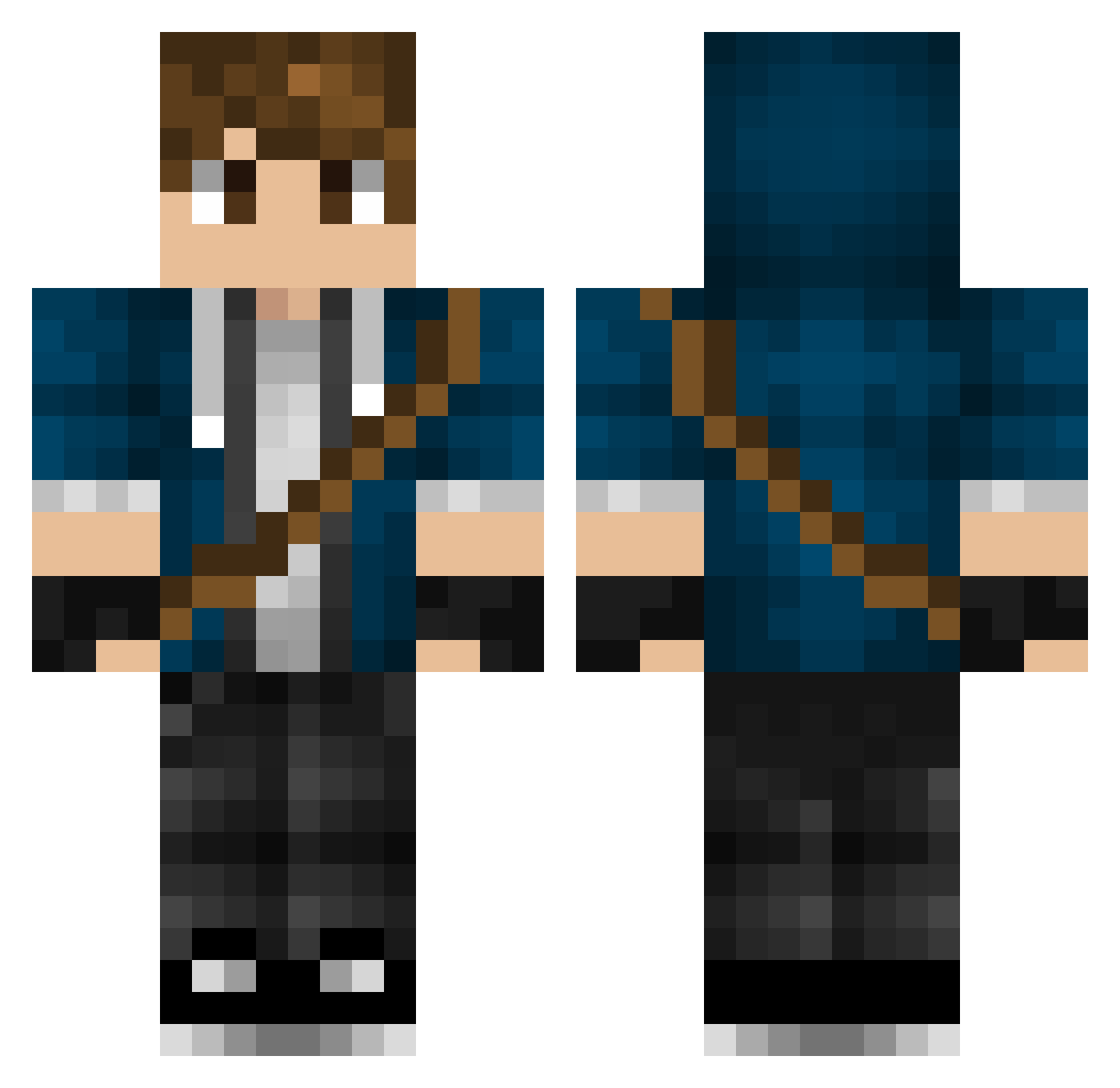
Current Minecraft skin of the player Anilyr, loaded from the official Mojang API. Rotate the 3D model with your mouse or finger, then download the skin as a PNG file and use it in Minecraft: Bedrock Edition or Java Edition for free. When Anilyr changes their skin, this page updates automatically and the old skin stays in the history below.
Other players with this skin (317)
Anilyr was the 214th player we have seen with this skin, first spotted on 03.10.2026. The same skin was seen on these players. Open a nickname to see their current skin and skin history.
 Der_Teki DyamicDuoE archfeind DeerHunter471 bishieman Drinkabull_gamer Spychicken5 Culcha33 bobjunior4 OptionC Borrie_snorrie speedstriker_858 BobClaymur GcDTigerRaGe Hovsep jakobmini12 Mathias123yolo MariusRyse andry_avar08 DrPinguin98 WillZter fourforgators Terraphim lorenzo0305 Beowulf5454 Thomoose inFamous01 Jhaydawg arawee Flamehunter112 Adzawezome LextYT RedLeg52 TheWingedAssasin DogsRule_ DarkUbiquity prahlen KingRiccardino04 Anarchreon Kuresa5 ImRfrx TheNinjaSlime69 skysercher Lenley chewboy3417 Buddy152 eugenekrabbs Mellemaat CalebZor Kasper_4213 Raptorman981 Jens0tto rickyjoe1996 UnspokenSolace AlexKfz7 SilverStarSteve twinters101 Zeds1392 DeltaFish APippster
More Messenger Bag Minecraft skins
See all 535 Messenger Bag skins
How to install the Anilyr skin
- Press the Download button above to save the skin as a PNG file.
- Minecraft: Bedrock Edition (PE): open the Dressing Room from the main menu (or tap your character → Edit Character), go to Classic Skins → Owned, press the + (new skin) button, choose the downloaded PNG and pick the Classic (Steve) model. Works on PC and mobile; consoles cannot import custom skins.
- Minecraft: Java Edition: open the Minecraft Launcher, go to the Skins tab, click New Skin, load the PNG, pick the Classic (Steve) model and press Save & Use. You can also upload it at minecraft.net → Profile → Change Skin.
The skin does not show up after import - what should I do?
Restart Minecraft and open the Dressing Room again - imported skins sometimes appear only after a restart. Also make sure you selected the imported skin and picked the Classic (Steve) model.
Which model should I choose, Classic or Slim?
This skin is designed for the Classic (Steve) model. If you pick the wrong model, the arms of the skin will look stretched or squeezed.
Is the skin of Anilyr free to download?
Yes. Press Download, save the PNG file and use it in Minecraft: Bedrock Edition or Java Edition - no payment or registration needed. The skin also works on multiplayer servers and Realms.
More skins
Looking for more? Go back to all Minecraft skins and check the top skins of the week, month and all time, or find any player's skin by nickname.