
AniaRandkaPls - Minecraft Skins & Skin History
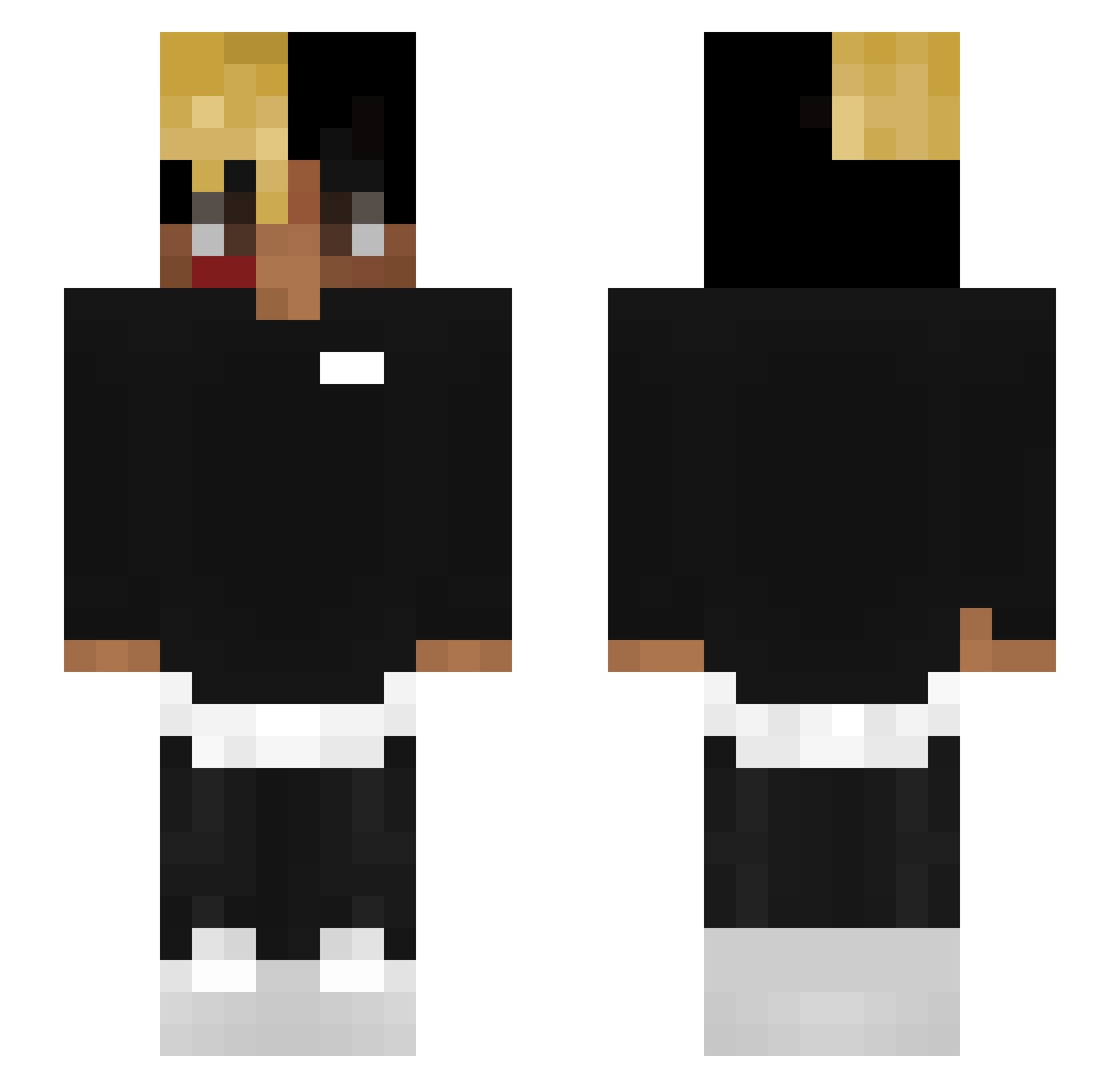
Current Minecraft skin of the player AniaRandkaPls, loaded from the official Mojang API. Rotate the 3D model with your mouse or finger, then download the skin as a PNG file and use it in Minecraft: Bedrock Edition or Java Edition for free. When AniaRandkaPls changes their skin, this page updates automatically and the old skin stays in the history below.
Other players with this skin (83)
AniaRandkaPls was the 52nd player we have seen with this skin, first spotted on 04.10.2026. The same skin was seen on these players. Open a nickname to see their current skin and skin history.
 GeordieGreep GigaAxe zGustavo_xD OWLG011 Emil174p DroppedYourChild arnoldlovec UncleDalt BlockBoy26789 Lhaun ar1ki ArianaGrande111 inactiveaccount1 Razzible MatiManPvp_ bladexey TehLonelyPotato FlavoredVape xxxhuskogaming00 MrCreeps99 Gloomsbee DingerDoug BigSot0 B074 kcherns DoctorMerp rainfallmagic venomblade99 Stvercraft YoungNico0666 CampusCup AjumexYTB Mthoppes phamiey01 Extremegunner565 souvenir_vayne lorisraber slakawaka Corceria michaeljamz KreosAX My_Name_Gekyume lilAscheine excitedforpuddin taDANDOminecraft Longhornfan2o Verkaufsstelle RobMac neme12 youngflacko xWhitehill KingBlarg _TheyCallMeWolf YNT_Freud XXXtentacion2398 Legacy1585 Sawcondeez Praveen69 Lady_B_W FlawlessCxvap_
More Xxxtentacion Minecraft skins
See all 407 Xxxtentacion skins
How to install the AniaRandkaPls skin
- Press the Download button above to save the skin as a PNG file.
- Minecraft: Bedrock Edition (PE): open the Dressing Room from the main menu (or tap your character → Edit Character), go to Classic Skins → Owned, press the + (new skin) button, choose the downloaded PNG and pick the Slim (Alex) model. Works on PC and mobile; consoles cannot import custom skins.
- Minecraft: Java Edition: open the Minecraft Launcher, go to the Skins tab, click New Skin, load the PNG, pick the Slim (Alex) model and press Save & Use. You can also upload it at minecraft.net → Profile → Change Skin.
The skin does not show up after import - what should I do?
Restart Minecraft and open the Dressing Room again - imported skins sometimes appear only after a restart. Also make sure you selected the imported skin and picked the Slim (Alex) model.
Which model should I choose, Classic or Slim?
This skin is designed for the Slim (Alex) model. If you pick the wrong model, the arms of the skin will look stretched or squeezed.
Is the skin of AniaRandkaPls free to download?
Yes. Press Download, save the PNG file and use it in Minecraft: Bedrock Edition or Java Edition - no payment or registration needed. The skin also works on multiplayer servers and Realms.
More skins
Looking for more? Go back to all Minecraft skins and check the top skins of the week, month and all time, or find any player's skin by nickname.