
Angoxgg - Minecraft Skins & Skin History
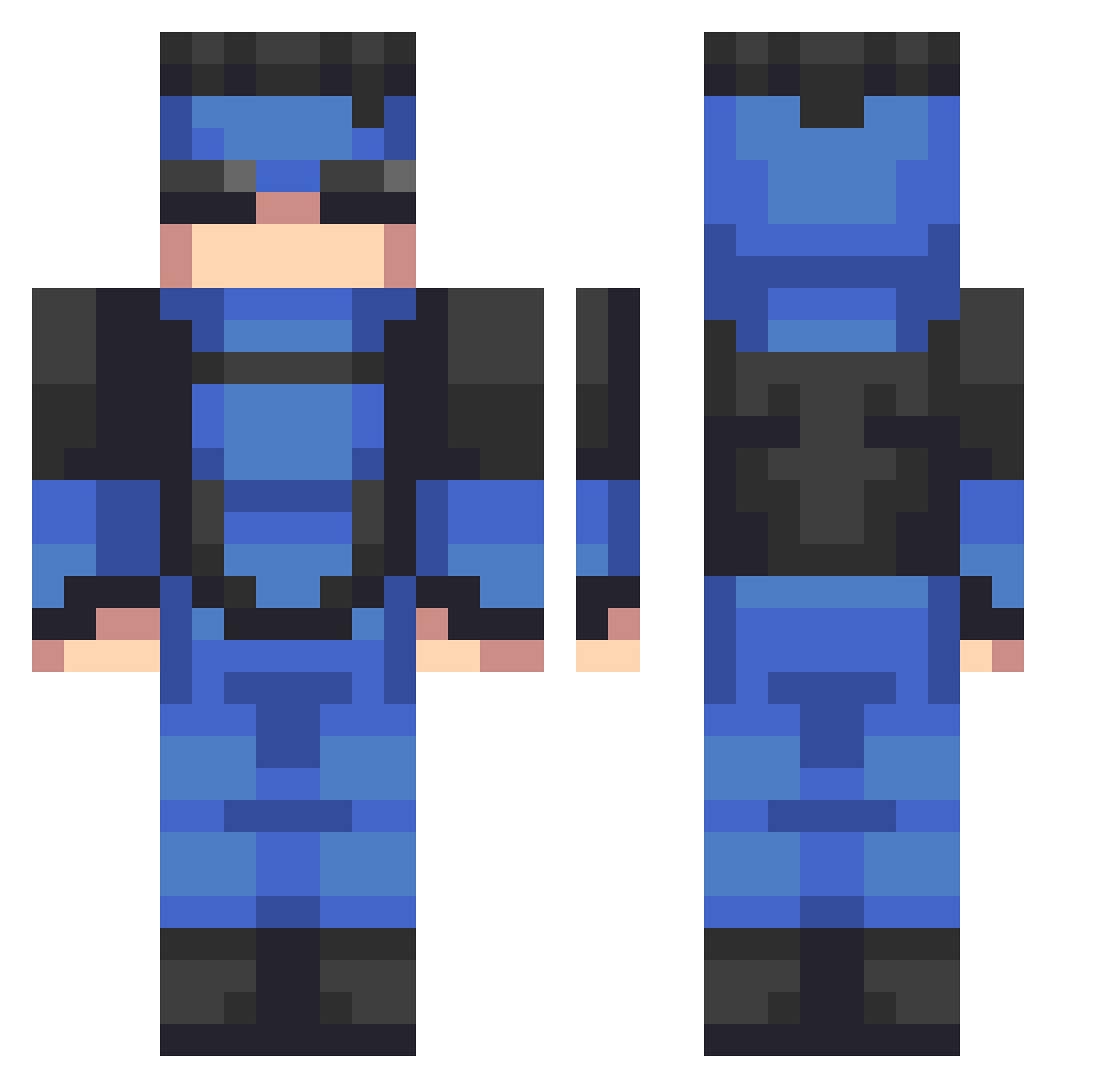
Current Minecraft skin of the player Angoxgg, loaded from the official Mojang API. Rotate the 3D model with your mouse or finger, then download the skin as a PNG file and use it in Minecraft: Bedrock Edition or Java Edition for free. When Angoxgg changes their skin, this page updates automatically and the old skin stays in the history below.
Other players with this skin (635)
Angoxgg was the 523rd player we have seen with this skin, first spotted on 29.10.2026. The same skin was seen on these players. Open a nickname to see their current skin and skin history.
 SupremeJAmes345 Morris999 clement13 Madluke2020 TrashBoat1207 desh05 Mkzz__ GANGRocket oliking322 D4rk713 yrjkk isoapte Marwaid Rileyjack2511 slotzz__ PatkanMC Isaicraft The_Foxy Ian_GD amirplays bychikis havalImaymun ManiacoGod Alt_Danibouy connorryan21 Jaguar_Zero JumpyHydra99628 brku JEKO77 Vlfe NNYROX_ Sarpibas AuntTony28 Cavcon_ dino2411 envv_ faridred999 Shadow41910 dorenggg sewhyde OhFroh Luchito_T22 capeto2005 ErJavi06 Jamespoope PeelBanana Joon2399 Droider konapup1 Syckle M4TEOISCOOL Impifying dewysunset Hhhhh77777 Khorvax Bomba_Bon_Bon WawitaXD JUBAMA Mrsebxon Rayman5665
More Solid Snake Minecraft skins
How to install the Angoxgg skin
- Press the Download button above to save the skin as a PNG file.
- Minecraft: Bedrock Edition (PE): open the Dressing Room from the main menu (or tap your character → Edit Character), go to Classic Skins → Owned, press the + (new skin) button, choose the downloaded PNG and pick the Classic (Steve) model. Works on PC and mobile; consoles cannot import custom skins.
- Minecraft: Java Edition: open the Minecraft Launcher, go to the Skins tab, click New Skin, load the PNG, pick the Classic (Steve) model and press Save & Use. You can also upload it at minecraft.net → Profile → Change Skin.
The skin does not show up after import - what should I do?
Restart Minecraft and open the Dressing Room again - imported skins sometimes appear only after a restart. Also make sure you selected the imported skin and picked the Classic (Steve) model.
Which model should I choose, Classic or Slim?
This skin is designed for the Classic (Steve) model. If you pick the wrong model, the arms of the skin will look stretched or squeezed.
Is the skin of Angoxgg free to download?
Yes. Press Download, save the PNG file and use it in Minecraft: Bedrock Edition or Java Edition - no payment or registration needed. The skin also works on multiplayer servers and Realms.
More skins
Looking for more? Go back to all Minecraft skins and check the top skins of the week, month and all time, or find any player's skin by nickname.