
Andy4986 - Minecraft Skins & Skin History
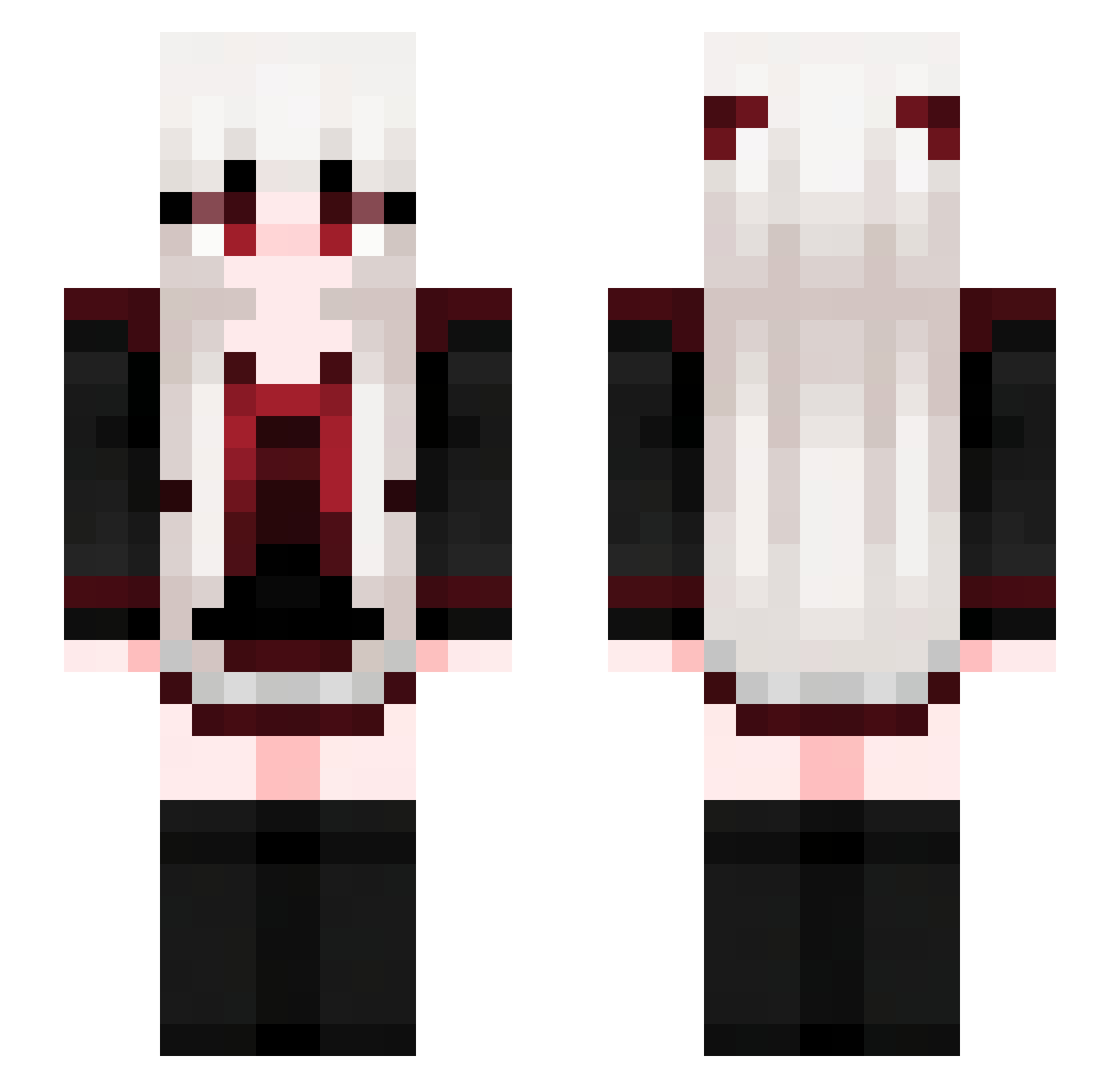
Current Minecraft skin of the player Andy4986, loaded from the official Mojang API. Rotate the 3D model with your mouse or finger, then download the skin as a PNG file and use it in Minecraft: Bedrock Edition or Java Edition for free. When Andy4986 changes their skin, this page updates automatically and the old skin stays in the history below.
Other players with this skin (713)
Andy4986 was the 562nd player we have seen with this skin, first spotted on 18.10.2026. The same skin was seen on these players. Open a nickname to see their current skin and skin history.
 Gong_Yun Center024 Sunday0104 call_me_dad_0412 hhhhhhdq Hanseo_ New_Marlon Arisu131 valkyrie_szn BrawlThib hiss1171 159357456852 middletwoRED suran7848 2IVI Gwenly97 fzdmz JIM1107 Kkorosenai GoLyB1 M4rt1n4 watermelon_1777 Jolygo24 Yanielys BeeKawaii Lilia128 extmool sam940726 WuLingYuan mandyhuang68 Allysisa difer2 HorlicK_ wangzhiyue Moerll520 DDDe6 mimi00428 V4LK1R14444 CarpeDiemsk Mitsuishi_Yuuka DsDragonPich Dorago0 konbanha72 xXOminousXx ShadowGD h2004zj Lurensang HomaNoan1 LunacY0122 Skurwikot songyemoon LightAsAFeather qiuqiu114 VegtableSniffer6 NozomiUwU kkNeko name3952 C4rpinchoBostero Elvuex Acyl_a
More Goth Minecraft skins
How to install the Andy4986 skin
- Press the Download button above to save the skin as a PNG file.
- Minecraft: Bedrock Edition (PE): open the Dressing Room from the main menu (or tap your character → Edit Character), go to Classic Skins → Owned, press the + (new skin) button, choose the downloaded PNG and pick the Slim (Alex) model. Works on PC and mobile; consoles cannot import custom skins.
- Minecraft: Java Edition: open the Minecraft Launcher, go to the Skins tab, click New Skin, load the PNG, pick the Slim (Alex) model and press Save & Use. You can also upload it at minecraft.net → Profile → Change Skin.
The skin does not show up after import - what should I do?
Restart Minecraft and open the Dressing Room again - imported skins sometimes appear only after a restart. Also make sure you selected the imported skin and picked the Slim (Alex) model.
Which model should I choose, Classic or Slim?
This skin is designed for the Slim (Alex) model. If you pick the wrong model, the arms of the skin will look stretched or squeezed.
Is the skin of Andy4986 free to download?
Yes. Press Download, save the PNG file and use it in Minecraft: Bedrock Edition or Java Edition - no payment or registration needed. The skin also works on multiplayer servers and Realms.
More skins
Looking for more? Go back to all Minecraft skins and check the top skins of the week, month and all time, or find any player's skin by nickname.