
AndxrZ - Minecraft Skins & Skin History
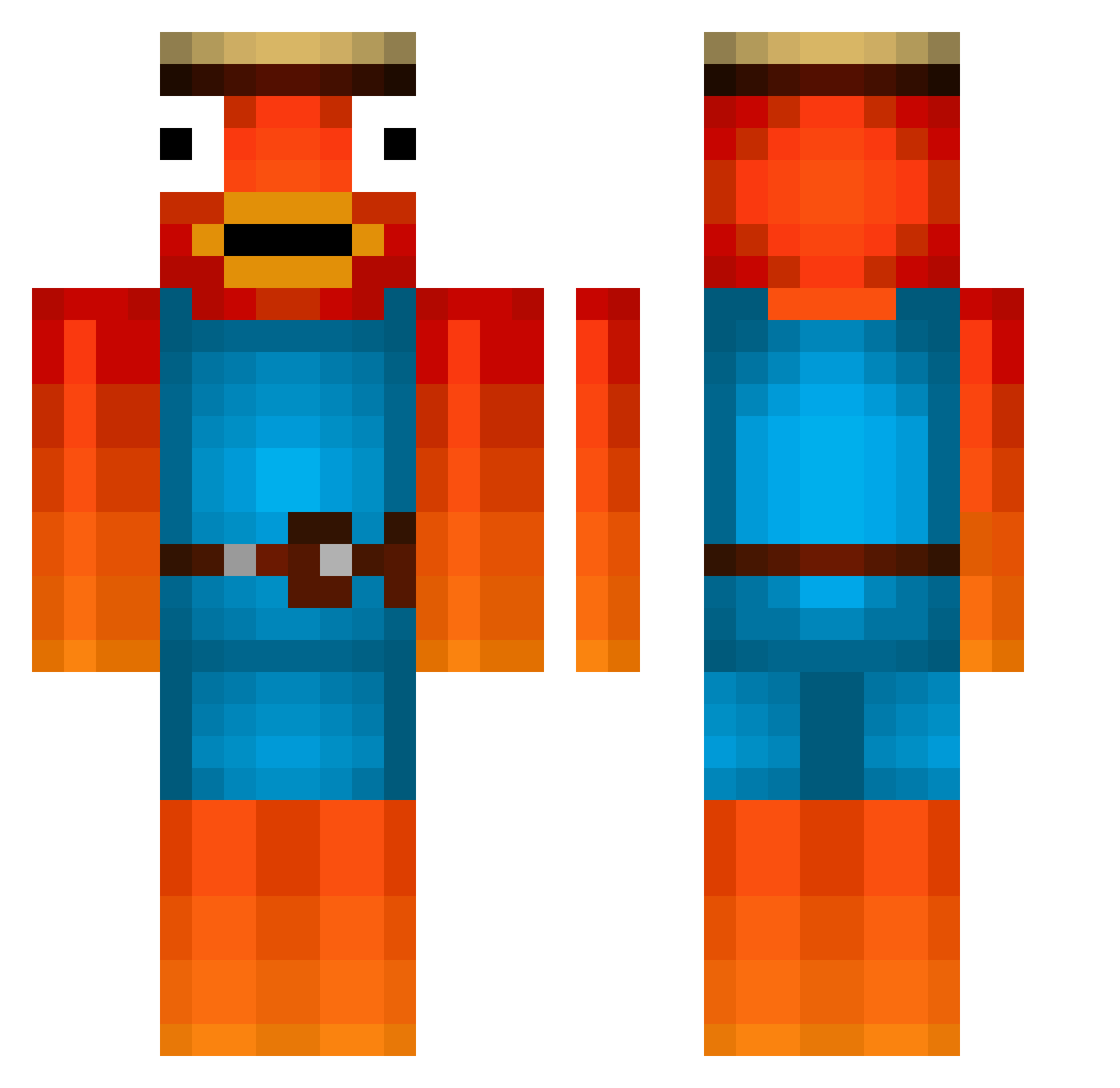
Current Minecraft skin of the player AndxrZ, loaded from the official Mojang API. Rotate the 3D model with your mouse or finger, then download the skin as a PNG file and use it in Minecraft: Bedrock Edition or Java Edition for free. When AndxrZ changes their skin, this page updates automatically and the old skin stays in the history below.
Other players with this skin (476)
AndxrZ was the 239th player we have seen with this skin, first spotted on 16.09.2026. The same skin was seen on these players. Open a nickname to see their current skin and skin history.
 ahueru0125 ItxHappy Bennsman Bazzo_ ZockHD_1 TheGamerMonk007 _Mathyx Lincgamer8 bennjakk Nemi_vr Zombosslp asoutarou1 electus77 Josepatilla333 z_kelley Aless07123 Joel_88 JamesWithAY Bigmacs69 Try_Nics J0o5n9a2 LUFRE Mugut Marfein DavuSch12 Overtime2112 Kale1477 einssammy feli2306 STRGAMER Arango_11 xoyn0910 icceyy3 Knackii Luttero Sloerp_ M_exx_O Hammel011 Alzzee da_lix Zibouty two_day_shipping BertyBones7 nyiea jokerface171 Kyzuks notchunchunmaru CRAZY007 Kokoloko21 Ussabussa pharao47 Shalalalom Enno111 Beersimo Raymacs_Live Auiyq OnlyDany420 Mman47 s_fronze hammerdance
More Fishstick Minecraft skins
How to install the AndxrZ skin
- Press the Download button above to save the skin as a PNG file.
- Minecraft: Bedrock Edition (PE): open the Dressing Room from the main menu (or tap your character → Edit Character), go to Classic Skins → Owned, press the + (new skin) button, choose the downloaded PNG and pick the Classic (Steve) model. Works on PC and mobile; consoles cannot import custom skins.
- Minecraft: Java Edition: open the Minecraft Launcher, go to the Skins tab, click New Skin, load the PNG, pick the Classic (Steve) model and press Save & Use. You can also upload it at minecraft.net → Profile → Change Skin.
The skin does not show up after import - what should I do?
Restart Minecraft and open the Dressing Room again - imported skins sometimes appear only after a restart. Also make sure you selected the imported skin and picked the Classic (Steve) model.
Which model should I choose, Classic or Slim?
This skin is designed for the Classic (Steve) model. If you pick the wrong model, the arms of the skin will look stretched or squeezed.
Is the skin of AndxrZ free to download?
Yes. Press Download, save the PNG file and use it in Minecraft: Bedrock Edition or Java Edition - no payment or registration needed. The skin also works on multiplayer servers and Realms.
More skins
Looking for more? Go back to all Minecraft skins and check the top skins of the week, month and all time, or find any player's skin by nickname.