
Andresvipe - Minecraft Skins & Skin History
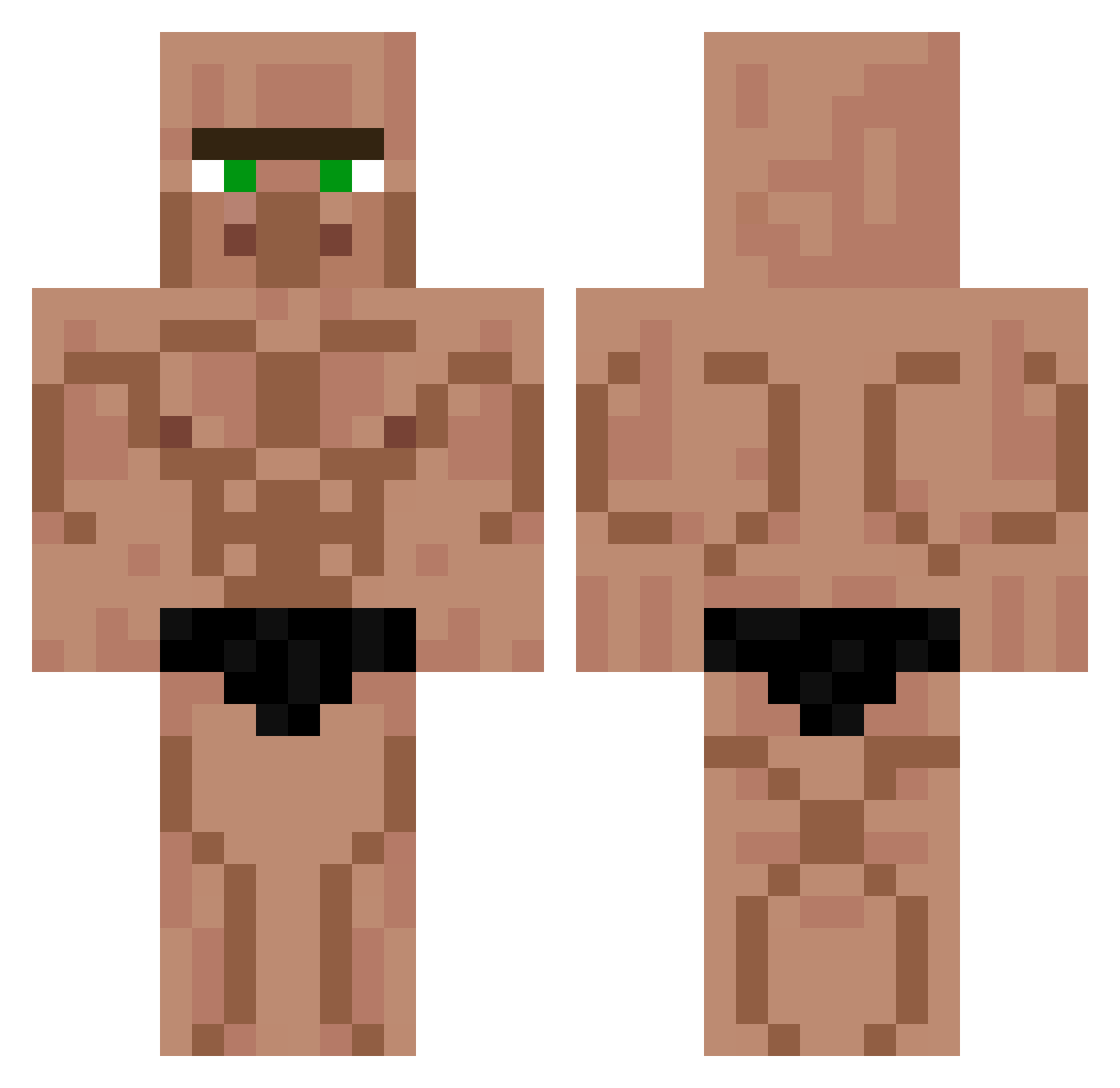
Current Minecraft skin of the player Andresvipe, loaded from the official Mojang API. Rotate the 3D model with your mouse or finger, then download the skin as a PNG file and use it in Minecraft: Bedrock Edition or Java Edition for free. When Andresvipe changes their skin, this page updates automatically and the old skin stays in the history below.
Other players with this skin (426)
Andresvipe was the 214th player we have seen with this skin, first spotted on 17.09.2026. The same skin was seen on these players. Open a nickname to see their current skin and skin history.
 Thiccccc JacobbbAlt40 BaronBockwurst YartskiBoiSuperb bellpepper6100 di_stratto Willy1312 anthony_merk Atticus_coolio mach_ich__ Cookiedebu ya_8 MANIFLI Faydez jackalak09 Phayderr SilverHeaven Ulleung Oiiiidowell Crackerstub albrusk Vyzel_03 Trywo GT_9527 Sejes6321 ojirapat JeffKiller_ DARKWIZARD0818 kdoublerotor1 Ricardo_Villgos bubi2115 Grubyy576 kairyu0829 TheProphet08882 Juacocapo Ethan_646464 JonnyBovonny McSweany Carlosad WildDragon991 RickyMMVII Chinellos a__lphonsus Croixpizza59 janda21 NotTheRealLachy EdMant JunHeangTV Bled99 diskobrain1 EarthFox2230325 josedecadiz KTS_Mo Bambile SamWang0421 vzvwz blipblop124 Toppy88 JL_BANN dochikpoiponcki
More Muscle Minecraft skins
How to install the Andresvipe skin
- Press the Download button above to save the skin as a PNG file.
- Minecraft: Bedrock Edition (PE): open the Dressing Room from the main menu (or tap your character → Edit Character), go to Classic Skins → Owned, press the + (new skin) button, choose the downloaded PNG and pick the Classic (Steve) model. Works on PC and mobile; consoles cannot import custom skins.
- Minecraft: Java Edition: open the Minecraft Launcher, go to the Skins tab, click New Skin, load the PNG, pick the Classic (Steve) model and press Save & Use. You can also upload it at minecraft.net → Profile → Change Skin.
The skin does not show up after import - what should I do?
Restart Minecraft and open the Dressing Room again - imported skins sometimes appear only after a restart. Also make sure you selected the imported skin and picked the Classic (Steve) model.
Which model should I choose, Classic or Slim?
This skin is designed for the Classic (Steve) model. If you pick the wrong model, the arms of the skin will look stretched or squeezed.
Is the skin of Andresvipe free to download?
Yes. Press Download, save the PNG file and use it in Minecraft: Bedrock Edition or Java Edition - no payment or registration needed. The skin also works on multiplayer servers and Realms.
More skins
Looking for more? Go back to all Minecraft skins and check the top skins of the week, month and all time, or find any player's skin by nickname.