
Andeheld - Minecraft Skins & Skin History
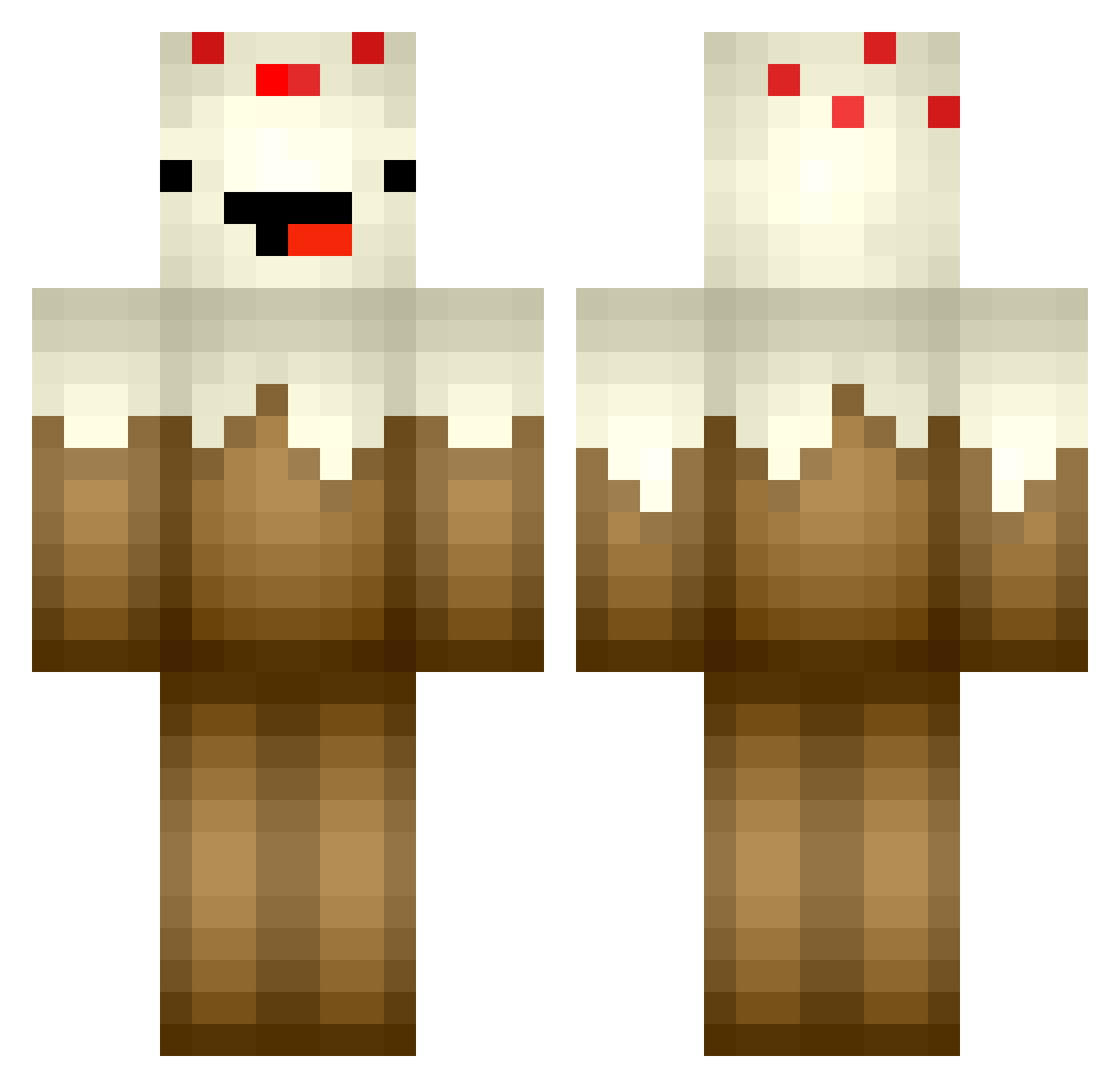
Current Minecraft skin of the player Andeheld, loaded from the official Mojang API. Rotate the 3D model with your mouse or finger, then download the skin as a PNG file and use it in Minecraft: Bedrock Edition or Java Edition for free. When Andeheld changes their skin, this page updates automatically and the old skin stays in the history below.
Other players with this skin (362)
Andeheld was the 165th player we have seen with this skin, first spotted on 10.09.2026. The same skin was seen on these players. Open a nickname to see their current skin and skin history.
 Chase115 Coolcapeman fvckarlis_ Xx_St3eve_xX 1_hammer 1cwo makerstate29 xXMcCrackenxX madelineee worthy001 CaffinatedNinja midgetgrinch MasonWayne03 kakwen ShahArcy speedcat20 Cyanide_Psycho rock5man RealG4Life98 TheKrossHD tayyluhhx GenezzePezzie GalaxyBlaze Thithle FernyPlays Bloodfoxx gum21 angiejm Ciarantheboss88 AllSystemsABro HyVoltage EBossMan Mjagg3r We1chyJr DogeTube23 MikeSteek Coolmason011 ddd401 Squidicorn XK4 YeyeAlenza PlayTendo360 firephysics Eysian KonsolenLp crumble_cake _maddii turbodeathkitten CrissAngel_666 corndoglover27 CowzGrowAspargas tyguy10 OP_rah DeafNiQQa maxietop09 beth02 Julo88 DarkSorbet ClubCake vannalovesdance
More Cake Minecraft skins
How to install the Andeheld skin
- Press the Download button above to save the skin as a PNG file.
- Minecraft: Bedrock Edition (PE): open the Dressing Room from the main menu (or tap your character → Edit Character), go to Classic Skins → Owned, press the + (new skin) button, choose the downloaded PNG and pick the Classic (Steve) model. Works on PC and mobile; consoles cannot import custom skins.
- Minecraft: Java Edition: open the Minecraft Launcher, go to the Skins tab, click New Skin, load the PNG, pick the Classic (Steve) model and press Save & Use. You can also upload it at minecraft.net → Profile → Change Skin.
The skin does not show up after import - what should I do?
Restart Minecraft and open the Dressing Room again - imported skins sometimes appear only after a restart. Also make sure you selected the imported skin and picked the Classic (Steve) model.
Which model should I choose, Classic or Slim?
This skin is designed for the Classic (Steve) model. If you pick the wrong model, the arms of the skin will look stretched or squeezed.
Is the skin of Andeheld free to download?
Yes. Press Download, save the PNG file and use it in Minecraft: Bedrock Edition or Java Edition - no payment or registration needed. The skin also works on multiplayer servers and Realms.
More skins
Looking for more? Go back to all Minecraft skins and check the top skins of the week, month and all time, or find any player's skin by nickname.