
AmazingYaz - Minecraft Skins & Skin History
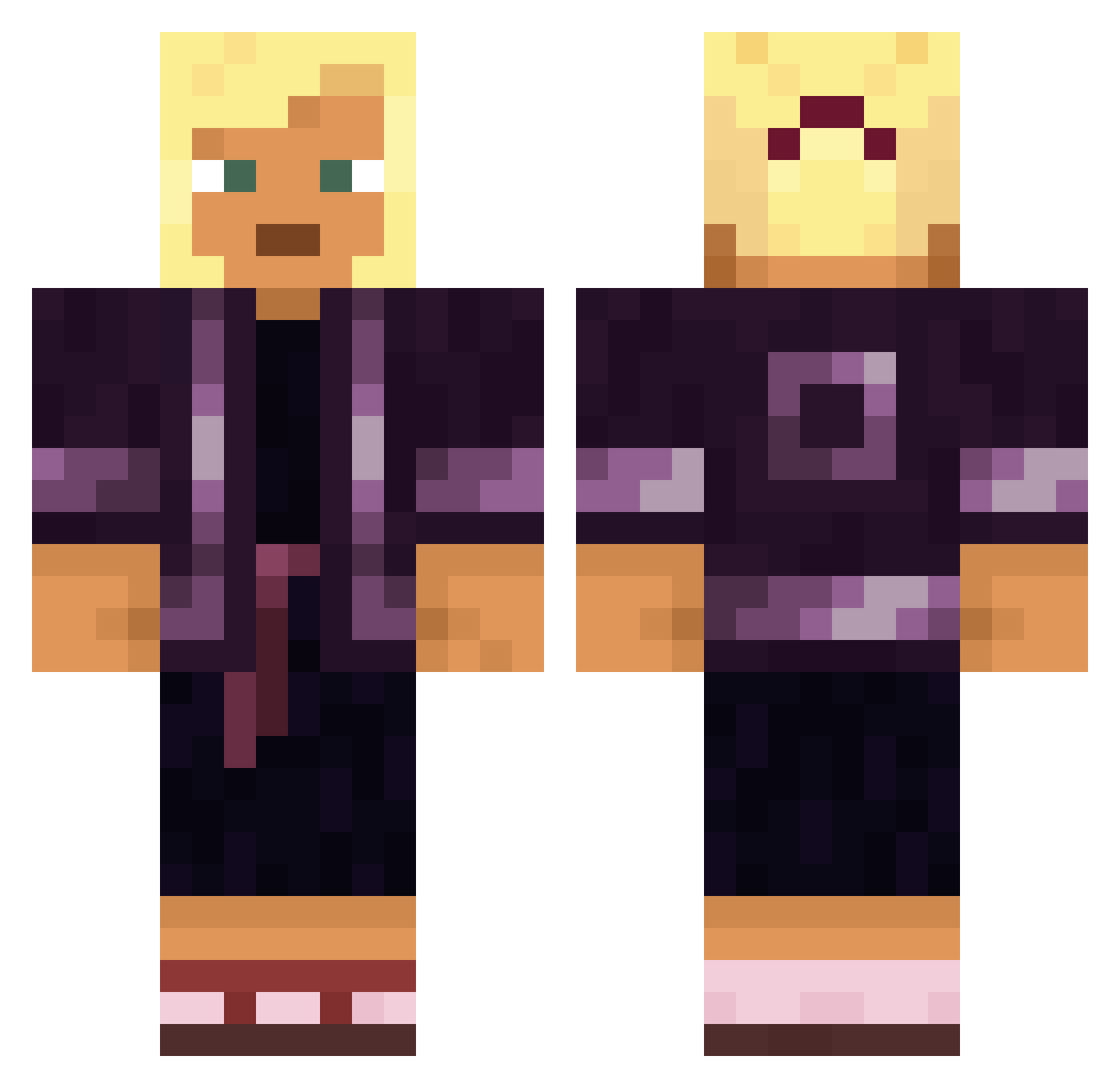
Current Minecraft skin of the player AmazingYaz, loaded from the official Mojang API. Rotate the 3D model with your mouse or finger, then download the skin as a PNG file and use it in Minecraft: Bedrock Edition or Java Edition for free. When AmazingYaz changes their skin, this page updates automatically and the old skin stays in the history below.
Other players with this skin (1566)
AmazingYaz was the 896th player we have seen with this skin, first spotted on 28.09.2026. The same skin was seen on these players. Open a nickname to see their current skin and skin history.
 BerzzR6 Blzzzzzz Danny678 Sandwichklks Igniting 2671 Monkeybone_GC ovenly ghost_jesus _PsychoDuck_ domistep JustinClay85 fiftypenny junseong0919 Daybrake Invasionist Pterylae DexPitFall Zauber_Lehrling Pursuit limewarning Potentiometer Prophet330 LesIsMore puerkelew emreisssss rabal wonderbruzz nuncheon Yamada Estanciero fullab Jackets Nagual wellowie Scrapple evn000000000000 Ascula NotDracoXrayz ExTranCel Eximos Higdon breakwater populations strykerSTR Uncommoner HXR3TIC nowaday sword_fishie primoelm Patagium szlonglong69 jeeproject Sourjack monopolyuno spirling TakenSZN Araikos bknss AlixPresse
More Kimono Minecraft skins
How to install the AmazingYaz skin
- Press the Download button above to save the skin as a PNG file.
- Minecraft: Bedrock Edition (PE): open the Dressing Room from the main menu (or tap your character → Edit Character), go to Classic Skins → Owned, press the + (new skin) button, choose the downloaded PNG and pick the Classic (Steve) model. Works on PC and mobile; consoles cannot import custom skins.
- Minecraft: Java Edition: open the Minecraft Launcher, go to the Skins tab, click New Skin, load the PNG, pick the Classic (Steve) model and press Save & Use. You can also upload it at minecraft.net → Profile → Change Skin.
The skin does not show up after import - what should I do?
Restart Minecraft and open the Dressing Room again - imported skins sometimes appear only after a restart. Also make sure you selected the imported skin and picked the Classic (Steve) model.
Which model should I choose, Classic or Slim?
This skin is designed for the Classic (Steve) model. If you pick the wrong model, the arms of the skin will look stretched or squeezed.
Is the skin of AmazingYaz free to download?
Yes. Press Download, save the PNG file and use it in Minecraft: Bedrock Edition or Java Edition - no payment or registration needed. The skin also works on multiplayer servers and Realms.
More skins
Looking for more? Go back to all Minecraft skins and check the top skins of the week, month and all time, or find any player's skin by nickname.