
Amadu132 - Minecraft Skins & Skin History
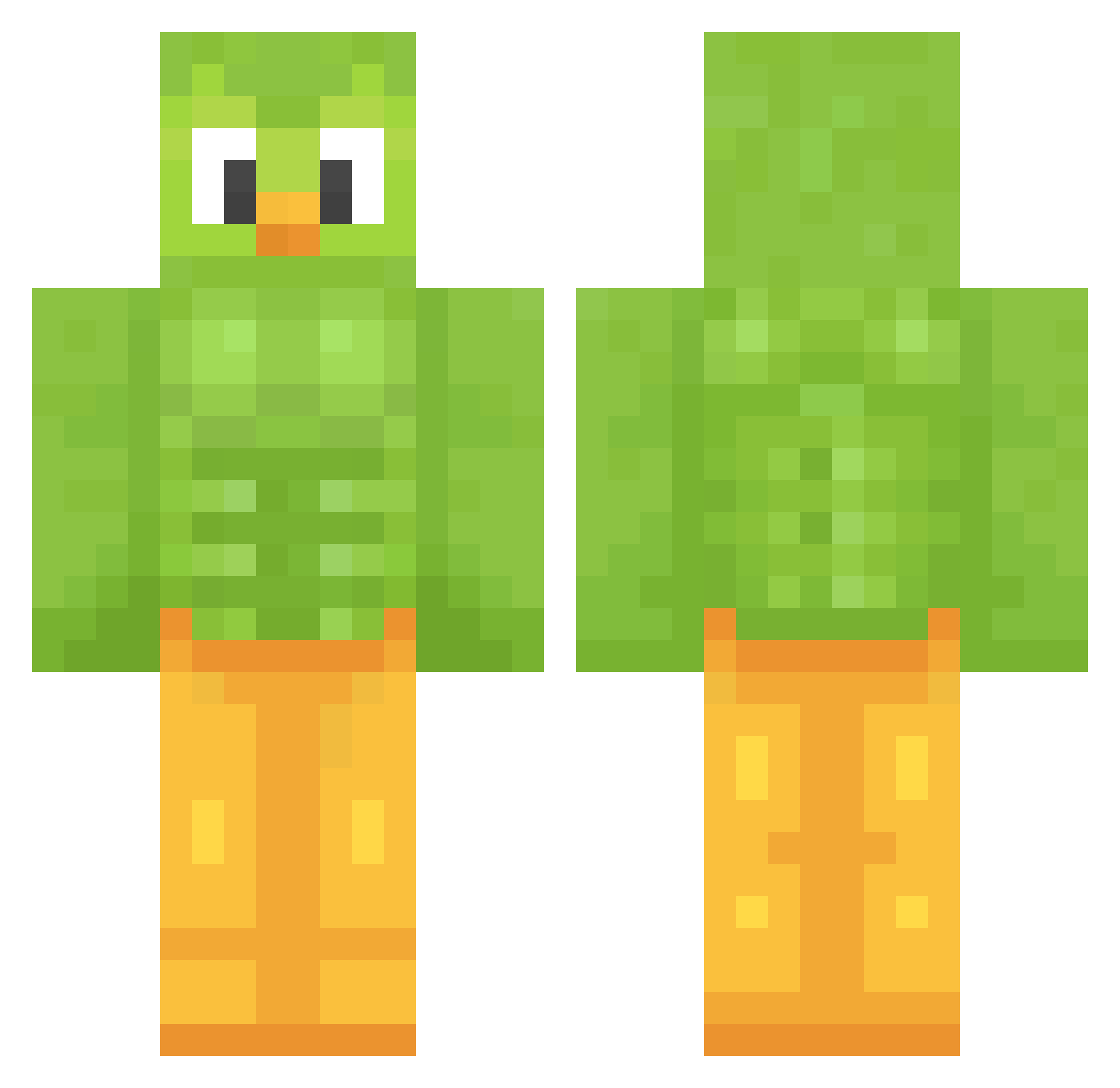
Current Minecraft skin of the player Amadu132, loaded from the official Mojang API. Rotate the 3D model with your mouse or finger, then download the skin as a PNG file and use it in Minecraft: Bedrock Edition or Java Edition for free. When Amadu132 changes their skin, this page updates automatically and the old skin stays in the history below.
Other players with this skin (1207)
Amadu132 was the 529th player we have seen with this skin, first spotted on 08.09.2026. The same skin was seen on these players. Open a nickname to see their current skin and skin history.
 MHIN500 KIMSOJANG KaktusPotato Lone_Black Tomascabj ItzEduardztI GENR88 whatThepork MilkyPicayune885 C4T3N Alibilyet Lucii17 Apus_apus bL4w3r Tandroa Ptxs0nFr33 mtntrprojaker777 leoswifey d6ubtful Efde0 KIIIlII JDizzle49 dijosa gxhsrt renesmie Skuiz0 Pabmmtl Lanility Palsens kantyo00 TacoGang69 MrDigatu RetroHierbero gnome_o3o qwertyiopasd brbrurba MIGUEL9931 FortPro
 wilkolakmim Thompson53mile CaramelBlueberry RomyPomy04 temsy_ TK927911 spirous2008 Skaady19 StilSaintCat Faze_Pepito El3ven1 shangou10 Malossethereal Lyqwi 56gh68 MasterNoob_xD Kurra12 DiamondsRgud123 RockerClown15 CloudyJameS0 soup_lmao PonikKolny
More Duo Minecraft skins
How to install the Amadu132 skin
- Press the Download button above to save the skin as a PNG file.
- Minecraft: Bedrock Edition (PE): open the Dressing Room from the main menu (or tap your character → Edit Character), go to Classic Skins → Owned, press the + (new skin) button, choose the downloaded PNG and pick the Classic (Steve) model. Works on PC and mobile; consoles cannot import custom skins.
- Minecraft: Java Edition: open the Minecraft Launcher, go to the Skins tab, click New Skin, load the PNG, pick the Classic (Steve) model and press Save & Use. You can also upload it at minecraft.net → Profile → Change Skin.
The skin does not show up after import - what should I do?
Restart Minecraft and open the Dressing Room again - imported skins sometimes appear only after a restart. Also make sure you selected the imported skin and picked the Classic (Steve) model.
Which model should I choose, Classic or Slim?
This skin is designed for the Classic (Steve) model. If you pick the wrong model, the arms of the skin will look stretched or squeezed.
Is the skin of Amadu132 free to download?
Yes. Press Download, save the PNG file and use it in Minecraft: Bedrock Edition or Java Edition - no payment or registration needed. The skin also works on multiplayer servers and Realms.
More skins
Looking for more? Go back to all Minecraft skins and check the top skins of the week, month and all time, or find any player's skin by nickname.