
Aly_214 - Minecraft Skins & Skin History
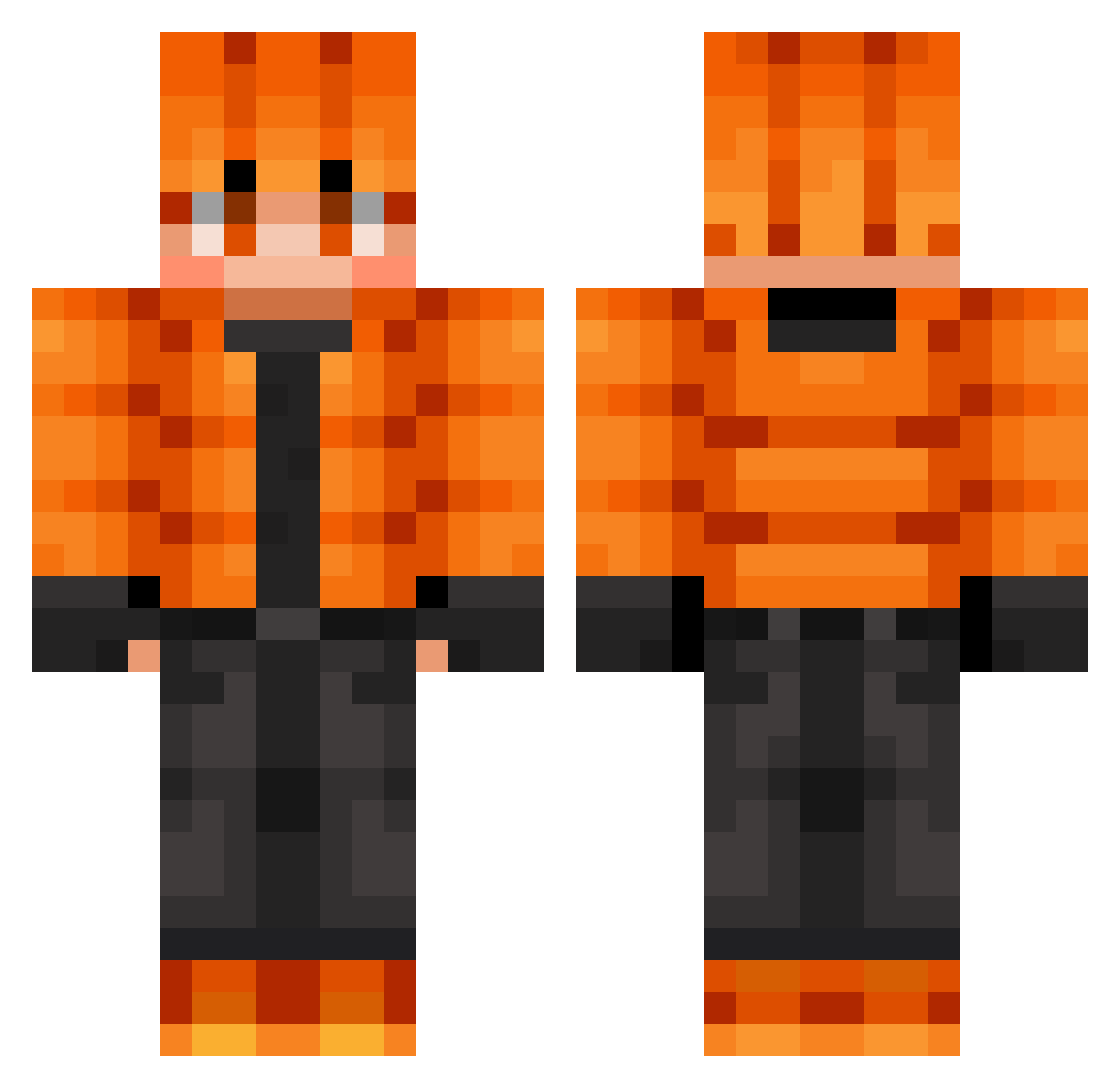
Current Minecraft skin of the player Aly_214, loaded from the official Mojang API. Rotate the 3D model with your mouse or finger, then download the skin as a PNG file and use it in Minecraft: Bedrock Edition or Java Edition for free. When Aly_214 changes their skin, this page updates automatically and the old skin stays in the history below.
Other players with this skin (723)
Aly_214 was the 672nd player we have seen with this skin, first spotted on 24.10.2026. The same skin was seen on these players. Open a nickname to see their current skin and skin history.
 Yehonatan95 PiCrafter LuciferDemize Nimrelil T_Pedroso Hakizo Soyul522 LilCocholatee POSEIDON0821 OakPalace wowking1234 Gabytzu Bladii1889 crullex132 JaguarBoy0531 Meowwii marcoboyle corentinb0707 TechBro05 Milindro170 Bany1053 The_Crow2 Cronox0 Theotrain2017 WL04 BieneTriene absoldier007 dazai1821 MEISEED Hinn0323 SakataGintoki69 JONATABR Simonek111 mimicer1 NobaSoul McLovinOnYou Leviathan_MM mayoi_ss Smilox420 RoboKilla10 Jonttupal Archangal adama2015 verbby ledmar judemail Aranof62 shhtshh ImSpideyTV iqudwns Chatimeent Curtis_Kingsley Fornalhas1997 PhantomFear44 jxh15 SAXG0 Maikinuss Egg43 whitesmall WillyDleroux
How to install the Aly_214 skin
- Press the Download button above to save the skin as a PNG file.
- Minecraft: Bedrock Edition (PE): open the Dressing Room from the main menu (or tap your character → Edit Character), go to Classic Skins → Owned, press the + (new skin) button, choose the downloaded PNG and pick the Classic (Steve) model. Works on PC and mobile; consoles cannot import custom skins.
- Minecraft: Java Edition: open the Minecraft Launcher, go to the Skins tab, click New Skin, load the PNG, pick the Classic (Steve) model and press Save & Use. You can also upload it at minecraft.net → Profile → Change Skin.
The skin does not show up after import - what should I do?
Restart Minecraft and open the Dressing Room again - imported skins sometimes appear only after a restart. Also make sure you selected the imported skin and picked the Classic (Steve) model.
Which model should I choose, Classic or Slim?
This skin is designed for the Classic (Steve) model. If you pick the wrong model, the arms of the skin will look stretched or squeezed.
Is the skin of Aly_214 free to download?
Yes. Press Download, save the PNG file and use it in Minecraft: Bedrock Edition or Java Edition - no payment or registration needed. The skin also works on multiplayer servers and Realms.
More skins
Looking for more? Go back to all Minecraft skins and check the top skins of the week, month and all time, or find any player's skin by nickname.