
Always_Silent - Minecraft Skins & Skin History
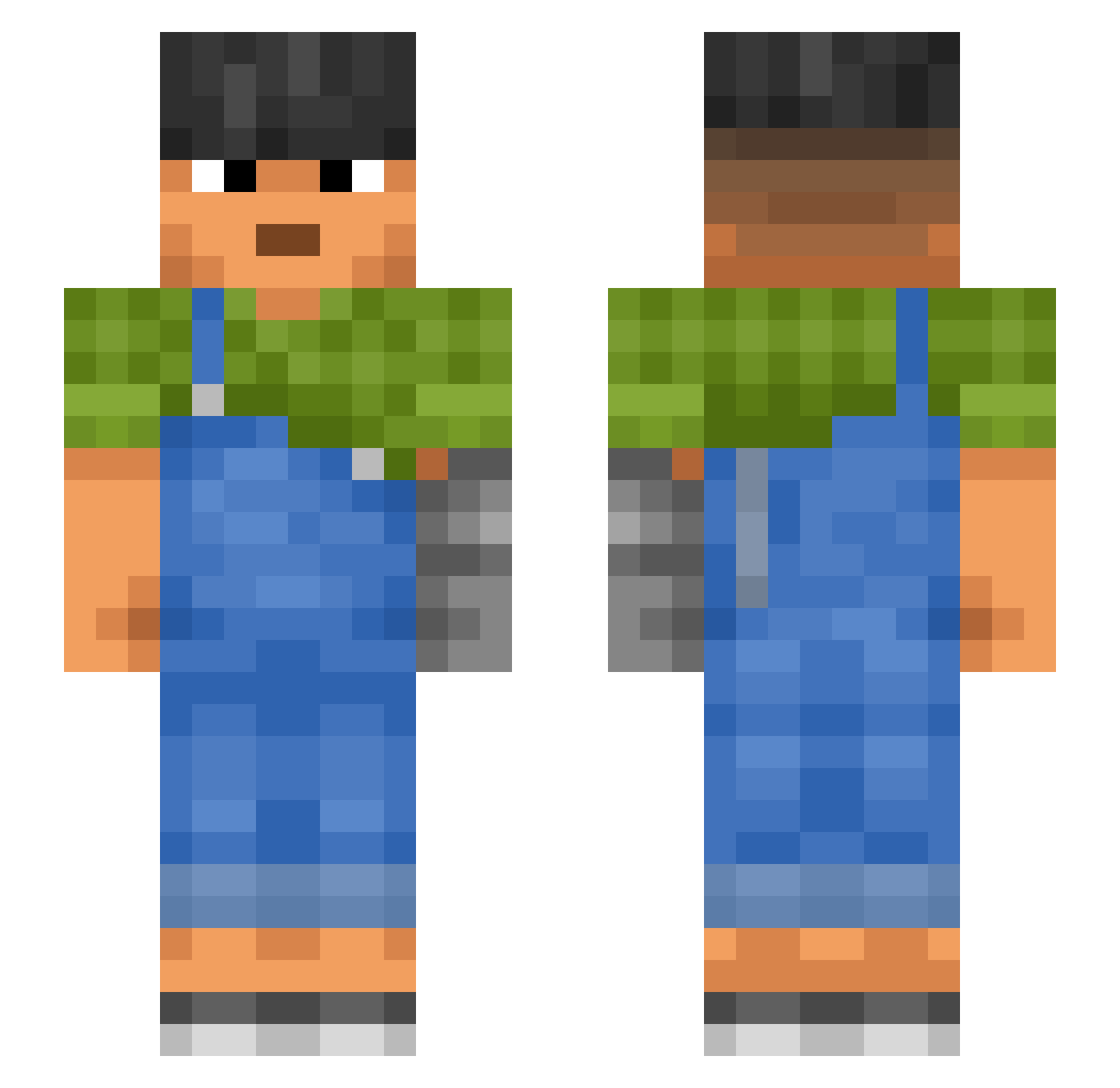
Current Minecraft skin of the player Always_Silent, loaded from the official Mojang API. Rotate the 3D model with your mouse or finger, then download the skin as a PNG file and use it in Minecraft: Bedrock Edition or Java Edition for free. When Always_Silent changes their skin, this page updates automatically and the old skin stays in the history below.
Other players with this skin (987)
Always_Silent was the 17th player we have seen with this skin, first spotted on 23.07.2026. The same skin was seen on these players. Open a nickname to see their current skin and skin history.
 DanTDM112 ablest Bibliographers carapuz gropapas Collaborative Susceptible Aufstieg OverHung Cr1tH4ppens Optimises jw1423
 MaxTheCoolBoy900 Rollick Phinular NOFUNDZDETECTED melanian Entrainment marara Deception Xanity1 Deafego Ecocraft_20 Niicholai momi Toltec Motorised Estaminet Liveborn lilrubbertoe Hajjis tyradin Publicum Currents adaline Bleeze Okaying IInxEU Drawing Transfinite Gallach Polarography beatsstudio chopo1457_
 BennyTheOOFER vollekwark SentinelRaze Arrester Rodrigo_silva Toma61 ingame2002
 Sharp_exe Hsim M3duzkaaa Haddocker CuzImFloggi
 bigmnt3 compt
 xMisterLama Neganxd
More Prosthetic Arm Minecraft skins
See all 71 Prosthetic Arm skins
How to install the Always_Silent skin
- Press the Download button above to save the skin as a PNG file.
- Minecraft: Bedrock Edition (PE): open the Dressing Room from the main menu (or tap your character → Edit Character), go to Classic Skins → Owned, press the + (new skin) button, choose the downloaded PNG and pick the Slim (Alex) model. Works on PC and mobile; consoles cannot import custom skins.
- Minecraft: Java Edition: open the Minecraft Launcher, go to the Skins tab, click New Skin, load the PNG, pick the Slim (Alex) model and press Save & Use. You can also upload it at minecraft.net → Profile → Change Skin.
The skin does not show up after import - what should I do?
Restart Minecraft and open the Dressing Room again - imported skins sometimes appear only after a restart. Also make sure you selected the imported skin and picked the Slim (Alex) model.
Which model should I choose, Classic or Slim?
This skin is designed for the Slim (Alex) model. If you pick the wrong model, the arms of the skin will look stretched or squeezed.
Is the skin of Always_Silent free to download?
Yes. Press Download, save the PNG file and use it in Minecraft: Bedrock Edition or Java Edition - no payment or registration needed. The skin also works on multiplayer servers and Realms.
More skins
Looking for more? Go back to all Minecraft skins and check the top skins of the week, month and all time, or find any player's skin by nickname.