
Aluskafv - Minecraft Skins & Skin History
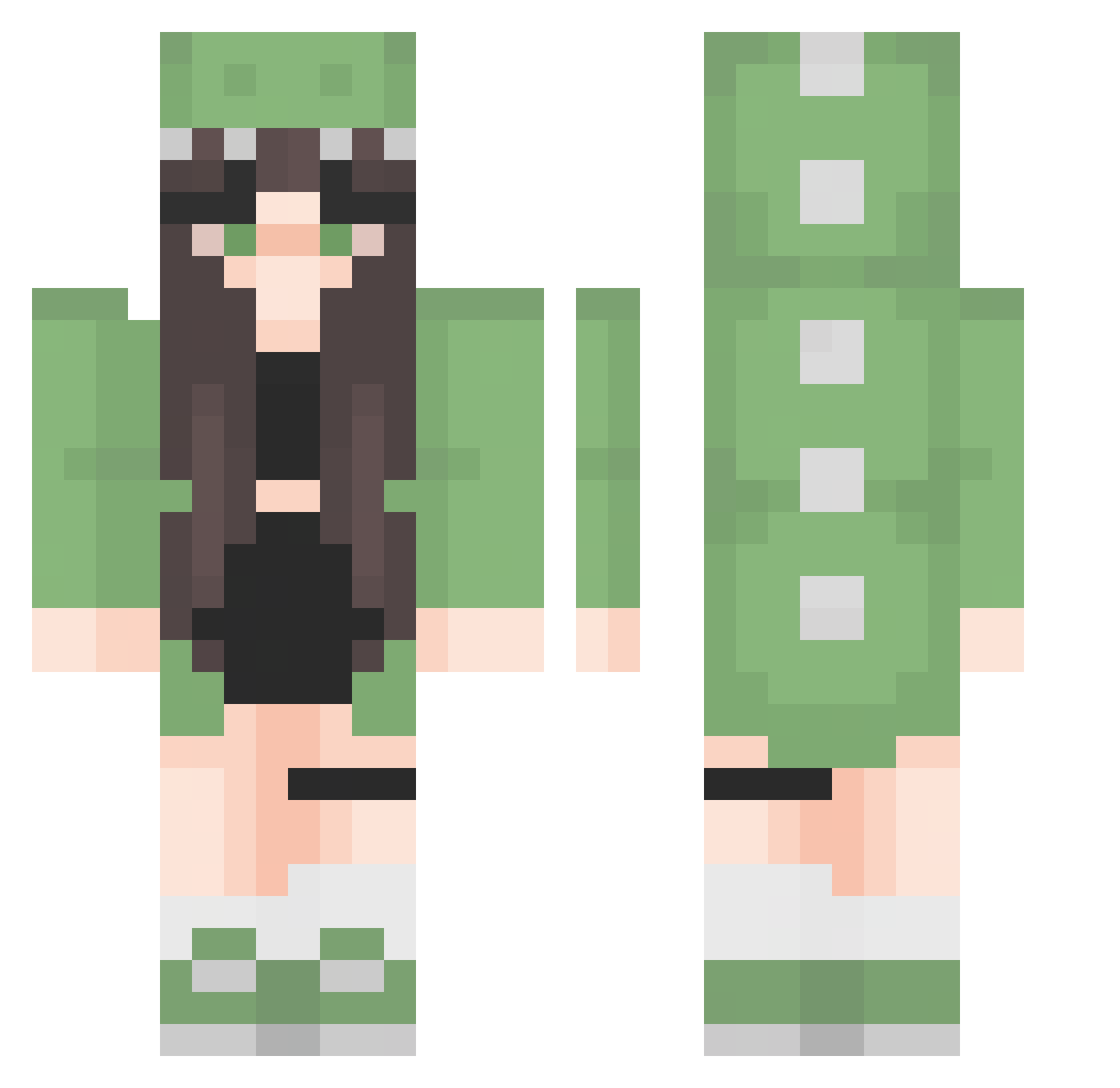
Current Minecraft skin of the player Aluskafv, loaded from the official Mojang API. Rotate the 3D model with your mouse or finger, then download the skin as a PNG file and use it in Minecraft: Bedrock Edition or Java Edition for free. When Aluskafv changes their skin, this page updates automatically and the old skin stays in the history below.
Other players with this skin (276)
Aluskafv was the 157th player we have seen with this skin, first spotted on 23.09.2026. The same skin was seen on these players. Open a nickname to see their current skin and skin history.
 peterfiliza RaahLowe16_ Uglydog8347 BJWSBA Go0wy Sky_Rivers Angnt520 rawdoggy khuvcito NayNayOkay gabriely_santos yyllil SantaRedBean MmeTeaz Tea_Dog6 kiszony_sledz1 evipigeon aohoxa TommyVu0401 Schneckchen_ Pendulun Nela2378 IINYZE ErtugrulAYn xLiLix Schlizo yyau00 Bee388 Sorawapiti ZzNani13zZ SraLila mwalker19 Aniosk michlxs kaetuhlynn Pausita_uwu ZyroLoveShyro bagiety KathiHP madzixpv YOUYOUTUBE Chokinette georgebye0817 mixshii CrazyOctopus45 Neron6482 Izumi77 Wtikson Emilyj04 Twingel Mylreen KittyBella93 KrustyMonster Kigost V1ctor1ya kooh_nya bobawrld MarlienkeH motochino _BrownCow
More Dinosaur Onesie Minecraft skins
See all 603 Dinosaur Onesie skins
How to install the Aluskafv skin
- Press the Download button above to save the skin as a PNG file.
- Minecraft: Bedrock Edition (PE): open the Dressing Room from the main menu (or tap your character → Edit Character), go to Classic Skins → Owned, press the + (new skin) button, choose the downloaded PNG and pick the Classic (Steve) model. Works on PC and mobile; consoles cannot import custom skins.
- Minecraft: Java Edition: open the Minecraft Launcher, go to the Skins tab, click New Skin, load the PNG, pick the Classic (Steve) model and press Save & Use. You can also upload it at minecraft.net → Profile → Change Skin.
The skin does not show up after import - what should I do?
Restart Minecraft and open the Dressing Room again - imported skins sometimes appear only after a restart. Also make sure you selected the imported skin and picked the Classic (Steve) model.
Which model should I choose, Classic or Slim?
This skin is designed for the Classic (Steve) model. If you pick the wrong model, the arms of the skin will look stretched or squeezed.
Is the skin of Aluskafv free to download?
Yes. Press Download, save the PNG file and use it in Minecraft: Bedrock Edition or Java Edition - no payment or registration needed. The skin also works on multiplayer servers and Realms.
More skins
Looking for more? Go back to all Minecraft skins and check the top skins of the week, month and all time, or find any player's skin by nickname.