
Alucard_1986 - Minecraft Skins & Skin History
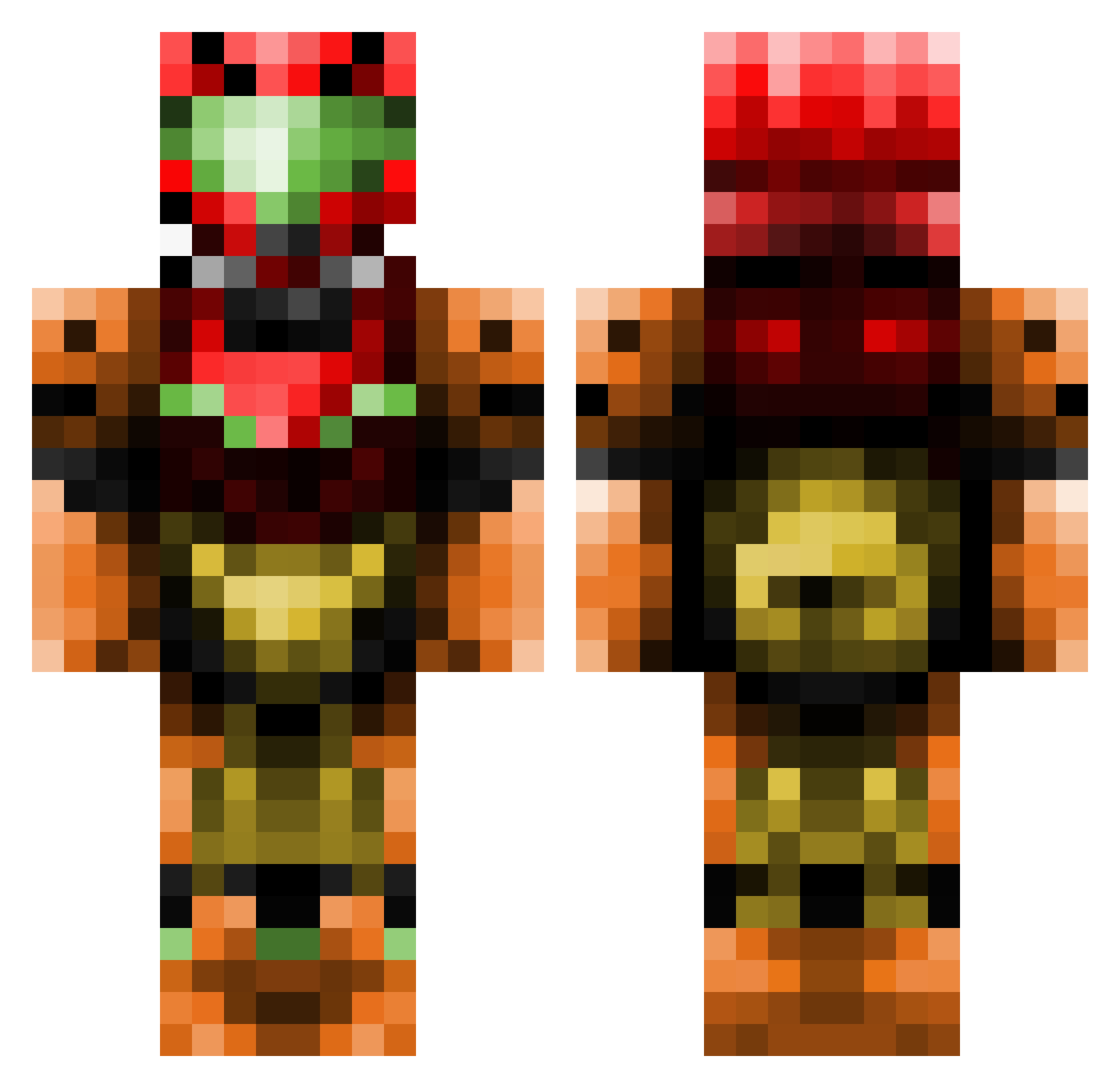
Current Minecraft skin of the player Alucard_1986, loaded from the official Mojang API. Rotate the 3D model with your mouse or finger, then download the skin as a PNG file and use it in Minecraft: Bedrock Edition or Java Edition for free. When Alucard_1986 changes their skin, this page updates automatically and the old skin stays in the history below.
Other players with this skin (437)
Alucard_1986 was the 254th player we have seen with this skin, first spotted on 23.09.2026. The same skin was seen on these players. Open a nickname to see their current skin and skin history.
 Argonath12 mikcote1 johnet crazyboy2300 Chuckie_slayer warriorguy11 dreamslayer88 PM_MS Magicorphan Grimreaper63 paulsean2013 3ky_xD NfNiT Mummelmannen TantalumCarbide FakeSeb philFromMars FreezeSprouts Queuedog Didium RAIIN_06 GFCutter The_blue_mage12 Troppoggiallo Krimson_Cade Bluniq WeknowHorror TheKingOfAnime AAAdk69 Durzo009 nickisdaman5 THATONENERD95 1roman0 Rokinn30 Zalureian BraveST8R DHGeSport14 Sensis007 peterden Sevilyoti trevor403 GriffinsReign kewlbutterfly JaywalkerX OtisCraft202 Lukioni Toastiy jhawk1998 Cyberbeb FlauschFrosch t0effi duckmany Tonzki Omoroid Ghost_Chicken TrackxNano mtlcrbn TheSponginator Noowl BaseballKyle123
More Samus Aran Minecraft skins
How to install the Alucard_1986 skin
- Press the Download button above to save the skin as a PNG file.
- Minecraft: Bedrock Edition (PE): open the Dressing Room from the main menu (or tap your character → Edit Character), go to Classic Skins → Owned, press the + (new skin) button, choose the downloaded PNG and pick the Classic (Steve) model. Works on PC and mobile; consoles cannot import custom skins.
- Minecraft: Java Edition: open the Minecraft Launcher, go to the Skins tab, click New Skin, load the PNG, pick the Classic (Steve) model and press Save & Use. You can also upload it at minecraft.net → Profile → Change Skin.
The skin does not show up after import - what should I do?
Restart Minecraft and open the Dressing Room again - imported skins sometimes appear only after a restart. Also make sure you selected the imported skin and picked the Classic (Steve) model.
Which model should I choose, Classic or Slim?
This skin is designed for the Classic (Steve) model. If you pick the wrong model, the arms of the skin will look stretched or squeezed.
Is the skin of Alucard_1986 free to download?
Yes. Press Download, save the PNG file and use it in Minecraft: Bedrock Edition or Java Edition - no payment or registration needed. The skin also works on multiplayer servers and Realms.
More skins
Looking for more? Go back to all Minecraft skins and check the top skins of the week, month and all time, or find any player's skin by nickname.