
AltairArie - Minecraft Skins & Skin History
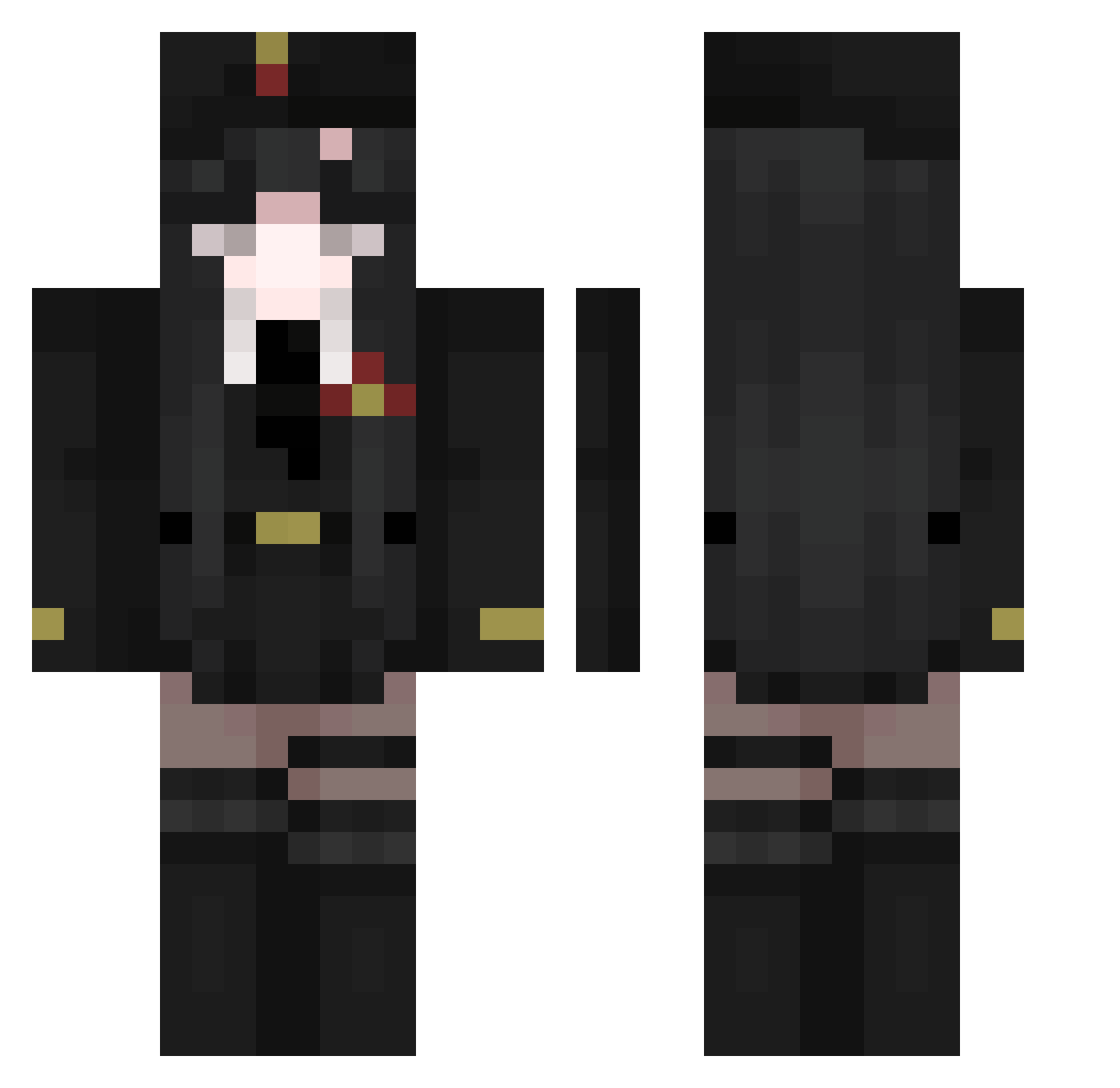
Current Minecraft skin of the player AltairArie, loaded from the official Mojang API. Rotate the 3D model with your mouse or finger, then download the skin as a PNG file and use it in Minecraft: Bedrock Edition or Java Edition for free. When AltairArie changes their skin, this page updates automatically and the old skin stays in the history below.
Other players with this skin (511)
AltairArie was the 59th player we have seen with this skin, first spotted on 06.08.2026. The same skin was seen on these players. Open a nickname to see their current skin and skin history.
 cookieworld8 eeeeee731 ro4o Idzinsik Qe4b TsdSakura x_SaChi_x
 CleansingFlame iwoQwQ Adeo2 lightsk1n_ Kevin615 Filipex12 gch152 ohdeermeagain Maple_belle kdn_lsm TyroneBiggums2 Insaharagwu herobiorn Dankoreodunks Yoonhawon __sashka__ cpunkaa GorillaFriends JojiOwO yomiyomi2 wtf_yesteq Qma6629 9rara KalonBN natha37 Spesxxx Ariagana BosseBenBrott Jeanbonch desertedkind Lost__Life evedie Branel bellokthecursed VasilisaFun Chaus_JH rotrog Molusquinho apx9 Kidx0374 PINZYFAN33 EvilGodKing Artya026 Fantasilis Yyveltal_Z Alexaaandra Vgreen leon_189 GayBalls1 boofm ShinySheff suminan_08 Lorranzinho
More Uniform Minecraft skins
How to install the AltairArie skin
- Press the Download button above to save the skin as a PNG file.
- Minecraft: Bedrock Edition (PE): open the Dressing Room from the main menu (or tap your character → Edit Character), go to Classic Skins → Owned, press the + (new skin) button, choose the downloaded PNG and pick the Classic (Steve) model. Works on PC and mobile; consoles cannot import custom skins.
- Minecraft: Java Edition: open the Minecraft Launcher, go to the Skins tab, click New Skin, load the PNG, pick the Classic (Steve) model and press Save & Use. You can also upload it at minecraft.net → Profile → Change Skin.
The skin does not show up after import - what should I do?
Restart Minecraft and open the Dressing Room again - imported skins sometimes appear only after a restart. Also make sure you selected the imported skin and picked the Classic (Steve) model.
Which model should I choose, Classic or Slim?
This skin is designed for the Classic (Steve) model. If you pick the wrong model, the arms of the skin will look stretched or squeezed.
Is the skin of AltairArie free to download?
Yes. Press Download, save the PNG file and use it in Minecraft: Bedrock Edition or Java Edition - no payment or registration needed. The skin also works on multiplayer servers and Realms.
More skins
Looking for more? Go back to all Minecraft skins and check the top skins of the week, month and all time, or find any player's skin by nickname.