
AlphaMonkey_ - Minecraft Skins & Skin History
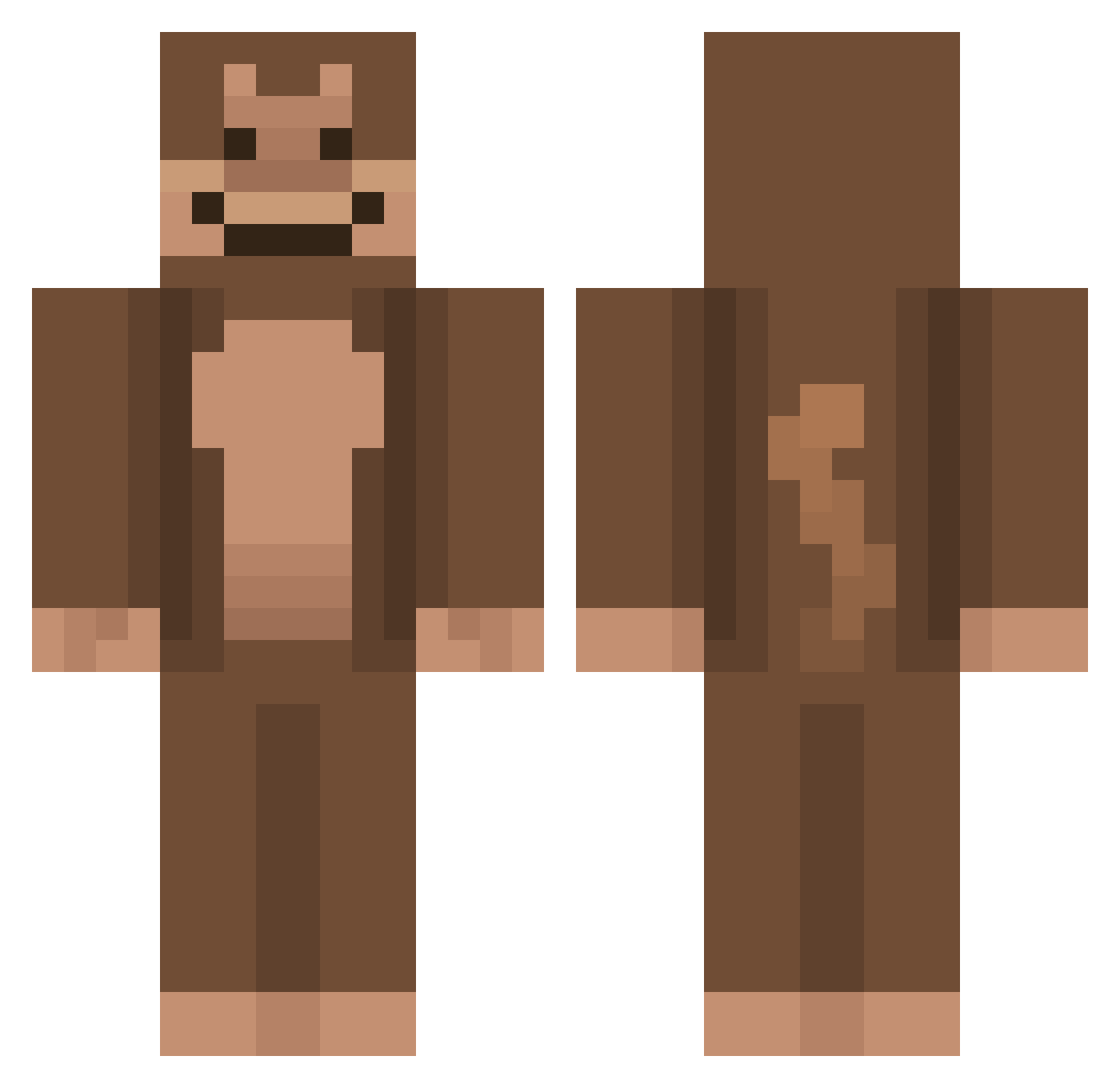
Current Minecraft skin of the player AlphaMonkey_, loaded from the official Mojang API. Rotate the 3D model with your mouse or finger, then download the skin as a PNG file and use it in Minecraft: Bedrock Edition or Java Edition for free. When AlphaMonkey_ changes their skin, this page updates automatically and the old skin stays in the history below.
Other players with this skin (736)
AlphaMonkey_ was the 604th player we have seen with this skin, first spotted on 15.10.2026. The same skin was seen on these players. Open a nickname to see their current skin and skin history.
 Fiskling69 MelonMonster3245 thbsek YCS0308 Jipgamerpro DADDYDONNYY DaMemesterr SwiftHybridX2 Pal_Gu helicamelsafety Anttoe MineLover99 Chronovas PAKO24 FavourRGI zombieguy219 taffylaffy1 Memefps Comepanchos3000 monkeybanana29 benamin_ Trist1na MonkeyMan3229 Leouigi ApanMicke Audity Parox14 Tschultz0101 Juicysmallz IHarryBog Daxxola xris08 erb17 ducnguyen JulietAhhh uglymonkey65 Dudley_kyle1234 clover2297 DA0NE lookbroon_ chonksters69 _BoThe PirateMonkey5 MonkeyApeMan2000 GioGanzo MaxRitt KHM0311 mothman_jpeg jaunty35 Valenzor MonkeyMan694202 Kyrololol Monkie247 ZykeBoi NETOADF alexz7_ leh_vee SllonecznikPL mikel3000 MeepMan1234
More Ape Minecraft skins
How to install the AlphaMonkey_ skin
- Press the Download button above to save the skin as a PNG file.
- Minecraft: Bedrock Edition (PE): open the Dressing Room from the main menu (or tap your character → Edit Character), go to Classic Skins → Owned, press the + (new skin) button, choose the downloaded PNG and pick the Classic (Steve) model. Works on PC and mobile; consoles cannot import custom skins.
- Minecraft: Java Edition: open the Minecraft Launcher, go to the Skins tab, click New Skin, load the PNG, pick the Classic (Steve) model and press Save & Use. You can also upload it at minecraft.net → Profile → Change Skin.
The skin does not show up after import - what should I do?
Restart Minecraft and open the Dressing Room again - imported skins sometimes appear only after a restart. Also make sure you selected the imported skin and picked the Classic (Steve) model.
Which model should I choose, Classic or Slim?
This skin is designed for the Classic (Steve) model. If you pick the wrong model, the arms of the skin will look stretched or squeezed.
Is the skin of AlphaMonkey_ free to download?
Yes. Press Download, save the PNG file and use it in Minecraft: Bedrock Edition or Java Edition - no payment or registration needed. The skin also works on multiplayer servers and Realms.
More skins
Looking for more? Go back to all Minecraft skins and check the top skins of the week, month and all time, or find any player's skin by nickname.