
AlonerDx - Minecraft Skins & Skin History
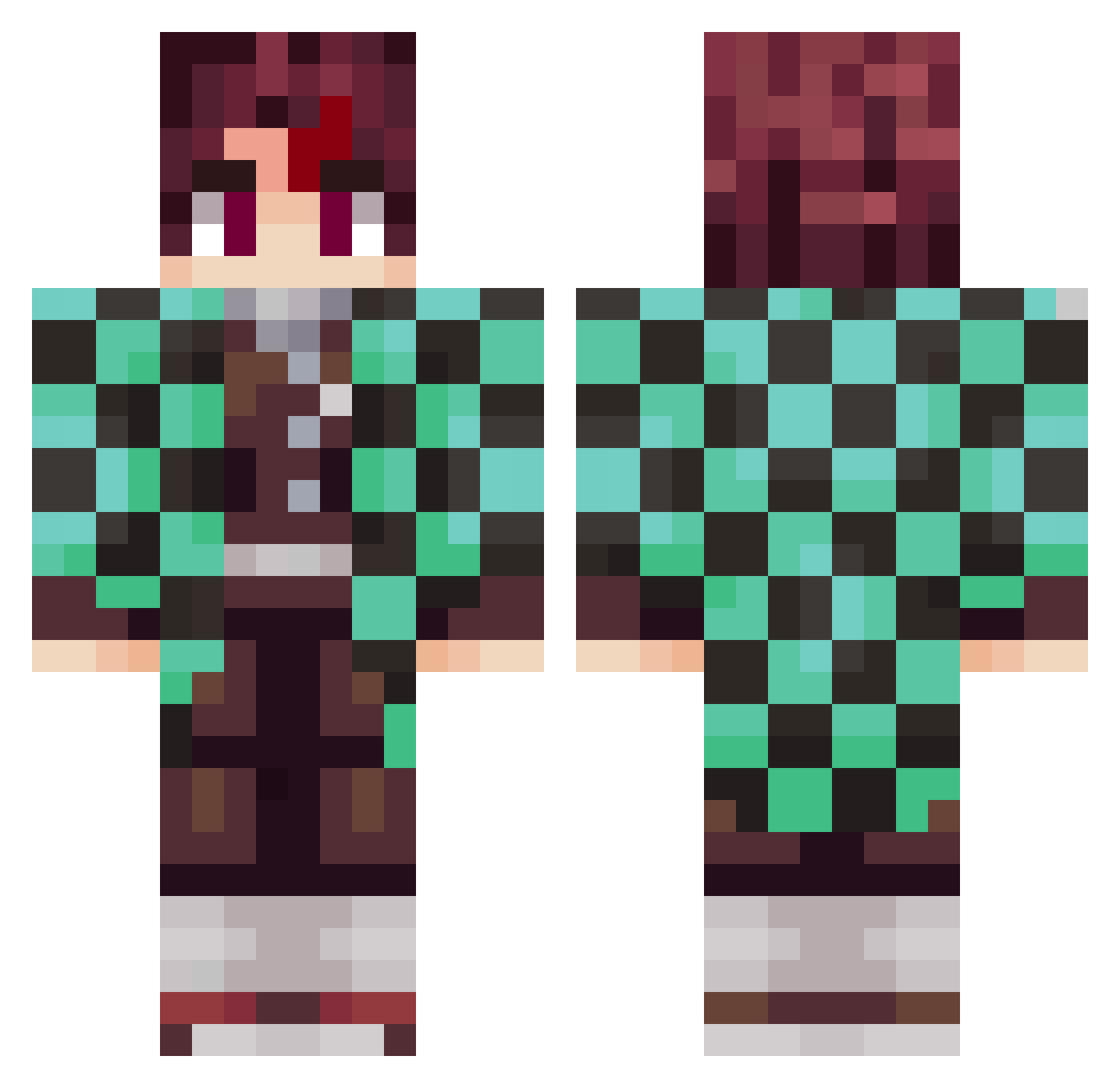
Current Minecraft skin of the player AlonerDx, loaded from the official Mojang API. Rotate the 3D model with your mouse or finger, then download the skin as a PNG file and use it in Minecraft: Bedrock Edition or Java Edition for free. When AlonerDx changes their skin, this page updates automatically and the old skin stays in the history below.
Other players with this skin (797)
AlonerDx was the 454th player we have seen with this skin, first spotted on 22.09.2026. The same skin was seen on these players. Open a nickname to see their current skin and skin history.
 Tanjiro4life2011 MakoTank cinar123455 lofea CaIamighty GhastlyGazer Hoshinaog XeroFox Ninjblade Jungpil00 Tollmor stronnedream Domskaaa CiaoSp MrunoBars_ MateKaaan Perondasso Hessynate_Gaming Willie0514 lluquinha CopMorrison LissertManMC Soki1199 HectorBaril amzzz_k viaasf karuno541 NarutozxGames oldmantyyy MISTERKORNZ hamham3030 Talha403 Feuerrabe42 jinma87 miau19 Ups_falscherName Feezmen Sleunam Railzz34 GigaGamerBoi64 Wooodyyy gusxs CARLEX2005 Yveltal03 Larebear99 Robi7815 Dispacia Saske_8 Kogary Toodes0814 Maturec liangmingwei JVPB09 ch273for1225 dababy_pickle Locmortx7 MikkeyONE TheGrooch MilkaSchokoSnack Mexter_
More Tanjiro Kamado Minecraft skins
See all 388 Tanjiro Kamado skins
How to install the AlonerDx skin
- Press the Download button above to save the skin as a PNG file.
- Minecraft: Bedrock Edition (PE): open the Dressing Room from the main menu (or tap your character → Edit Character), go to Classic Skins → Owned, press the + (new skin) button, choose the downloaded PNG and pick the Classic (Steve) model. Works on PC and mobile; consoles cannot import custom skins.
- Minecraft: Java Edition: open the Minecraft Launcher, go to the Skins tab, click New Skin, load the PNG, pick the Classic (Steve) model and press Save & Use. You can also upload it at minecraft.net → Profile → Change Skin.
The skin does not show up after import - what should I do?
Restart Minecraft and open the Dressing Room again - imported skins sometimes appear only after a restart. Also make sure you selected the imported skin and picked the Classic (Steve) model.
Which model should I choose, Classic or Slim?
This skin is designed for the Classic (Steve) model. If you pick the wrong model, the arms of the skin will look stretched or squeezed.
Is the skin of AlonerDx free to download?
Yes. Press Download, save the PNG file and use it in Minecraft: Bedrock Edition or Java Edition - no payment or registration needed. The skin also works on multiplayer servers and Realms.
More skins
Looking for more? Go back to all Minecraft skins and check the top skins of the week, month and all time, or find any player's skin by nickname.