
AloneNy_Ny - Minecraft Skins & Skin History
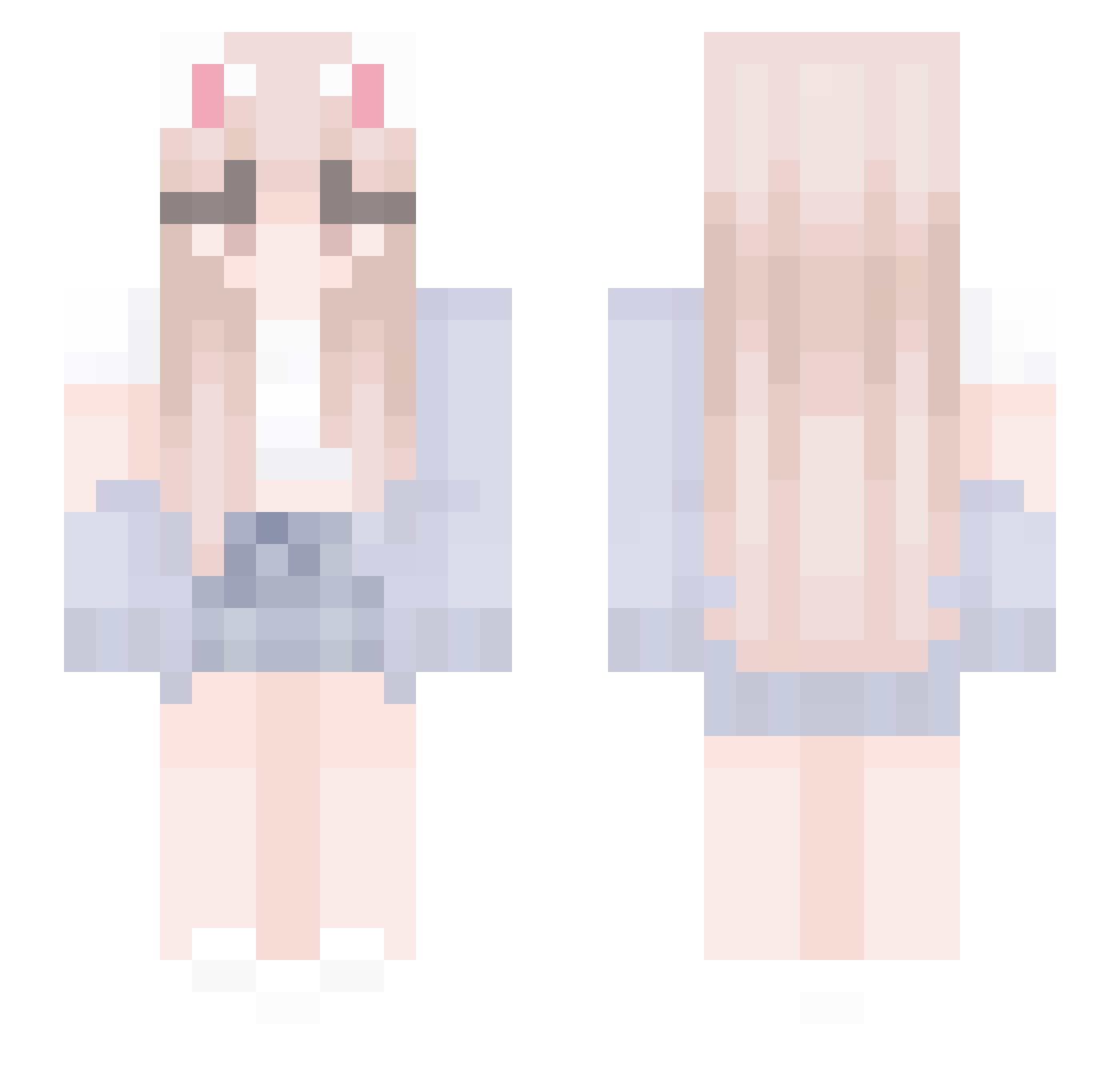
Current Minecraft skin of the player AloneNy_Ny, loaded from the official Mojang API. Rotate the 3D model with your mouse or finger, then download the skin as a PNG file and use it in Minecraft: Bedrock Edition or Java Edition for free. When AloneNy_Ny changes their skin, this page updates automatically and the old skin stays in the history below.
Other players with this skin (436)
AloneNy_Ny was the 14th player we have seen with this skin, first spotted on 25.07.2026. The same skin was seen on these players. Open a nickname to see their current skin and skin history.
 __Luna_luce__ tootu4 yoontoon7497 shenchugg DFTCF Larzy07
 lMeilynl Martina_03 Amellaid cheu_uu SyRoZeyrox NuclearShellter Coolestrid Sh0uq Lyabun KAWAIMINGJJANG dkdpg Yuqiaobaby1023 java_virtual FORTUNE_COOKIES7 hmgcwal que85 Meng_Devil Theckay Solicitud_ Kayles663 Hasiiiii rindaQ swkeem AhRedeemer Kate896 jiojio66 Jihyeeeeeee SaltySophie69 Soon_nim Shmeowww__ Jacuri_yt Abs1nThe QueenPoutine_vr yekong0218 ghoshmf kiratutu Kiti_456 BORO3058 ItzJuuh Ling_LinGo ray3400 llon666 SirMax04 thesignO hhsh127 Hui_LiYi Hwangjunhoho No60996 JustinsXx Fel0sH Dyoa_O3O
 Dusty0snake binawastaken646 Kadypu
More Cardigan Minecraft skins
How to install the AloneNy_Ny skin
- Press the Download button above to save the skin as a PNG file.
- Minecraft: Bedrock Edition (PE): open the Dressing Room from the main menu (or tap your character → Edit Character), go to Classic Skins → Owned, press the + (new skin) button, choose the downloaded PNG and pick the Slim (Alex) model. Works on PC and mobile; consoles cannot import custom skins.
- Minecraft: Java Edition: open the Minecraft Launcher, go to the Skins tab, click New Skin, load the PNG, pick the Slim (Alex) model and press Save & Use. You can also upload it at minecraft.net → Profile → Change Skin.
The skin does not show up after import - what should I do?
Restart Minecraft and open the Dressing Room again - imported skins sometimes appear only after a restart. Also make sure you selected the imported skin and picked the Slim (Alex) model.
Which model should I choose, Classic or Slim?
This skin is designed for the Slim (Alex) model. If you pick the wrong model, the arms of the skin will look stretched or squeezed.
Is the skin of AloneNy_Ny free to download?
Yes. Press Download, save the PNG file and use it in Minecraft: Bedrock Edition or Java Edition - no payment or registration needed. The skin also works on multiplayer servers and Realms.
More skins
Looking for more? Go back to all Minecraft skins and check the top skins of the week, month and all time, or find any player's skin by nickname.