
Almeidag18 - Minecraft Skins & Skin History
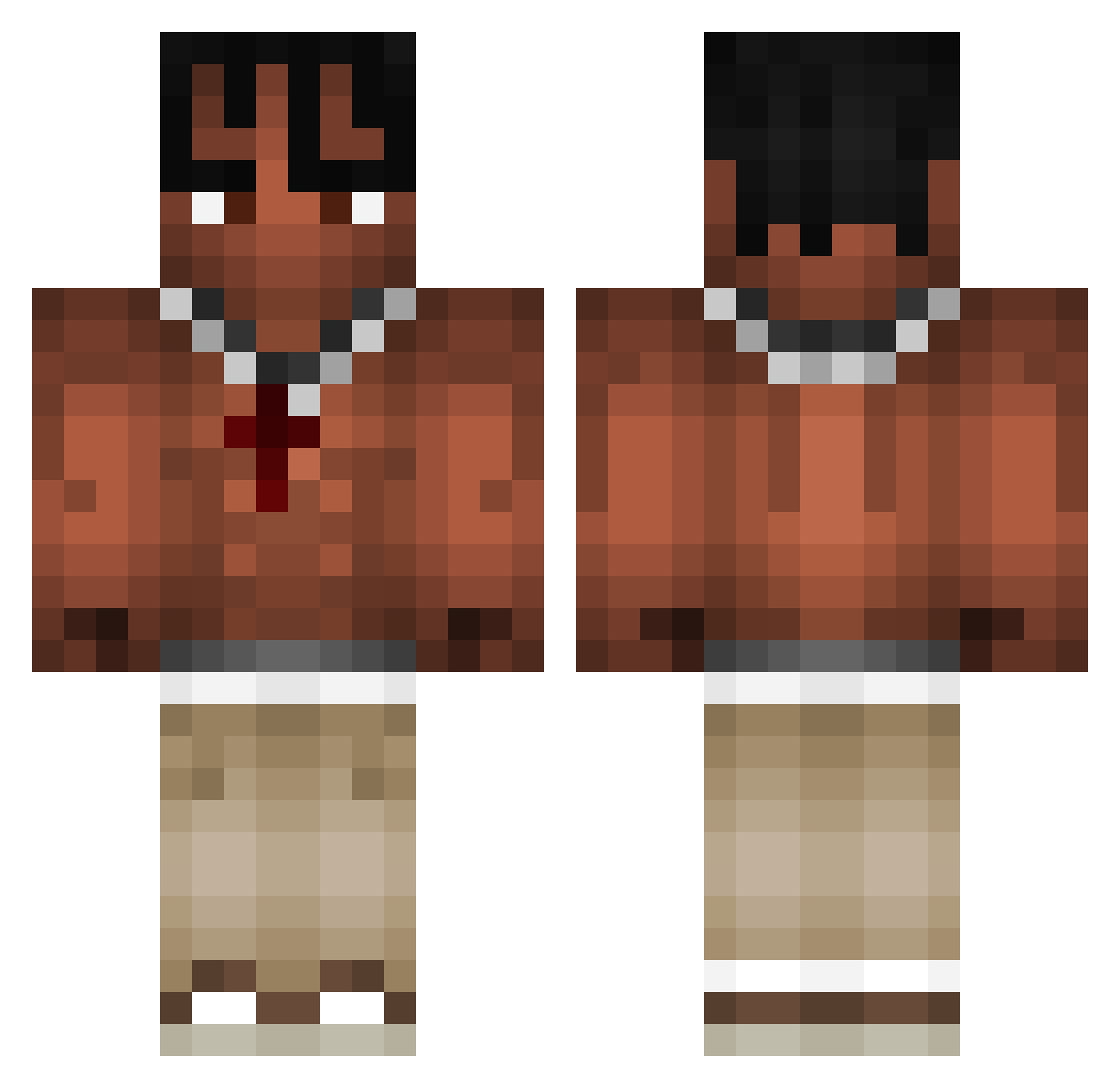
Current Minecraft skin of the player Almeidag18, loaded from the official Mojang API. Rotate the 3D model with your mouse or finger, then download the skin as a PNG file and use it in Minecraft: Bedrock Edition or Java Edition for free. When Almeidag18 changes their skin, this page updates automatically and the old skin stays in the history below.
Other players with this skin (973)
Almeidag18 was the 781st player we have seen with this skin, first spotted on 16.10.2026. The same skin was seen on these players. Open a nickname to see their current skin and skin history.
 Shuzakuu enny080705 aDreamt TravisScotty69 lSirWeedl Markitush nIkO2208 Yung_LA_Flame Lewandooski AntoniD09 StealTea443 TravisScott755 Okan_PVP_HD Dionarm Kowal21 x22x2 Bartolf Weelkss_ bagled201 SIR_Maths Pandamannn07 Srandino1504 idkapgrofilmname Wool2truiteGG mknzie ThugairKK B1GM0NK3Y ToJaKlonica pblomrno BlackP3rs0n Nevio1210 Vangallz smhh102 Cl4persWRLD Adamix132 oskiproxd LilBacon2769 Pina08 olamuchachos Marcelq2137 famer666 dannydevito111 FixingPancake71 v1nKub17 zHoniiz OAK2403 Champion_dna Deyroxx Gabrielquark10 YTElevate Backspaceq Cepitaaa schoolplug Otsoa05 BastosPleineTete TomekSzkot ChrisMyTrueLove nnaim AgeAlex sweatleo
More Xxxtentacion Minecraft skins
See all 409 Xxxtentacion skins
How to install the Almeidag18 skin
- Press the Download button above to save the skin as a PNG file.
- Minecraft: Bedrock Edition (PE): open the Dressing Room from the main menu (or tap your character → Edit Character), go to Classic Skins → Owned, press the + (new skin) button, choose the downloaded PNG and pick the Classic (Steve) model. Works on PC and mobile; consoles cannot import custom skins.
- Minecraft: Java Edition: open the Minecraft Launcher, go to the Skins tab, click New Skin, load the PNG, pick the Classic (Steve) model and press Save & Use. You can also upload it at minecraft.net → Profile → Change Skin.
The skin does not show up after import - what should I do?
Restart Minecraft and open the Dressing Room again - imported skins sometimes appear only after a restart. Also make sure you selected the imported skin and picked the Classic (Steve) model.
Which model should I choose, Classic or Slim?
This skin is designed for the Classic (Steve) model. If you pick the wrong model, the arms of the skin will look stretched or squeezed.
Is the skin of Almeidag18 free to download?
Yes. Press Download, save the PNG file and use it in Minecraft: Bedrock Edition or Java Edition - no payment or registration needed. The skin also works on multiplayer servers and Realms.
More skins
Looking for more? Go back to all Minecraft skins and check the top skins of the week, month and all time, or find any player's skin by nickname.