
Alkancainc - Minecraft Skins & Skin History
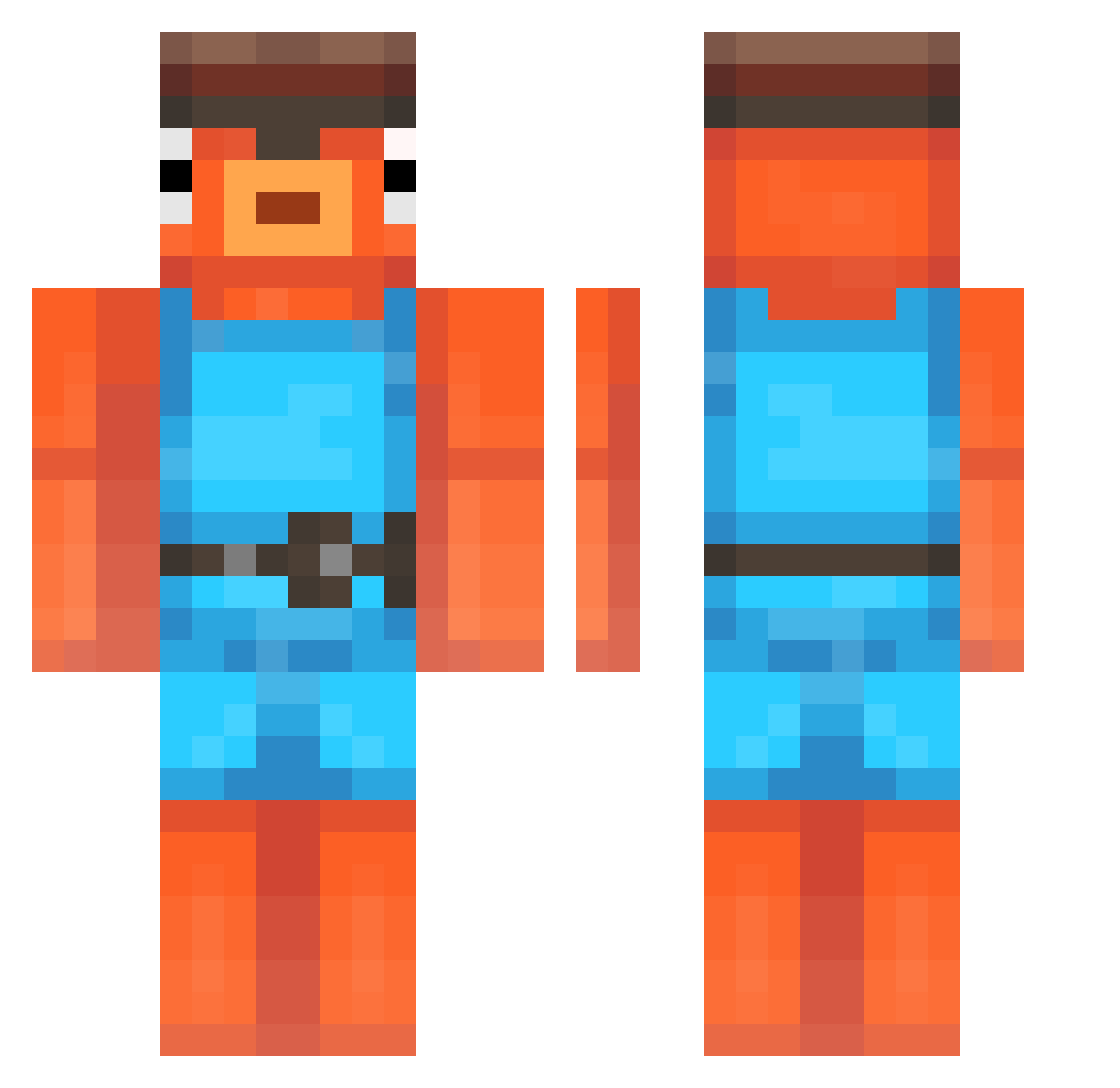
Current Minecraft skin of the player Alkancainc, loaded from the official Mojang API. Rotate the 3D model with your mouse or finger, then download the skin as a PNG file and use it in Minecraft: Bedrock Edition or Java Edition for free. When Alkancainc changes their skin, this page updates automatically and the old skin stays in the history below.
Other players with this skin (200)
Alkancainc was the 181st player we have seen with this skin, first spotted on 22.10.2026. The same skin was seen on these players. Open a nickname to see their current skin and skin history.
 JustBupo skiper98 1vashek Maffi187 zaza911 augbug DOOMFANG1010 refriedbean543 Infinity_Techno Patexiak OTP_musti Allan_spn137 TreePuncher953 iBudx Dragonator W1shiWashi Lynux Justin_0826 davibahamas Doglinee Joshddub BlackNightWillz WaldBienchen227 Maxpwr12 Vayaah MrDanith Koondom Kayhz emi201d USP9 cinco MrMeang LoCoZz_Soir srpatola Eneqra MichaelBeast11 Hannesogg tesurr Funnyfish1337 _Reflect_ Jackooo2003 DrGoofyy godnyy cheesybreadlover Coll_Fish Kadziu10 Vruno78 Stevenson15 SafeCentaure2774 zz_MuJxJ_12_31 IcetigerXv Rozumiany_dach Darkitos1 Ozzy139822 Mugwump12 fibyyy LuxorYT6176 GmgFront DeadlyBacteria lapreo
More Fishstick Minecraft skins
How to install the Alkancainc skin
- Press the Download button above to save the skin as a PNG file.
- Minecraft: Bedrock Edition (PE): open the Dressing Room from the main menu (or tap your character → Edit Character), go to Classic Skins → Owned, press the + (new skin) button, choose the downloaded PNG and pick the Classic (Steve) model. Works on PC and mobile; consoles cannot import custom skins.
- Minecraft: Java Edition: open the Minecraft Launcher, go to the Skins tab, click New Skin, load the PNG, pick the Classic (Steve) model and press Save & Use. You can also upload it at minecraft.net → Profile → Change Skin.
The skin does not show up after import - what should I do?
Restart Minecraft and open the Dressing Room again - imported skins sometimes appear only after a restart. Also make sure you selected the imported skin and picked the Classic (Steve) model.
Which model should I choose, Classic or Slim?
This skin is designed for the Classic (Steve) model. If you pick the wrong model, the arms of the skin will look stretched or squeezed.
Is the skin of Alkancainc free to download?
Yes. Press Download, save the PNG file and use it in Minecraft: Bedrock Edition or Java Edition - no payment or registration needed. The skin also works on multiplayer servers and Realms.
More skins
Looking for more? Go back to all Minecraft skins and check the top skins of the week, month and all time, or find any player's skin by nickname.