
Alexicc - Minecraft Skins & Skin History
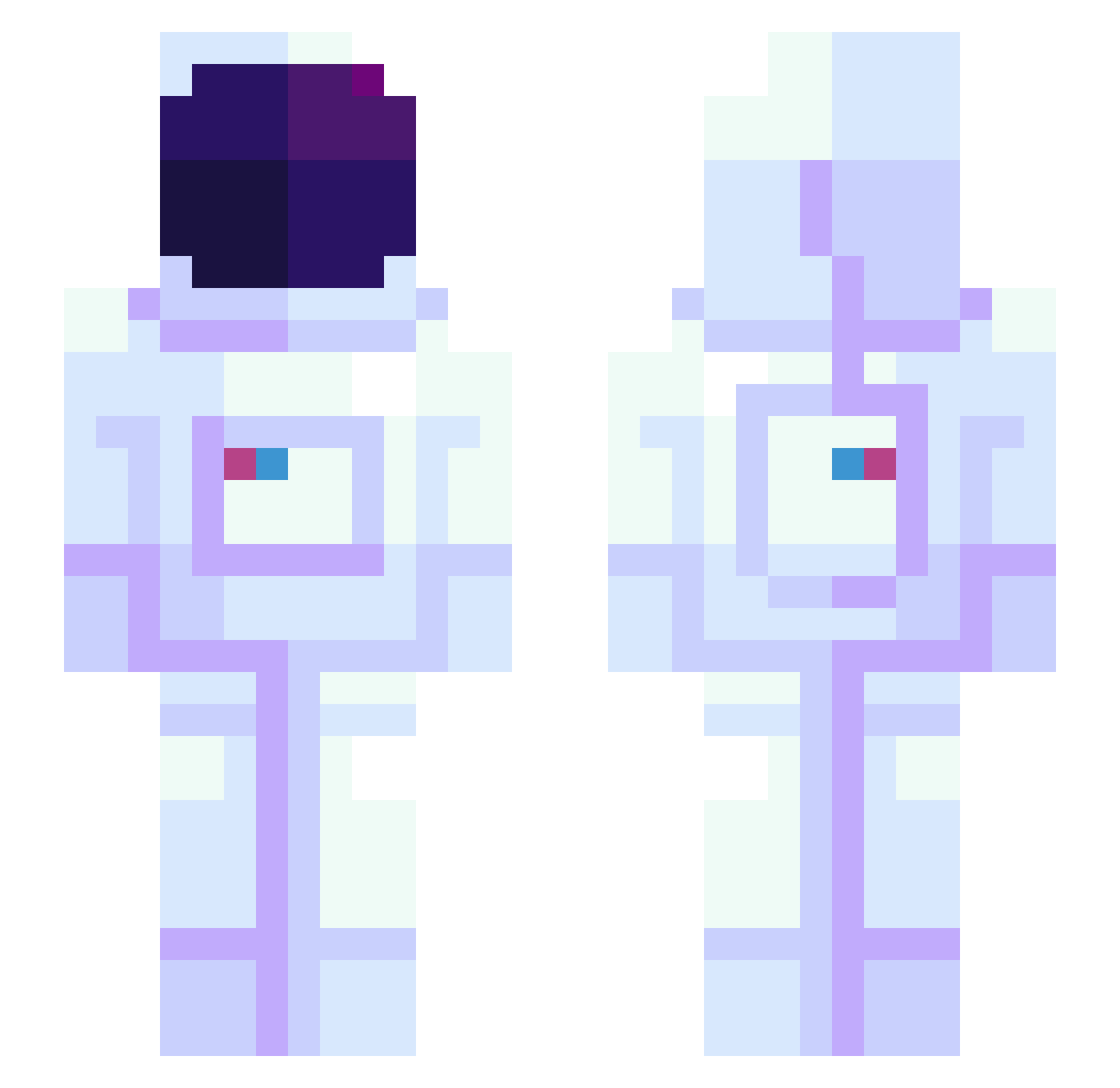
Current Minecraft skin of the player Alexicc, loaded from the official Mojang API. Rotate the 3D model with your mouse or finger, then download the skin as a PNG file and use it in Minecraft: Bedrock Edition or Java Edition for free. When Alexicc changes their skin, this page updates automatically and the old skin stays in the history below.
Other players with this skin (1172)
Alexicc was the 989th player we have seen with this skin, first spotted on 05.11.2026. The same skin was seen on these players. Open a nickname to see their current skin and skin history.
 B_TT4__ HenrykKwinto Muggiiiii LaLunaMoona THEMorgon SillyComet Puggly_Wuggly Zenith1O1 Kumlan CuOXXX ashlei_17 thitkh0 SeriousGuest BigBirdy222 useong1209 PowerUser64 diz1227 xXRedx80015Xx BlackYoshi321 SpaceWomen exkiss ironfist3001 Bradfordington Heisenberfit jup_lucky Jonytrolz daigo_m seekae451 jungjungs mol1254 G3Possession ye_11 Rabz_JLB Unicornsss MasterManeuvers1 sharkmlalt Kmarq28 WreSaa FortunaMagic ImGaudio MiLO_Chem papareyn V0Les Suby71 AsianFlickz RycerzWiosny1908 bluecat93 Chiazza_Navona rayanbonito haven2077 Szaqu Calamaretto Kai8086 Dulianowski Daanster2G Hasieeh blue1xx yangzebin bob_le_bricoleau RiggsKH
More Astronaut Minecraft skins
How to install the Alexicc skin
- Press the Download button above to save the skin as a PNG file.
- Minecraft: Bedrock Edition (PE): open the Dressing Room from the main menu (or tap your character → Edit Character), go to Classic Skins → Owned, press the + (new skin) button, choose the downloaded PNG and pick the Slim (Alex) model. Works on PC and mobile; consoles cannot import custom skins.
- Minecraft: Java Edition: open the Minecraft Launcher, go to the Skins tab, click New Skin, load the PNG, pick the Slim (Alex) model and press Save & Use. You can also upload it at minecraft.net → Profile → Change Skin.
The skin does not show up after import - what should I do?
Restart Minecraft and open the Dressing Room again - imported skins sometimes appear only after a restart. Also make sure you selected the imported skin and picked the Slim (Alex) model.
Which model should I choose, Classic or Slim?
This skin is designed for the Slim (Alex) model. If you pick the wrong model, the arms of the skin will look stretched or squeezed.
Is the skin of Alexicc free to download?
Yes. Press Download, save the PNG file and use it in Minecraft: Bedrock Edition or Java Edition - no payment or registration needed. The skin also works on multiplayer servers and Realms.
More skins
Looking for more? Go back to all Minecraft skins and check the top skins of the week, month and all time, or find any player's skin by nickname.