
Alexander_Wang - Minecraft Skins & Skin History
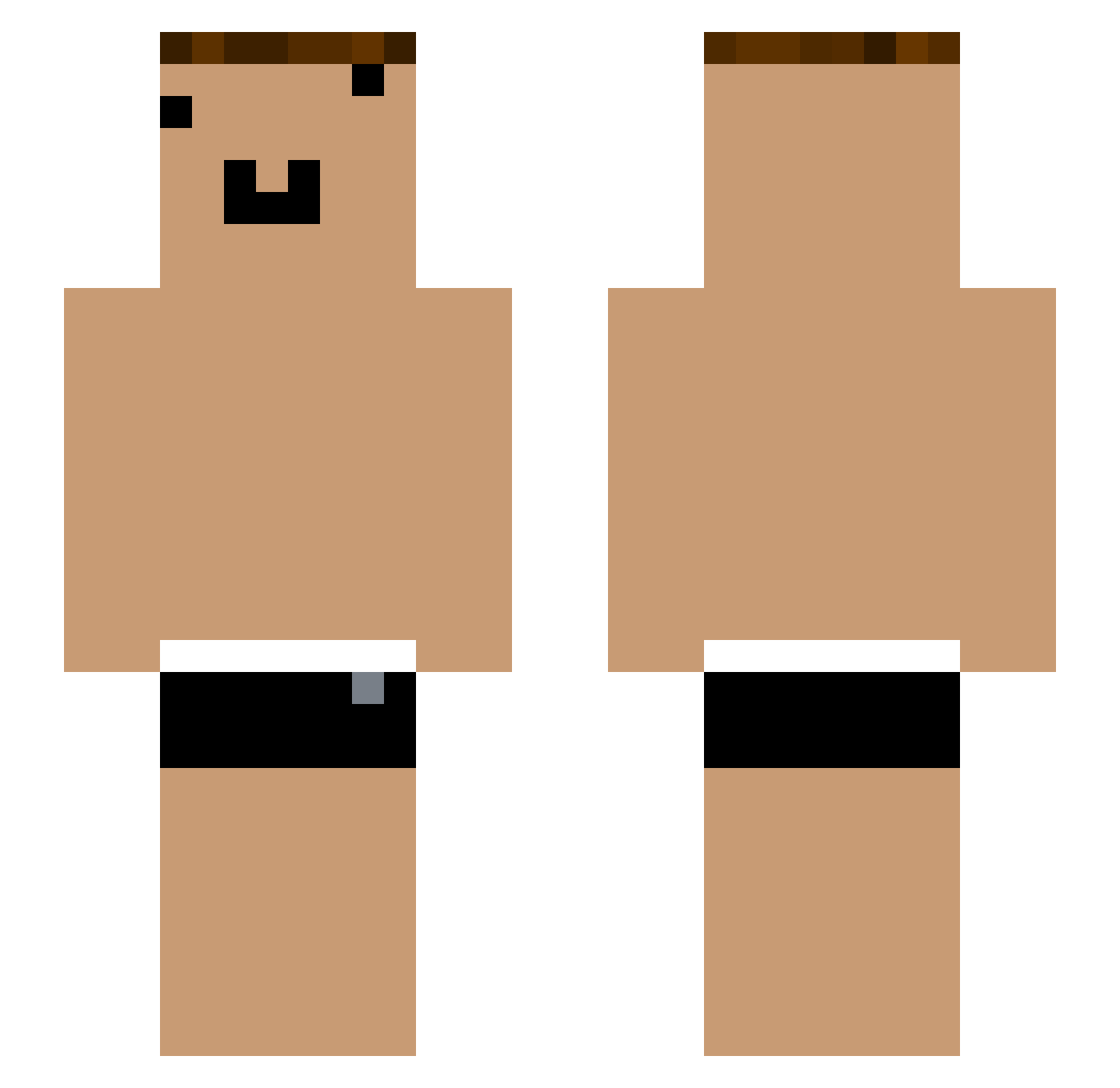
Current Minecraft skin of the player Alexander_Wang, loaded from the official Mojang API. Rotate the 3D model with your mouse or finger, then download the skin as a PNG file and use it in Minecraft: Bedrock Edition or Java Edition for free. When Alexander_Wang changes their skin, this page updates automatically and the old skin stays in the history below.
Other players with this skin (1054)
Alexander_Wang was the 44th player we have seen with this skin, first spotted on 27.07.2026. The same skin was seen on these players. Open a nickname to see their current skin and skin history.
 yYa_wlib4g_05_15 yYa_pDS7hx_05_06 yYa_q4gtop_06_26 GLD_sKBEr8_07_09 Tzi_shgKbK_05_28 2k36ddaaaaa Tzi_Xee4fD_07_01 bi_jzu268 Tzi_fJPZHk_05_06 kq_mvx560 KDNS_jik38d YouTube_AeRaNg Tzi_3GKTAr Tzi_KP7Ie8_06_13 Tzi_8ARf3s_06_02 Tzi_EqxGGm_07_14 che_q6DqaJ_05_06 GLD_g3Amsf_07_17 dr_mos595 YouTouBe__uG1whr YouTouBe__udbu6s Tzi_t0nG9k_06_27 anthonysays4 che_2jAwg4_05_02 Sleep_XWTNhas290 Tzi_ndg5oQ_06_11 yYa_eknvd8_04_30 Tzi_y6HYxN_07_24 yYa_8wSA1X_07_31 Tzi_yxdZjf_04_20 Guangxi_YxY
 RoadstarMaGueule Dioraccounting yYa_cU6xfP_04_28 yYa_tox7ny_06_20 Tzi_FRaqbC_04_14 Tzi_XnkP2K fluxxless yYa_m3ay38_05_12 yYa_NEVJpj_05_29 Andomain Tzi_8bYjvo Tzi_Wgem48 Aks_8wSA1X_06_17 yYa_pYC98B_06_21 yYa_QUUBPc_05_22 Ya__knvh7w yYa_sJ3Ih7_06_21 nq_hjz872 yYa_J8uT6S_06_17 yYa_kkZIhT_05_25 nuggets1870 Tzi_81Np7v_06_23 Tzi_8wSA1X_08_04 yYa_c0D543_05_17 GLD_NhxRO8_07_21 KDNS_eeFUtL yYa_Gj03oH_05_02 yYa_VwVn20_05_04 yYa_FRaqbC_08_28
More Funny Face Minecraft skins
How to install the Alexander_Wang skin
- Press the Download button above to save the skin as a PNG file.
- Minecraft: Bedrock Edition (PE): open the Dressing Room from the main menu (or tap your character → Edit Character), go to Classic Skins → Owned, press the + (new skin) button, choose the downloaded PNG and pick the Slim (Alex) model. Works on PC and mobile; consoles cannot import custom skins.
- Minecraft: Java Edition: open the Minecraft Launcher, go to the Skins tab, click New Skin, load the PNG, pick the Slim (Alex) model and press Save & Use. You can also upload it at minecraft.net → Profile → Change Skin.
The skin does not show up after import - what should I do?
Restart Minecraft and open the Dressing Room again - imported skins sometimes appear only after a restart. Also make sure you selected the imported skin and picked the Slim (Alex) model.
Which model should I choose, Classic or Slim?
This skin is designed for the Slim (Alex) model. If you pick the wrong model, the arms of the skin will look stretched or squeezed.
Is the skin of Alexander_Wang free to download?
Yes. Press Download, save the PNG file and use it in Minecraft: Bedrock Edition or Java Edition - no payment or registration needed. The skin also works on multiplayer servers and Realms.
More skins
Looking for more? Go back to all Minecraft skins and check the top skins of the week, month and all time, or find any player's skin by nickname.