
Alexander_Swift - Minecraft Skins & Skin History
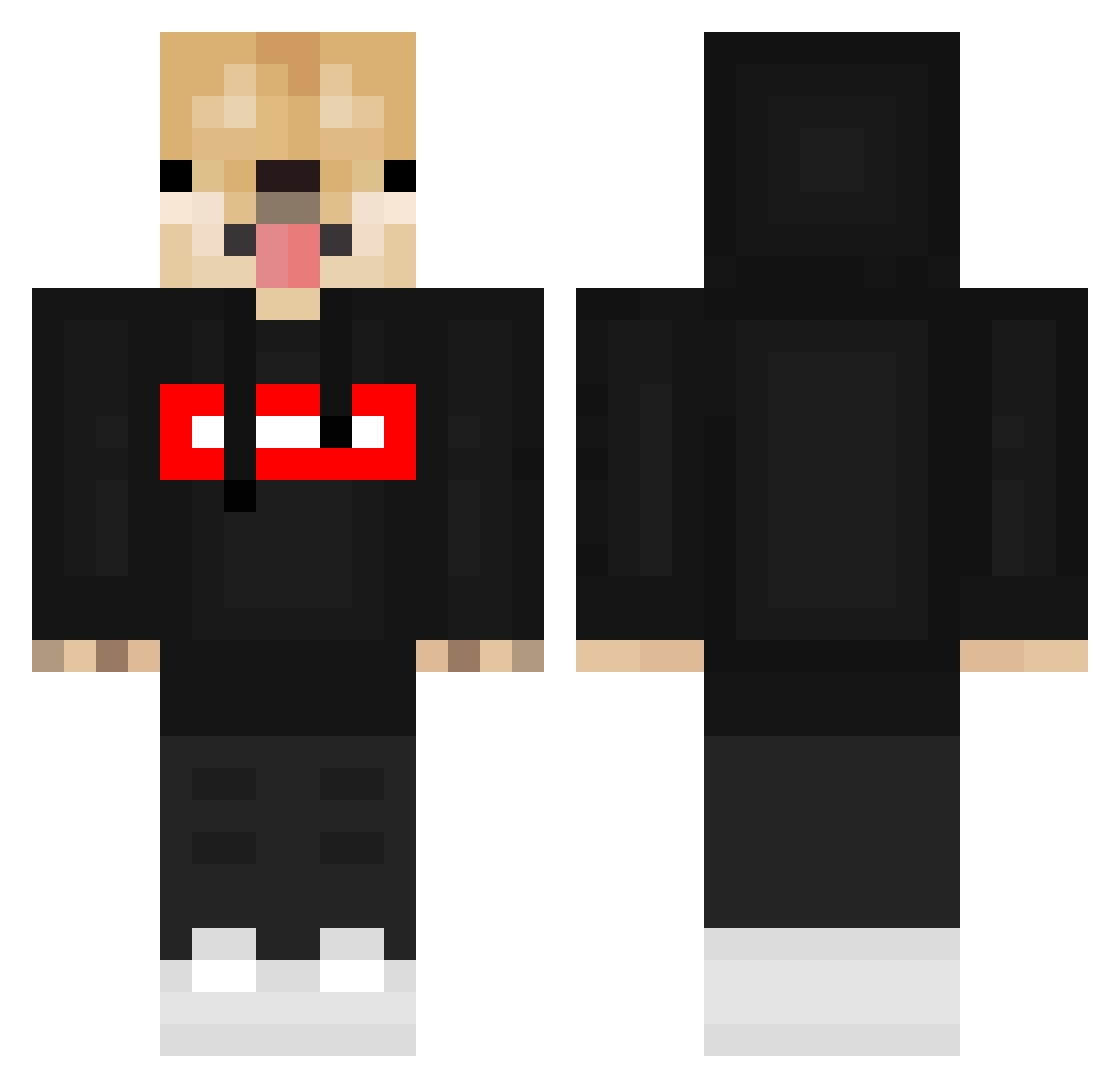
Current Minecraft skin of the player Alexander_Swift, loaded from the official Mojang API. Rotate the 3D model with your mouse or finger, then download the skin as a PNG file and use it in Minecraft: Bedrock Edition or Java Edition for free. When Alexander_Swift changes their skin, this page updates automatically and the old skin stays in the history below.
Other players with this skin (549)
Alexander_Swift was the 221st player we have seen with this skin, first spotted on 06.09.2026. The same skin was seen on these players. Open a nickname to see their current skin and skin history.
 __DevBot__ STEPAN_1910 TheTriforceBoy Kamigian izzano Luk_26 Skyrolight TheCalmingGoat aaa123123 GuenniB olwlsseo_o _C4r0l1n3_ Frutabomba Apparentlyrem_ pepe_200897 Scipher24 haventmetyou2u MiKe_GeJMer doggosordeath Cristian_GM_00 LOopydOge jokebed7 Facun2706 Cycloone_ nbayougboy7 1_Avenger_1 Blakester5803 k0bucha panNeznamy9 K_r_o_ttt Dogger776 TunEKUB CrackedCraft25 taek02 NaniMai JBWestside AKMParadox _Faell_ B0tZo0 Wolfssx px2fear SantaPixyStick RarestMrDoggo Palacean CptMorgan4202 brendenlmao Ice_Flyy Ole_TV defo0 flopidop Lufthak Danilusz GamingPonk Kinnickmont CircuitDeMonaco CommunistDoggo7 kubinek1324 TheUnderDogs115 augsomeman15p uboy5005
More Doge Minecraft skins
How to install the Alexander_Swift skin
- Press the Download button above to save the skin as a PNG file.
- Minecraft: Bedrock Edition (PE): open the Dressing Room from the main menu (or tap your character → Edit Character), go to Classic Skins → Owned, press the + (new skin) button, choose the downloaded PNG and pick the Classic (Steve) model. Works on PC and mobile; consoles cannot import custom skins.
- Minecraft: Java Edition: open the Minecraft Launcher, go to the Skins tab, click New Skin, load the PNG, pick the Classic (Steve) model and press Save & Use. You can also upload it at minecraft.net → Profile → Change Skin.
The skin does not show up after import - what should I do?
Restart Minecraft and open the Dressing Room again - imported skins sometimes appear only after a restart. Also make sure you selected the imported skin and picked the Classic (Steve) model.
Which model should I choose, Classic or Slim?
This skin is designed for the Classic (Steve) model. If you pick the wrong model, the arms of the skin will look stretched or squeezed.
Is the skin of Alexander_Swift free to download?
Yes. Press Download, save the PNG file and use it in Minecraft: Bedrock Edition or Java Edition - no payment or registration needed. The skin also works on multiplayer servers and Realms.
More skins
Looking for more? Go back to all Minecraft skins and check the top skins of the week, month and all time, or find any player's skin by nickname.