
AlexYTtrol - Minecraft Skins & Skin History
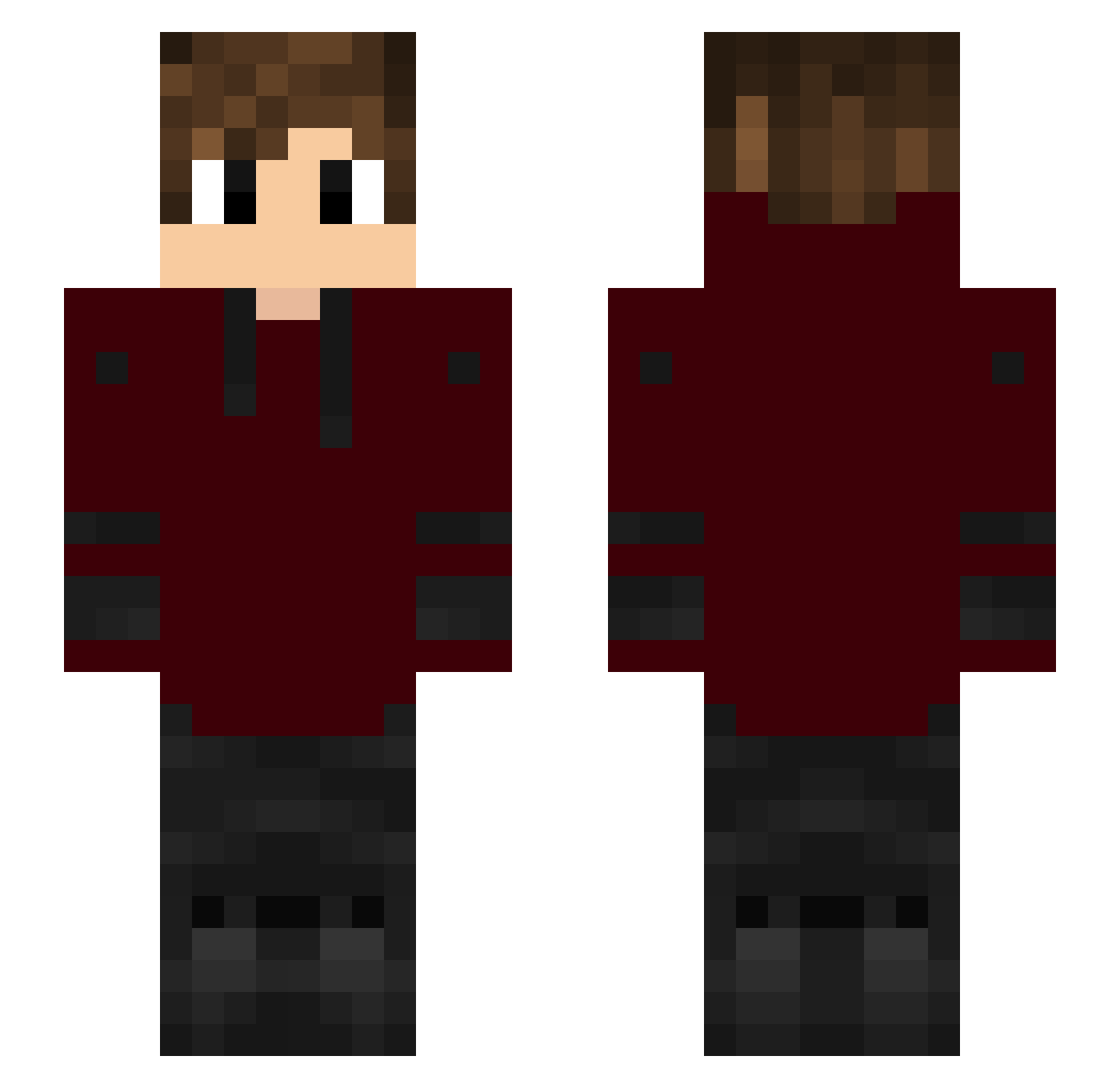
Current Minecraft skin of the player AlexYTtrol, loaded from the official Mojang API. Rotate the 3D model with your mouse or finger, then download the skin as a PNG file and use it in Minecraft: Bedrock Edition or Java Edition for free. When AlexYTtrol changes their skin, this page updates automatically and the old skin stays in the history below.
Other players with this skin (185)
AlexYTtrol was the 153rd player we have seen with this skin, first spotted on 03.11.2026. The same skin was seen on these players. Open a nickname to see their current skin and skin history.
 daydayR0 tr_hung07 Geewy Michal2117 _Matixx_ Jacopo_bossYT ReadyTV Bombeurreman AlbyPro1 AP8308 BadDream59 Waiter321 UneSupreme nikodeleon200987 OOBSCUROO CastroCaetano ziggythekat guangefla xxulsypro_14 dovessssssssss Thefriend101 Highlighter2 Guram_2001 ho7621 Borellaaz WqlffMC Kobomi ZeroClou187 shryu777 oWhity skrabek2 fatal_fallback CarteL_Mystic Ryzeee_ Mpetrarolo LosLockos13 Feith_ Deislan zLuck_PvP shermansam ZizonganG notSunnyy Toxic_adr PBrooklyn The_Exe_ caasstroooo mixfed TheOpossumWave MrK65 echtEmo10 xM1L4N Maezey charliebax12 Cheetahhu Nokwar Iguinho__ MahmooD371 NFLFOREVER21 chomiQowaty figthfither
How to install the AlexYTtrol skin
- Press the Download button above to save the skin as a PNG file.
- Minecraft: Bedrock Edition (PE): open the Dressing Room from the main menu (or tap your character → Edit Character), go to Classic Skins → Owned, press the + (new skin) button, choose the downloaded PNG and pick the Slim (Alex) model. Works on PC and mobile; consoles cannot import custom skins.
- Minecraft: Java Edition: open the Minecraft Launcher, go to the Skins tab, click New Skin, load the PNG, pick the Slim (Alex) model and press Save & Use. You can also upload it at minecraft.net → Profile → Change Skin.
The skin does not show up after import - what should I do?
Restart Minecraft and open the Dressing Room again - imported skins sometimes appear only after a restart. Also make sure you selected the imported skin and picked the Slim (Alex) model.
Which model should I choose, Classic or Slim?
This skin is designed for the Slim (Alex) model. If you pick the wrong model, the arms of the skin will look stretched or squeezed.
Is the skin of AlexYTtrol free to download?
Yes. Press Download, save the PNG file and use it in Minecraft: Bedrock Edition or Java Edition - no payment or registration needed. The skin also works on multiplayer servers and Realms.
More skins
Looking for more? Go back to all Minecraft skins and check the top skins of the week, month and all time, or find any player's skin by nickname.