
AlexMax102 - Minecraft Skins & Skin History
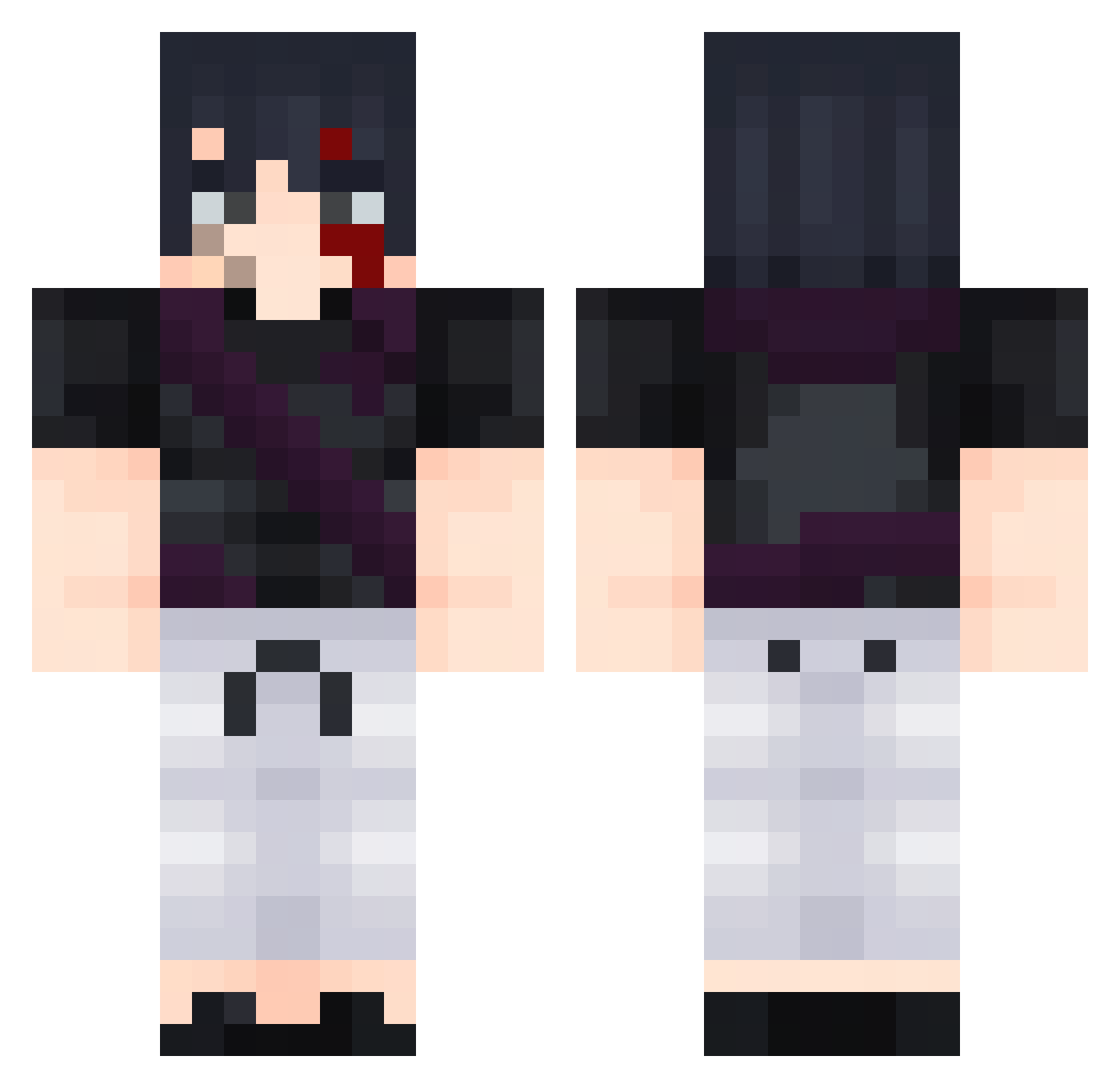
Current Minecraft skin of the player AlexMax102, loaded from the official Mojang API. Rotate the 3D model with your mouse or finger, then download the skin as a PNG file and use it in Minecraft: Bedrock Edition or Java Edition for free. When AlexMax102 changes their skin, this page updates automatically and the old skin stays in the history below.
Other players with this skin (82)
AlexMax102 was the 54th player we have seen with this skin, first spotted on 30.09.2026. The same skin was seen on these players. Open a nickname to see their current skin and skin history.
 qwertycl BlackCreeper66X TorchLike TheBrainj Mixlnwza007x Modest_ NegativeTachyon kizec droidd08 elpipetascol Potatochipmann ACT90 HyperWolve06 shadowzide IDarkHammer AncientAstronut the_milkman_1727 RakanGD25 Drackon5555 Koronad BenjamonVJ off2eat keelmart Spike016 Miyagl AyAfro tv3v lCaptainPricel Jqzx Fuzio_ 240Hxz XxTOJIxX veys1406 creepair08 Alvaro_Q KobeAim lekrayger WillStevenson Diamondemon89 ItsToji lexi_guz Bu8ak rougelover LordEnzoI Nickpx7 diamond_0531 yMineMaster
 letodou disentitle hutso samkkkooo raquetazo Javi638 Miracpro61 JuanSial Eliazz__ hNeiiii DocMartenss Beantastiic TNT2007PL
More Sasuke Uchiha Minecraft skins
See all 727 Sasuke Uchiha skins
How to install the AlexMax102 skin
- Press the Download button above to save the skin as a PNG file.
- Minecraft: Bedrock Edition (PE): open the Dressing Room from the main menu (or tap your character → Edit Character), go to Classic Skins → Owned, press the + (new skin) button, choose the downloaded PNG and pick the Classic (Steve) model. Works on PC and mobile; consoles cannot import custom skins.
- Minecraft: Java Edition: open the Minecraft Launcher, go to the Skins tab, click New Skin, load the PNG, pick the Classic (Steve) model and press Save & Use. You can also upload it at minecraft.net → Profile → Change Skin.
The skin does not show up after import - what should I do?
Restart Minecraft and open the Dressing Room again - imported skins sometimes appear only after a restart. Also make sure you selected the imported skin and picked the Classic (Steve) model.
Which model should I choose, Classic or Slim?
This skin is designed for the Classic (Steve) model. If you pick the wrong model, the arms of the skin will look stretched or squeezed.
Is the skin of AlexMax102 free to download?
Yes. Press Download, save the PNG file and use it in Minecraft: Bedrock Edition or Java Edition - no payment or registration needed. The skin also works on multiplayer servers and Realms.
More skins
Looking for more? Go back to all Minecraft skins and check the top skins of the week, month and all time, or find any player's skin by nickname.