
AlexKRN2 - Minecraft Skins & Skin History
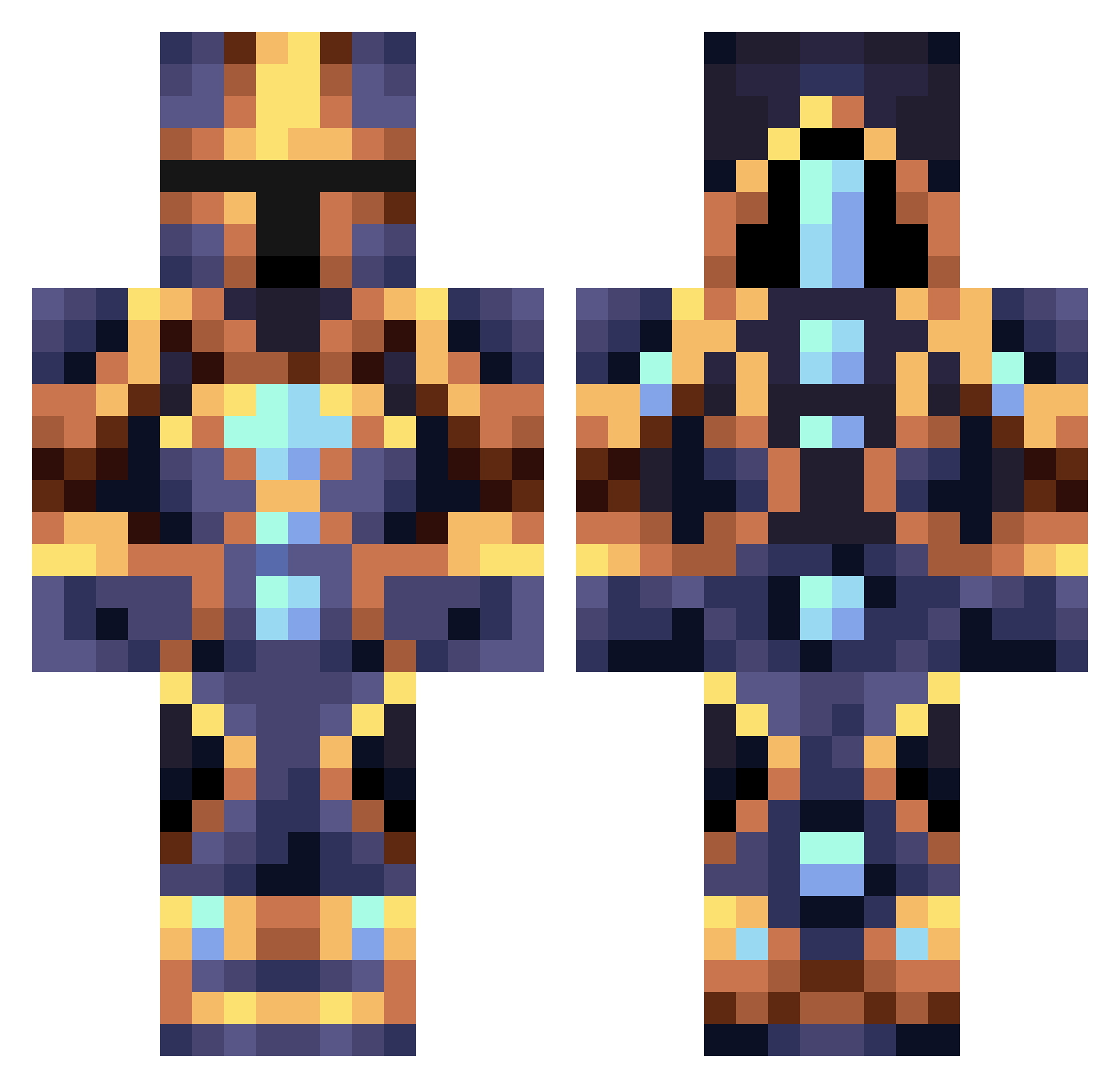
Current Minecraft skin of the player AlexKRN2, loaded from the official Mojang API. Rotate the 3D model with your mouse or finger, then download the skin as a PNG file and use it in Minecraft: Bedrock Edition or Java Edition for free. When AlexKRN2 changes their skin, this page updates automatically and the old skin stays in the history below.
Other players with this skin (363)
AlexKRN2 was the 54th player we have seen with this skin, first spotted on 09.08.2026. The same skin was seen on these players. Open a nickname to see their current skin and skin history.
 Prongsz MoonandMars551 HAL0_01 itsOskitar TheGrink Fillipko ctrl_alt_destroy bluedude6229 Arpo00 Nulliderdull Korix_YT KNZUT Blaze40 jamesandrews2016 plaket27 bandris JTheAlpha chumagod BrainExodus Phoebus6 Zazzin Rotoparts ALOGOT MarioCanine696 EliteSix alpha_506 tomlol9487 Astro1011 MAD_A777 Patan generalling Asian_Pyromaniac
 Tannypro GAFScorpio Plexias2142 Dragonix111 Codexxxxxx OniiMazora Furious_MavZ lingo55k Joaolopes_12 dustmssx Tal2013 Frede847 Polillero Marbilon Haockay KingHuronVIII Sun_Wyrm Bae2daMax JadenMultiverse TimProCrafter JustStefqn Elgleaming RaverRoxx kratoss69 IYoshimaruI Seradehk Domino1230 KoosvdS
More Sci Fi Minecraft skins
How to install the AlexKRN2 skin
- Press the Download button above to save the skin as a PNG file.
- Minecraft: Bedrock Edition (PE): open the Dressing Room from the main menu (or tap your character → Edit Character), go to Classic Skins → Owned, press the + (new skin) button, choose the downloaded PNG and pick the Classic (Steve) model. Works on PC and mobile; consoles cannot import custom skins.
- Minecraft: Java Edition: open the Minecraft Launcher, go to the Skins tab, click New Skin, load the PNG, pick the Classic (Steve) model and press Save & Use. You can also upload it at minecraft.net → Profile → Change Skin.
The skin does not show up after import - what should I do?
Restart Minecraft and open the Dressing Room again - imported skins sometimes appear only after a restart. Also make sure you selected the imported skin and picked the Classic (Steve) model.
Which model should I choose, Classic or Slim?
This skin is designed for the Classic (Steve) model. If you pick the wrong model, the arms of the skin will look stretched or squeezed.
Is the skin of AlexKRN2 free to download?
Yes. Press Download, save the PNG file and use it in Minecraft: Bedrock Edition or Java Edition - no payment or registration needed. The skin also works on multiplayer servers and Realms.
More skins
Looking for more? Go back to all Minecraft skins and check the top skins of the week, month and all time, or find any player's skin by nickname.