
AlexIstOnline - Minecraft Skins & Skin History
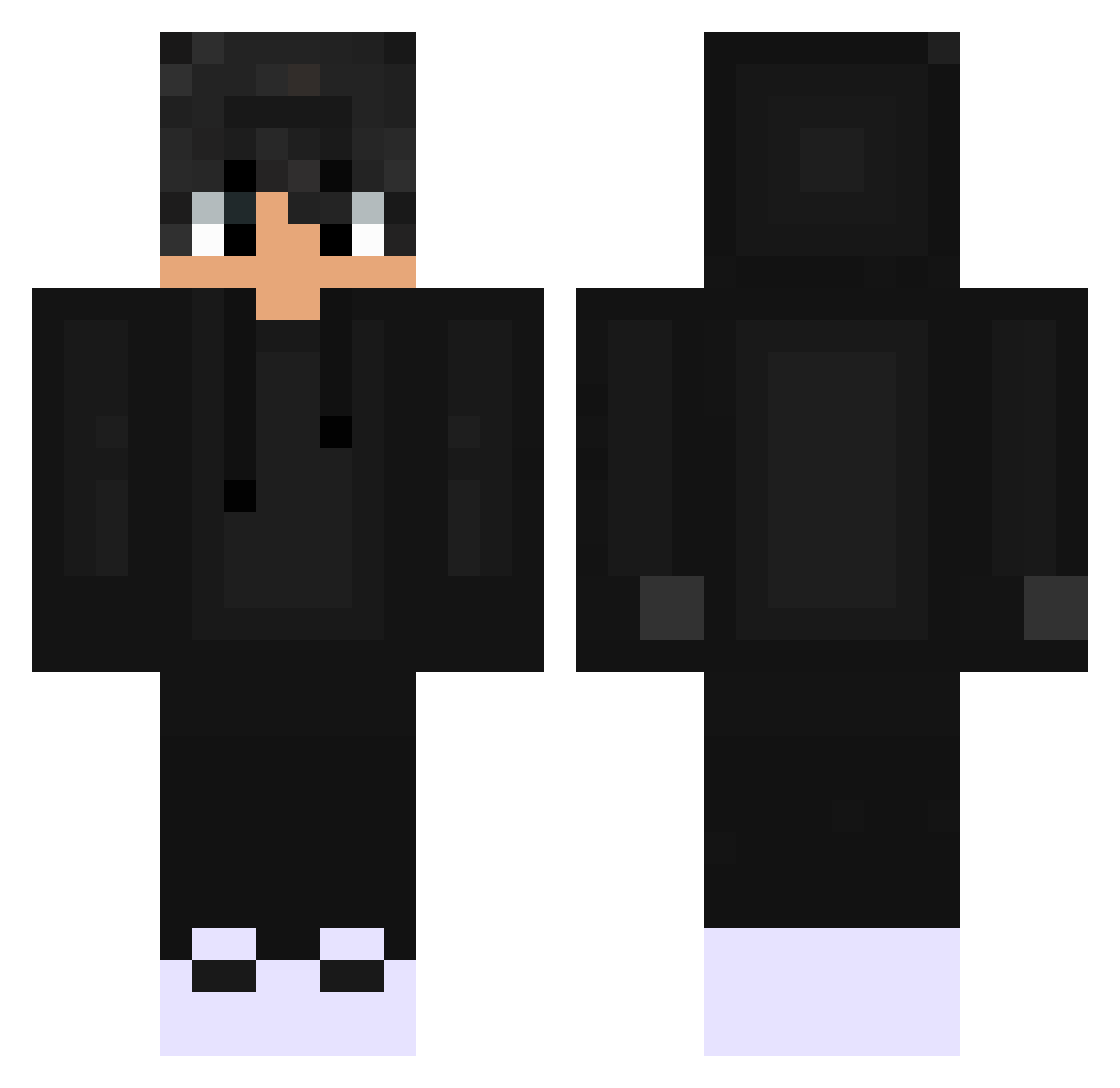
Current Minecraft skin of the player AlexIstOnline, loaded from the official Mojang API. Rotate the 3D model with your mouse or finger, then download the skin as a PNG file and use it in Minecraft: Bedrock Edition or Java Edition for free. When AlexIstOnline changes their skin, this page updates automatically and the old skin stays in the history below.
Other players with this skin (530)
AlexIstOnline was the 242nd player we have seen with this skin, first spotted on 16.09.2026. The same skin was seen on these players. Open a nickname to see their current skin and skin history.
 xzisc Luksior oli36 CatalinS29 baixiaowa ZaraAzorli02 Xabric GuiiWhyx Spyrrooo Josef_20 Blurbery NandreYT ArtemPTSE Klementify ItsYasui Xerba8605 NguyenKhaiHoang Tevsoon mcft_2024 Kay207 g0ld_wC9Ym_0815 MINO0_0 Mysthyquee Ashu09 Rage_Raven_ Bessa_Pt Mucahit0 xzkfh Aleph597 x_Sensei fe_rex twitch_domi_08 Swooz_YT burock3131 Lfrift denys_1 Raff_0 iulesen123 aphonsinha JBH_05 burhib Moooooom Depp2009 Steveyboy432 BMXmarcus7 k4m1_ lucafelix330 Black_16 DMaxPWR eupedrinho07 its_alois Gorgonyta5 Yuno007 V1rus69 Fiascy MrKitkat205 ThiizinMC dhruvisdream Ruined_Mika Its_Dazzy
How to install the AlexIstOnline skin
- Press the Download button above to save the skin as a PNG file.
- Minecraft: Bedrock Edition (PE): open the Dressing Room from the main menu (or tap your character → Edit Character), go to Classic Skins → Owned, press the + (new skin) button, choose the downloaded PNG and pick the Classic (Steve) model. Works on PC and mobile; consoles cannot import custom skins.
- Minecraft: Java Edition: open the Minecraft Launcher, go to the Skins tab, click New Skin, load the PNG, pick the Classic (Steve) model and press Save & Use. You can also upload it at minecraft.net → Profile → Change Skin.
The skin does not show up after import - what should I do?
Restart Minecraft and open the Dressing Room again - imported skins sometimes appear only after a restart. Also make sure you selected the imported skin and picked the Classic (Steve) model.
Which model should I choose, Classic or Slim?
This skin is designed for the Classic (Steve) model. If you pick the wrong model, the arms of the skin will look stretched or squeezed.
Is the skin of AlexIstOnline free to download?
Yes. Press Download, save the PNG file and use it in Minecraft: Bedrock Edition or Java Edition - no payment or registration needed. The skin also works on multiplayer servers and Realms.
More skins
Looking for more? Go back to all Minecraft skins and check the top skins of the week, month and all time, or find any player's skin by nickname.