
Alesya228 - Minecraft Skins & Skin History
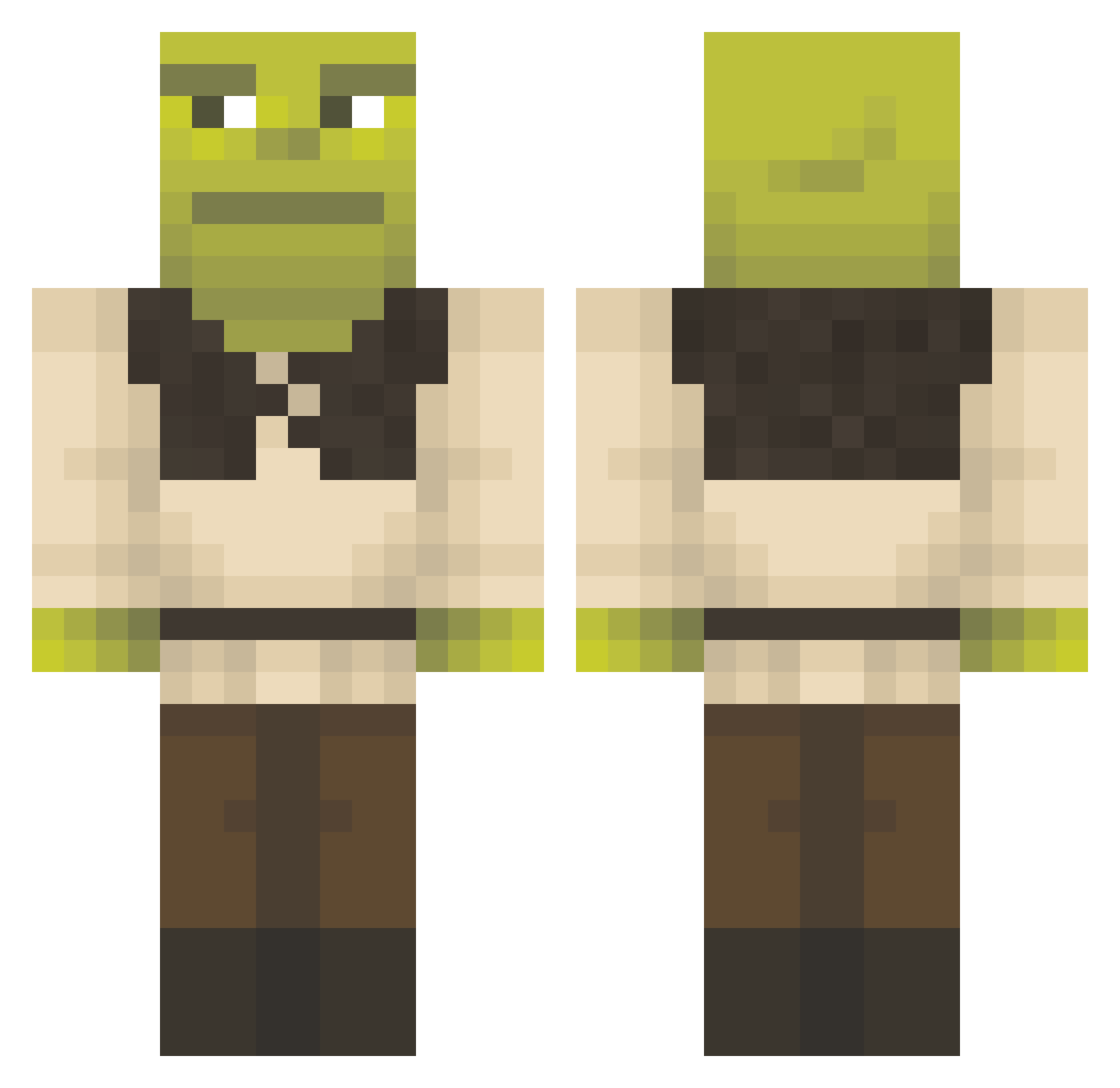
Current Minecraft skin of the player Alesya228, loaded from the official Mojang API. Rotate the 3D model with your mouse or finger, then download the skin as a PNG file and use it in Minecraft: Bedrock Edition or Java Edition for free. When Alesya228 changes their skin, this page updates automatically and the old skin stays in the history below.
Other players with this skin (1153)
Alesya228 was the 215th player we have seen with this skin, first spotted on 12.08.2026. The same skin was seen on these players. Open a nickname to see their current skin and skin history.
 alexmars09 DIEGO4LBA TheBobSamurai Juni0rrr ZEAROGAMER TheElotero Cus1ek LittlePanda44 MonikerB Smoku35 Blockbuster20k LithBuster ArChayr DivineMalice Laratablanca AsLatius y29min Green_Lemming_03 SpookyDust Ahozdmrz TheOneTrueNero Alwah shrekieishot Manguitos22 SpaceMarine08 Pier0g_ Slectens Vypixx NykiiZ Omniclause BabyKomodo ela_aaaaa Huevolver ChulentKugel Zeepaat Mellyy0 MacedoCraft Roburts lemonchannel602 ACarlsson04 Ramen_xL just_dinando hauntedsock omarIO23 MalleMiguel BigTrippin025 BramNH maegeman Dcaballerooo sadsl1 MrAvil AFKael PleQuieD Mo_uf vakile
 CJX9_B charliedingo01 Damiqqq EnderWattage Kin9Julian
More Shrek Minecraft skins
How to install the Alesya228 skin
- Press the Download button above to save the skin as a PNG file.
- Minecraft: Bedrock Edition (PE): open the Dressing Room from the main menu (or tap your character → Edit Character), go to Classic Skins → Owned, press the + (new skin) button, choose the downloaded PNG and pick the Classic (Steve) model. Works on PC and mobile; consoles cannot import custom skins.
- Minecraft: Java Edition: open the Minecraft Launcher, go to the Skins tab, click New Skin, load the PNG, pick the Classic (Steve) model and press Save & Use. You can also upload it at minecraft.net → Profile → Change Skin.
The skin does not show up after import - what should I do?
Restart Minecraft and open the Dressing Room again - imported skins sometimes appear only after a restart. Also make sure you selected the imported skin and picked the Classic (Steve) model.
Which model should I choose, Classic or Slim?
This skin is designed for the Classic (Steve) model. If you pick the wrong model, the arms of the skin will look stretched or squeezed.
Is the skin of Alesya228 free to download?
Yes. Press Download, save the PNG file and use it in Minecraft: Bedrock Edition or Java Edition - no payment or registration needed. The skin also works on multiplayer servers and Realms.
More skins
Looking for more? Go back to all Minecraft skins and check the top skins of the week, month and all time, or find any player's skin by nickname.