
Alejoplayer_1 - Minecraft Skins & Skin History
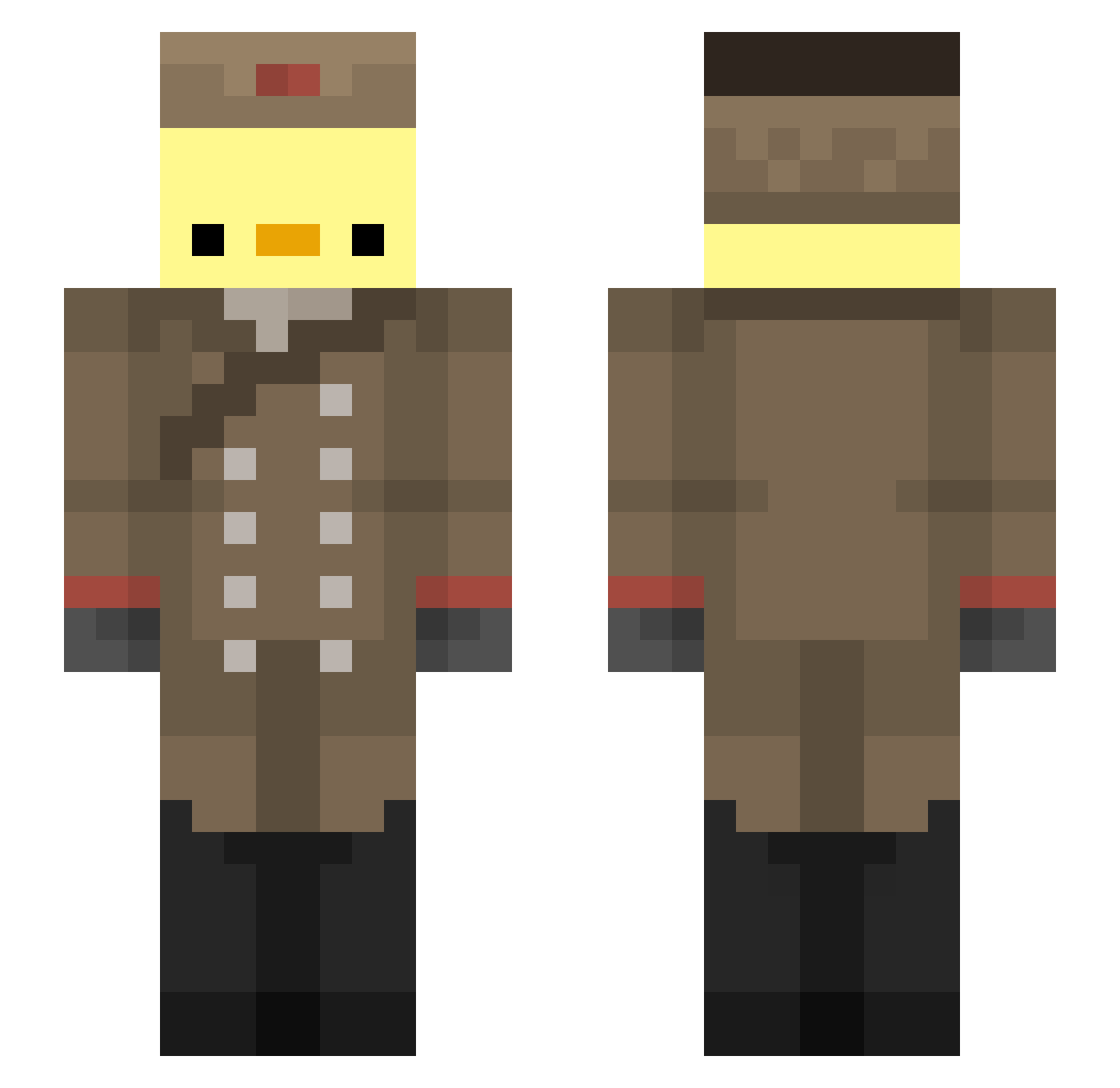
Current Minecraft skin of the player Alejoplayer_1, loaded from the official Mojang API. Rotate the 3D model with your mouse or finger, then download the skin as a PNG file and use it in Minecraft: Bedrock Edition or Java Edition for free. When Alejoplayer_1 changes their skin, this page updates automatically and the old skin stays in the history below.
Other players with this skin (193)
Alejoplayer_1 was the 155th player we have seen with this skin, first spotted on 13.10.2026. The same skin was seen on these players. Open a nickname to see their current skin and skin history.
 KajetanTheCatGuy ryan26422 chick_ho Noah_XDF Ajann47 ByDark__TDSOM KrinoV yessoni samzips l_Chowy_l miesiek ph3nomzlol preyHGC Pebrex Matess00 Tomek098 eToj_ CrazyFishBone Pisklak2137 RexZee lodf_ jesuisunepioche Krampoth xToxxi Momo0Chi MrPoto_ Halkuur ShallowPiano46 ThuggyBirdo Looney_Prunes SwoZza1 VoltTrax Noitish10 Selloutdude Rusote notfunnyman345 RedxWolfyy VexDestroyer148 LukasLion04 wojtazz113 BigDucky0788 RoyalG2 takeoof RussianMobWife Little_Comrade sevasci BalloonSan hhard haze444_ ICHKLAUESACHEN analhee Lollybomb95 kzrr KacBalagane I_LOVE_DOKKAEBI mimiyumi Jony9022 Temistoclestorto Forceoff Poulpicorne
More Russian Soldier Minecraft skins
See all 96 Russian Soldier skins
How to install the Alejoplayer_1 skin
- Press the Download button above to save the skin as a PNG file.
- Minecraft: Bedrock Edition (PE): open the Dressing Room from the main menu (or tap your character → Edit Character), go to Classic Skins → Owned, press the + (new skin) button, choose the downloaded PNG and pick the Slim (Alex) model. Works on PC and mobile; consoles cannot import custom skins.
- Minecraft: Java Edition: open the Minecraft Launcher, go to the Skins tab, click New Skin, load the PNG, pick the Slim (Alex) model and press Save & Use. You can also upload it at minecraft.net → Profile → Change Skin.
The skin does not show up after import - what should I do?
Restart Minecraft and open the Dressing Room again - imported skins sometimes appear only after a restart. Also make sure you selected the imported skin and picked the Slim (Alex) model.
Which model should I choose, Classic or Slim?
This skin is designed for the Slim (Alex) model. If you pick the wrong model, the arms of the skin will look stretched or squeezed.
Is the skin of Alejoplayer_1 free to download?
Yes. Press Download, save the PNG file and use it in Minecraft: Bedrock Edition or Java Edition - no payment or registration needed. The skin also works on multiplayer servers and Realms.
More skins
Looking for more? Go back to all Minecraft skins and check the top skins of the week, month and all time, or find any player's skin by nickname.