
AlaFu - Minecraft Skins & Skin History
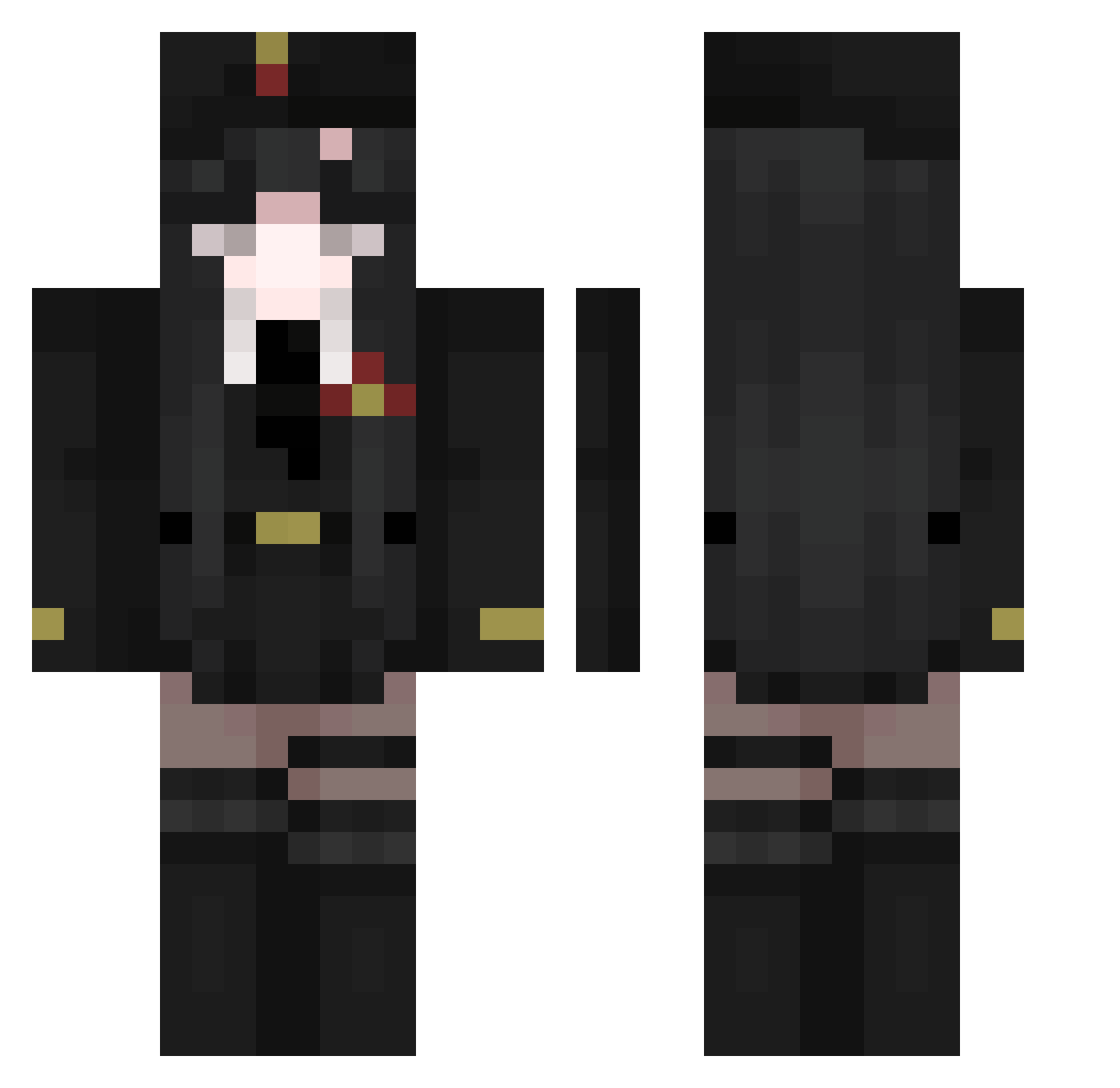
Current Minecraft skin of the player AlaFu, loaded from the official Mojang API. Rotate the 3D model with your mouse or finger, then download the skin as a PNG file and use it in Minecraft: Bedrock Edition or Java Edition for free. When AlaFu changes their skin, this page updates automatically and the old skin stays in the history below.
Other players with this skin (511)
AlaFu was the 236th player we have seen with this skin, first spotted on 18.09.2026. The same skin was seen on these players. Open a nickname to see their current skin and skin history.
 SpicyBrownieMix TrilobiteOAO yao_er_zhui_chou pisankuspro LionFlag004 nouniiii Capt_sterben69 Hizepex BIGINTEGER65536 Miisaki15 actuallyaran STICKMAN7190 VitaMaris SampeSwagHD Z0U1 xixi2025 Harambe4real Moevo Popphanss 6993 Chimeraa_ Mo_hran KulveT ffaqueen Brudertack45 TricksterDAY CursedWolF11 ShiningYoshi Chiara_Leila StarsAreNice eliberry_ Alice_summer abeisooidsf Coner9070 kyfairy Gamer_girl_OwO becuh LarissaRamos LycheeTee Xuyuyun Juliana_Kawaii GowrGura WittyRetort WisniaBozy cuteleno123 vamppure MrsPinguin02 Axolotl_The_Blue TokaZX Tolzna vbua1 Viautumn bbeast155 Nohty Impenniless01 mooneeko shadey33 ltf_RtScG_06_23 Laughing_Rabbit ch3lsy
More Uniform Minecraft skins
How to install the AlaFu skin
- Press the Download button above to save the skin as a PNG file.
- Minecraft: Bedrock Edition (PE): open the Dressing Room from the main menu (or tap your character → Edit Character), go to Classic Skins → Owned, press the + (new skin) button, choose the downloaded PNG and pick the Classic (Steve) model. Works on PC and mobile; consoles cannot import custom skins.
- Minecraft: Java Edition: open the Minecraft Launcher, go to the Skins tab, click New Skin, load the PNG, pick the Classic (Steve) model and press Save & Use. You can also upload it at minecraft.net → Profile → Change Skin.
The skin does not show up after import - what should I do?
Restart Minecraft and open the Dressing Room again - imported skins sometimes appear only after a restart. Also make sure you selected the imported skin and picked the Classic (Steve) model.
Which model should I choose, Classic or Slim?
This skin is designed for the Classic (Steve) model. If you pick the wrong model, the arms of the skin will look stretched or squeezed.
Is the skin of AlaFu free to download?
Yes. Press Download, save the PNG file and use it in Minecraft: Bedrock Edition or Java Edition - no payment or registration needed. The skin also works on multiplayer servers and Realms.
More skins
Looking for more? Go back to all Minecraft skins and check the top skins of the week, month and all time, or find any player's skin by nickname.