
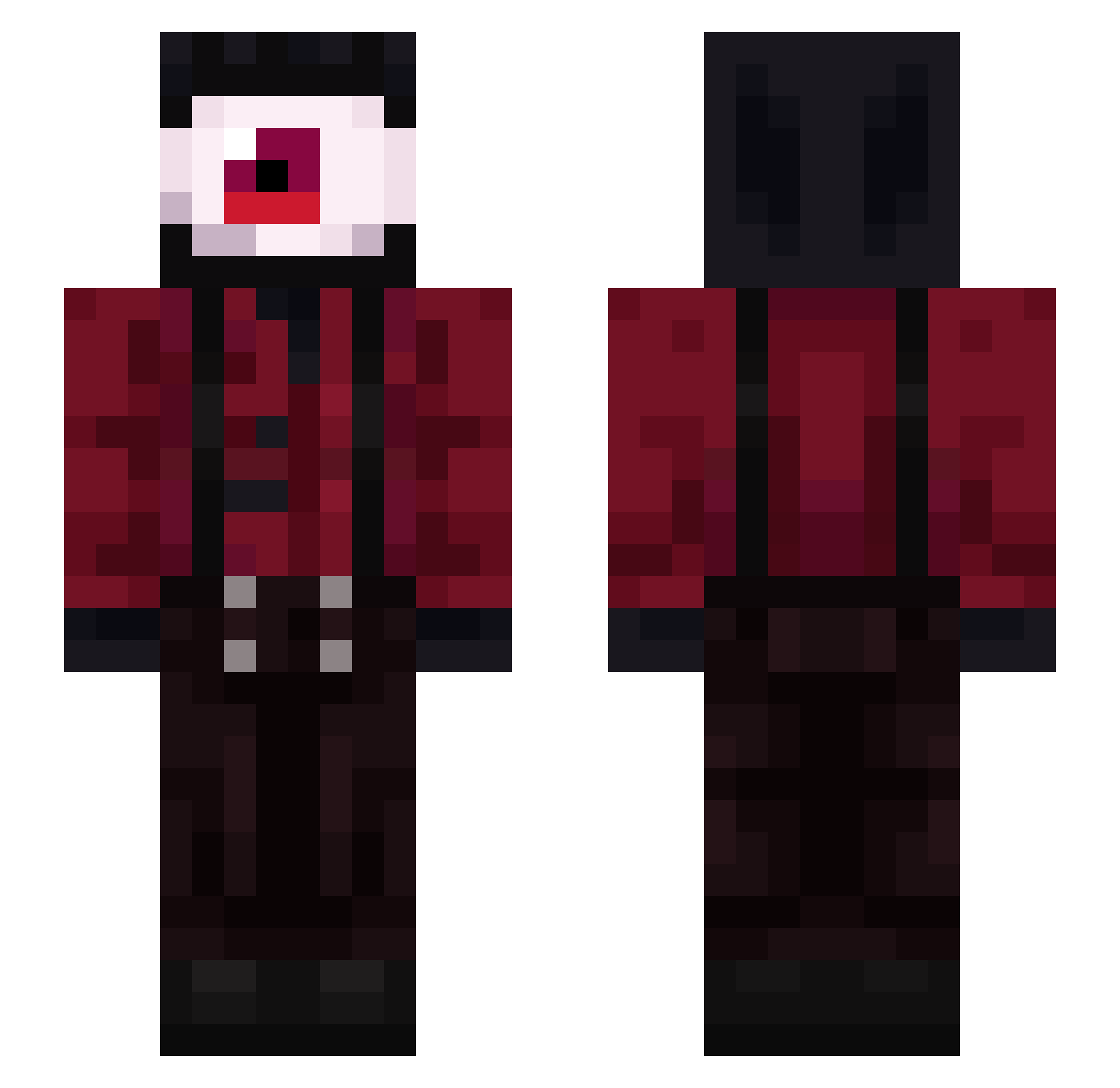
Current Minecraft skin of the player Al3xander879, loaded from the official Mojang API. Rotate the 3D model with your mouse or finger, then download the skin as a PNG file and use it in Minecraft: Bedrock Edition or Java Edition for free. When Al3xander879 changes their skin, this page updates automatically and the old skin stays in the history below.
Other players with this skin (56)
Al3xander879 was the 26th player we have seen with this skin, first spotted on 25.08.2026. The same skin was seen on these players. Open a nickname to see their current skin and skin history.
 Shoevil Priamm02 fudgemusictheory KKWI3 TrainerRed9
 web_cap kind_32 MrUnknownXD Ezra_uvu
 Nerixomc webaneitor Pulgapool
 Santoryu666 midnight_PhlAre etufs
 woodshogg Pilanix Bam_Sa32 KNO2 WishToQuit NotWhiteWisper sccportuga Raonii Hystericals Snaginrex kimirage Codeblessyou Bar750 Guzzz333
 CraziiKai NouWareDemus Aviation_mad emo_Thouktz SleepyCath Serk0n0s AbObA_HePoNeL quiyun SmokeGum ImPyroz DEIDman arit107 SouEuAngelor zyzus_tluscioch jus2framboise ItzBlackut JaceLaurierr bootseaaltv Unskille02 Steelforcess TheSkuink Fork_The_Impaler hberly LennyMeow 39aceq yseysr1 Central_Cheetos
More Giant Eye Minecraft skins
How to install the Al3xander879 skin
- Press the Download button above to save the skin as a PNG file.
- Minecraft: Bedrock Edition (PE): open the Dressing Room from the main menu (or tap your character → Edit Character), go to Classic Skins → Owned, press the + (new skin) button, choose the downloaded PNG and pick the Slim (Alex) model. Works on PC and mobile; consoles cannot import custom skins.
- Minecraft: Java Edition: open the Minecraft Launcher, go to the Skins tab, click New Skin, load the PNG, pick the Slim (Alex) model and press Save & Use. You can also upload it at minecraft.net → Profile → Change Skin.
The skin does not show up after import - what should I do?
Restart Minecraft and open the Dressing Room again - imported skins sometimes appear only after a restart. Also make sure you selected the imported skin and picked the Slim (Alex) model.
Which model should I choose, Classic or Slim?
This skin is designed for the Slim (Alex) model. If you pick the wrong model, the arms of the skin will look stretched or squeezed.
Is the skin of Al3xander879 free to download?
Yes. Press Download, save the PNG file and use it in Minecraft: Bedrock Edition or Java Edition - no payment or registration needed. The skin also works on multiplayer servers and Realms.
More skins
Looking for more? Go back to all Minecraft skins and check the top skins of the week, month and all time, or find any player's skin by nickname.