
Akoi - Minecraft Skins & Skin History
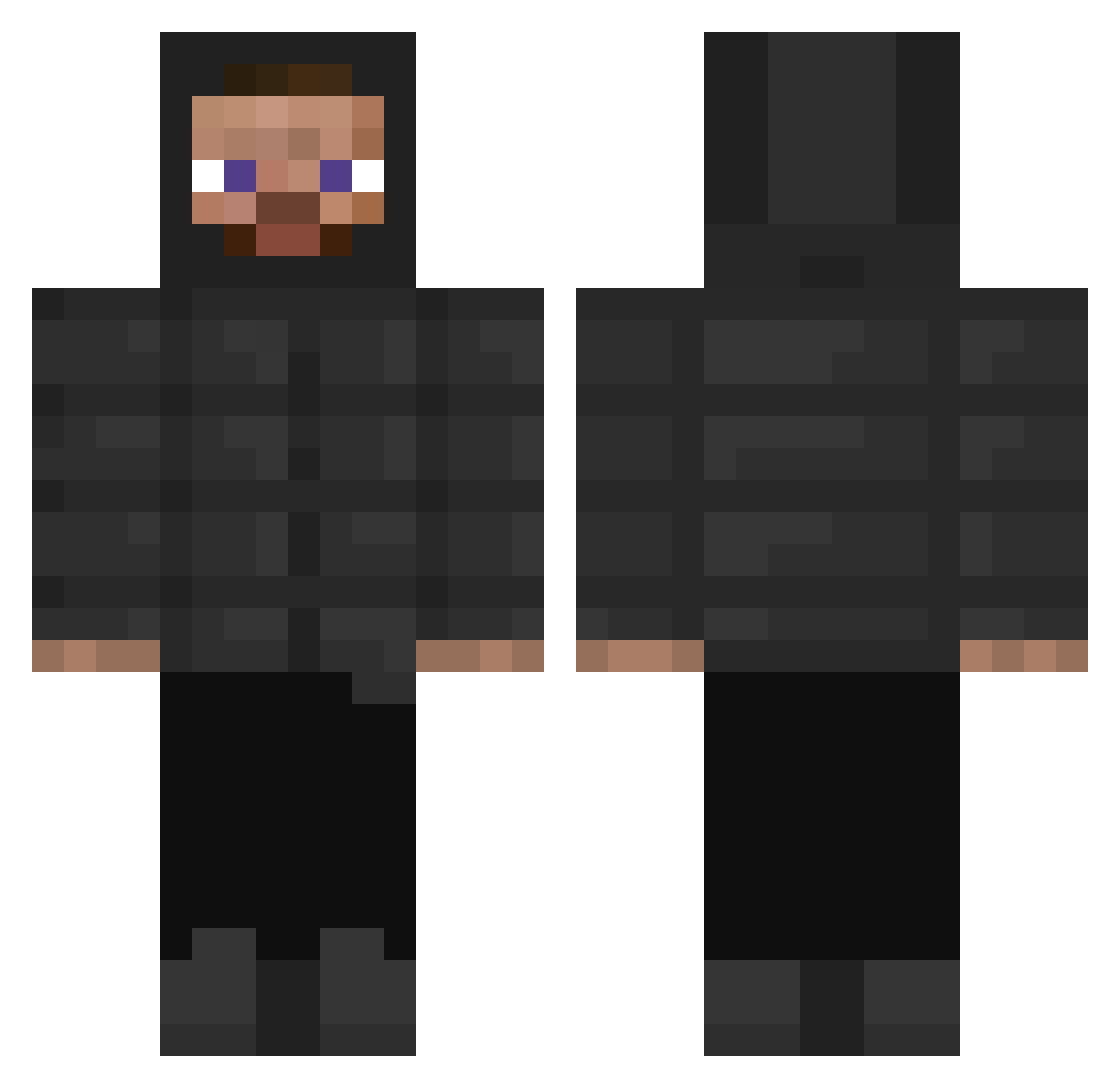
Current Minecraft skin of the player Akoi, loaded from the official Mojang API. Rotate the 3D model with your mouse or finger, then download the skin as a PNG file and use it in Minecraft: Bedrock Edition or Java Edition for free. When Akoi changes their skin, this page updates automatically and the old skin stays in the history below.
Other players with this skin (315)
Akoi was the 203rd player we have seen with this skin, first spotted on 01.10.2026. The same skin was seen on these players. Open a nickname to see their current skin and skin history.
 _nekowo johnruh JONORULES trad1x Abelton86 gethappiness KaesekuchenHarry capibara14 Snowcoxz sheikhtravis L0LLo nachinyio007 sven3 LDS763 xoMarcos Jankesik10 MertoAlio DailyZwifTer haydenmills99 EinLion15 Roadman_8vi drippygibby69 Facund1x Seb_12008 Metamorphose_ Roasted1Chestnut Softboi123 Pappardella666 jameslowe Fiplays 76enny JirimarTheSecond ImpactSqyrn dussyaka eyebrowm FluffyDucks972 Zuk17 MaxiRroz Stretchgalaxy75 FinaWoo bright_111 Chocogamer55 HimJongUng Frez11 macek785555 Bewray w3stkid oreosepic GROZAM ItzVanni NiNeadk Chinese_187 Cr3amy4k kalcho88 Boosty22 MapkoPolo SmoreZo fezcoy EgeCrowley Magalhaes1
How to install the Akoi skin
- Press the Download button above to save the skin as a PNG file.
- Minecraft: Bedrock Edition (PE): open the Dressing Room from the main menu (or tap your character → Edit Character), go to Classic Skins → Owned, press the + (new skin) button, choose the downloaded PNG and pick the Classic (Steve) model. Works on PC and mobile; consoles cannot import custom skins.
- Minecraft: Java Edition: open the Minecraft Launcher, go to the Skins tab, click New Skin, load the PNG, pick the Classic (Steve) model and press Save & Use. You can also upload it at minecraft.net → Profile → Change Skin.
The skin does not show up after import - what should I do?
Restart Minecraft and open the Dressing Room again - imported skins sometimes appear only after a restart. Also make sure you selected the imported skin and picked the Classic (Steve) model.
Which model should I choose, Classic or Slim?
This skin is designed for the Classic (Steve) model. If you pick the wrong model, the arms of the skin will look stretched or squeezed.
Is the skin of Akoi free to download?
Yes. Press Download, save the PNG file and use it in Minecraft: Bedrock Edition or Java Edition - no payment or registration needed. The skin also works on multiplayer servers and Realms.
More skins
Looking for more? Go back to all Minecraft skins and check the top skins of the week, month and all time, or find any player's skin by nickname.