
Aiyu__ - Minecraft Skins & Skin History
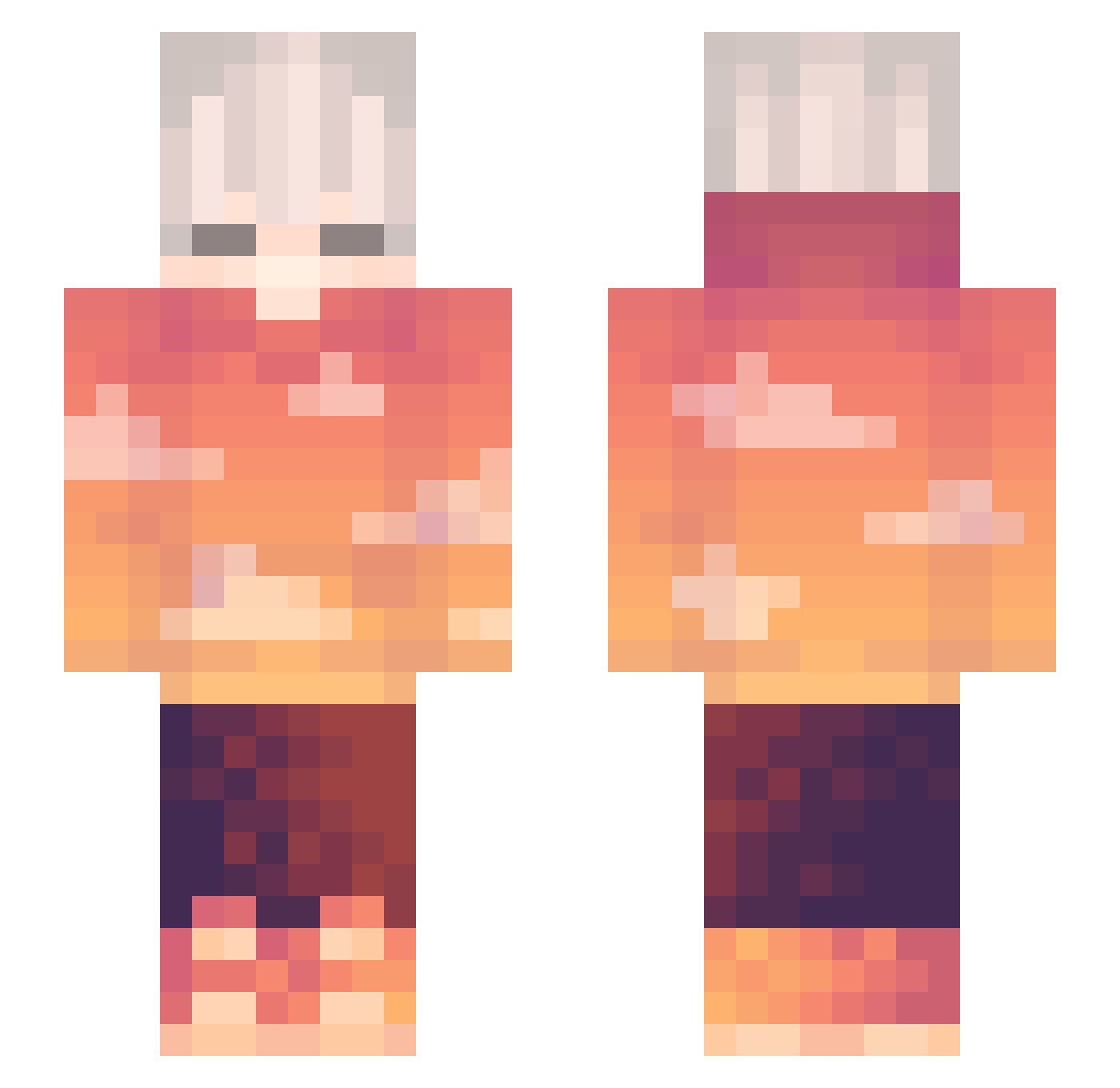
Current Minecraft skin of the player Aiyu__, loaded from the official Mojang API. Rotate the 3D model with your mouse or finger, then download the skin as a PNG file and use it in Minecraft: Bedrock Edition or Java Edition for free. When Aiyu__ changes their skin, this page updates automatically and the old skin stays in the history below.
Other players with this skin (302)
Aiyu__ was the 188th player we have seen with this skin, first spotted on 01.10.2026. The same skin was seen on these players. Open a nickname to see their current skin and skin history.
 silvioto J000 Kazerin 08wolfmaster Franzbroetchen23 Soon_Eh agouwo GANGMetroGANG Re_loud _Robin_X9 Topi96 MBARXL turatan_ YFENG_1123 LittleRavioli02 TruLess NarcuSss Elwors Enfeee ArosFromDK fantastic_Miri Naex Odd_Slayer itsp7nda blowk adaczek Ballin247 Sakuwuraa 0kek0 Vurpy ArsonistsArchive Azaze1loRUS DJCrayon Valanfo Bacick Pse1337 venera12 Dorlomer Epsilonon Eksork zSweetx Zoliia53 itzzisy MokhtarTwelve Leonida_ moodeezk1234 elwdawg Tarindel Qronon fallsend STAR_NOT DiGround SwordEnjoyer1 msmmin Nullaf cesium00 Willivan Birdseye Desired_Nam3 81Brad
More Sunset Minecraft skins
How to install the Aiyu__ skin
- Press the Download button above to save the skin as a PNG file.
- Minecraft: Bedrock Edition (PE): open the Dressing Room from the main menu (or tap your character → Edit Character), go to Classic Skins → Owned, press the + (new skin) button, choose the downloaded PNG and pick the Slim (Alex) model. Works on PC and mobile; consoles cannot import custom skins.
- Minecraft: Java Edition: open the Minecraft Launcher, go to the Skins tab, click New Skin, load the PNG, pick the Slim (Alex) model and press Save & Use. You can also upload it at minecraft.net → Profile → Change Skin.
The skin does not show up after import - what should I do?
Restart Minecraft and open the Dressing Room again - imported skins sometimes appear only after a restart. Also make sure you selected the imported skin and picked the Slim (Alex) model.
Which model should I choose, Classic or Slim?
This skin is designed for the Slim (Alex) model. If you pick the wrong model, the arms of the skin will look stretched or squeezed.
Is the skin of Aiyu__ free to download?
Yes. Press Download, save the PNG file and use it in Minecraft: Bedrock Edition or Java Edition - no payment or registration needed. The skin also works on multiplayer servers and Realms.
More skins
Looking for more? Go back to all Minecraft skins and check the top skins of the week, month and all time, or find any player's skin by nickname.