
Airis242 - Minecraft Skins & Skin History
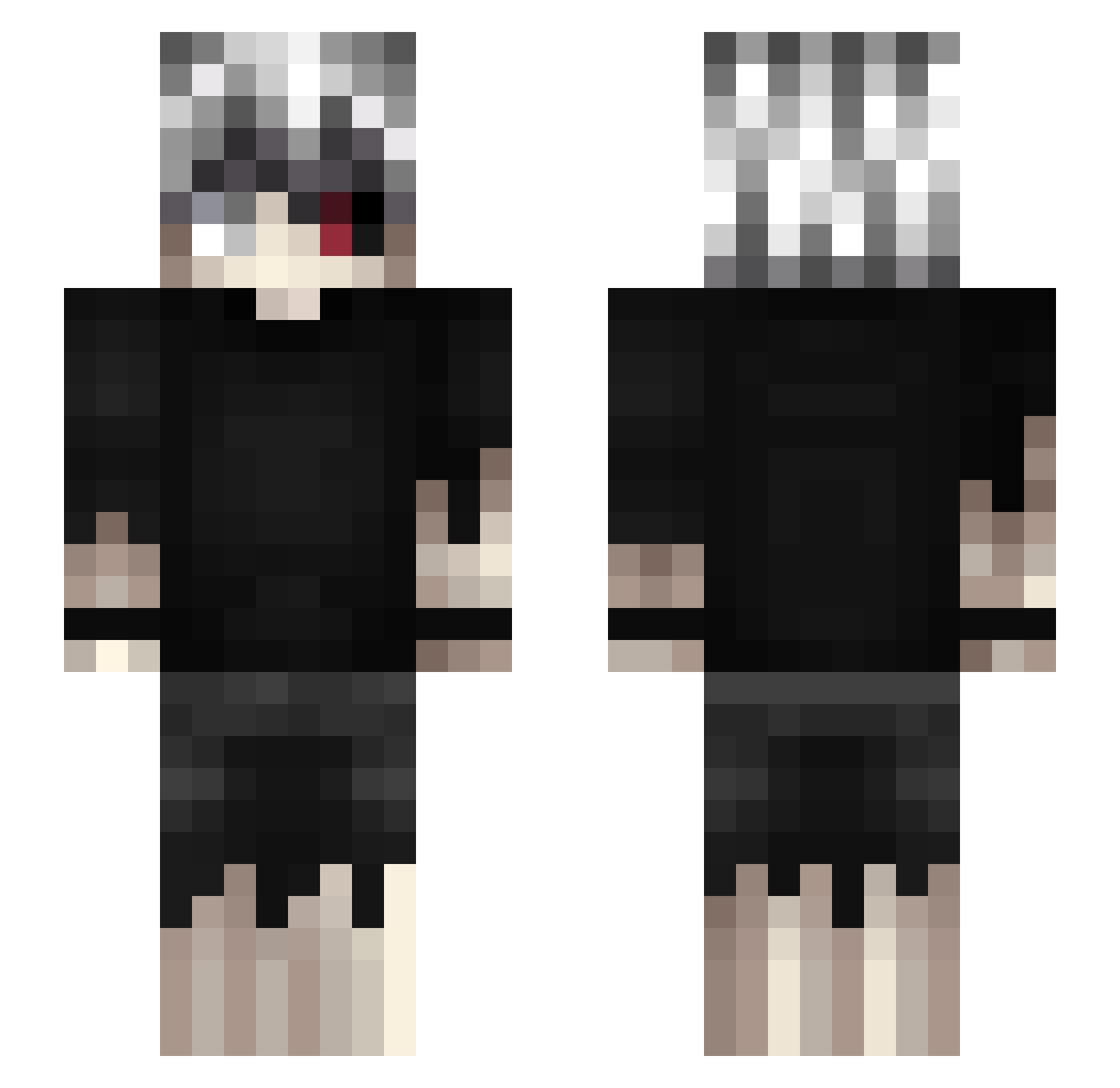
Current Minecraft skin of the player Airis242, loaded from the official Mojang API. Rotate the 3D model with your mouse or finger, then download the skin as a PNG file and use it in Minecraft: Bedrock Edition or Java Edition for free. When Airis242 changes their skin, this page updates automatically and the old skin stays in the history below.
Other players with this skin (461)
Airis242 was the 426th player we have seen with this skin, first spotted on 25.10.2026. The same skin was seen on these players. Open a nickname to see their current skin and skin history.
 MrJester0717 maced1nho ShinE_Cat kaneki_kun01 DunoImo setixx ThunderH0und HupCZ _Flaiks _R3welacjaa_ philosophermurr Rucchi555 _TrueJeee_ Unleqit_Magameio Gleipnir23 christopherlain 187YoungAlpha BaekGoon_123 y0rich1i Ch1Yan SoulEaterVV xIAmCake ResidentWeeb PekPekLuvr numbusya duckythiccc ankun1017 jermyhogwarts cBREEZUS SleepDogBR AddictWithPen JustCqrlo LOVE_JAV Fandana8 GhoulishX wieczur 3xc_msmc_wr2 karbony BLEK75 HornyZero Jrmyz Tishiel f6rse YokaCora Ludo253 SkySok9 kaneki323 hoooper Arsenik8080 M0neyL0nger GQ_DFG filyaq KingLuc1fer Takashy kei0w0 analystic TheRaddo Xakai_ FalseLuvv Yuzii157
More Kaneki Ken Minecraft skins
How to install the Airis242 skin
- Press the Download button above to save the skin as a PNG file.
- Minecraft: Bedrock Edition (PE): open the Dressing Room from the main menu (or tap your character → Edit Character), go to Classic Skins → Owned, press the + (new skin) button, choose the downloaded PNG and pick the Slim (Alex) model. Works on PC and mobile; consoles cannot import custom skins.
- Minecraft: Java Edition: open the Minecraft Launcher, go to the Skins tab, click New Skin, load the PNG, pick the Slim (Alex) model and press Save & Use. You can also upload it at minecraft.net → Profile → Change Skin.
The skin does not show up after import - what should I do?
Restart Minecraft and open the Dressing Room again - imported skins sometimes appear only after a restart. Also make sure you selected the imported skin and picked the Slim (Alex) model.
Which model should I choose, Classic or Slim?
This skin is designed for the Slim (Alex) model. If you pick the wrong model, the arms of the skin will look stretched or squeezed.
Is the skin of Airis242 free to download?
Yes. Press Download, save the PNG file and use it in Minecraft: Bedrock Edition or Java Edition - no payment or registration needed. The skin also works on multiplayer servers and Realms.
More skins
Looking for more? Go back to all Minecraft skins and check the top skins of the week, month and all time, or find any player's skin by nickname.