
Airamxd - Minecraft Skins & Skin History
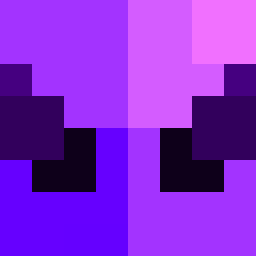
Current Minecraft skin of the player Airamxd, loaded from the official Mojang API. Rotate the 3D model with your mouse or finger, then download the skin as a PNG file and use it in Minecraft: Bedrock Edition or Java Edition for free. When Airamxd changes their skin, this page updates automatically and the old skin stays in the history below.

Other players with this skin (1784)
Airamxd was the 126th player we have seen with this skin, first spotted on 01.08.2026. The same skin was seen on these players. Open a nickname to see their current skin and skin history.
 Tepicfox
 klobaska44 FlamingoHobo Knockstone cornflakeboy13 tranzystorek132 96Cqte stratiote Heterodon semidetached Matias84 Lilblacker_mate beldams dwindles alfiboa Blasus_Gerwatt69 S1rM3lvin Serves Reitsuu TryAnotherTime Sidecheck sleeepy__ meity4633 cerns1 PekDown phototropic Kenzumi
 Bosen_tw Siwyes revolter elPYisus itzjustBenny EdeeeQ QuDal swcvetkov santiv ZoxxLL Iibrary HistoGraphy kdh5839 Lutzbadass Adeny N31K StrapIn Devin_Varnadoe A_nthoni potomac YoOli_ Uxsy Epigastrium Zore Shammied Cardiograph Bishop1987 yonkosaus tenlove OnRage_ candlebomb Firestreak2018 Perkin
How to install the Airamxd skin
- Press the Download button above to save the skin as a PNG file.
- Minecraft: Bedrock Edition (PE): open the Dressing Room from the main menu (or tap your character → Edit Character), go to Classic Skins → Owned, press the + (new skin) button, choose the downloaded PNG and pick the Classic (Steve) model. Works on PC and mobile; consoles cannot import custom skins.
- Minecraft: Java Edition: open the Minecraft Launcher, go to the Skins tab, click New Skin, load the PNG, pick the Classic (Steve) model and press Save & Use. You can also upload it at minecraft.net → Profile → Change Skin.
The skin does not show up after import - what should I do?
Restart Minecraft and open the Dressing Room again - imported skins sometimes appear only after a restart. Also make sure you selected the imported skin and picked the Classic (Steve) model.
Which model should I choose, Classic or Slim?
This skin is designed for the Classic (Steve) model. If you pick the wrong model, the arms of the skin will look stretched or squeezed.
Is the skin of Airamxd free to download?
Yes. Press Download, save the PNG file and use it in Minecraft: Bedrock Edition or Java Edition - no payment or registration needed. The skin also works on multiplayer servers and Realms.
More skins
Looking for more? Go back to all Minecraft skins and check the top skins of the week, month and all time, or find any player's skin by nickname.