
Ailodierap - Minecraft Skins & Skin History
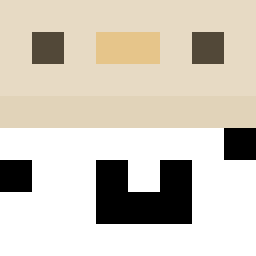
Current Minecraft skin of the player Ailodierap, loaded from the official Mojang API. Rotate the 3D model with your mouse or finger, then download the skin as a PNG file and use it in Minecraft: Bedrock Edition or Java Edition for free. When Ailodierap changes their skin, this page updates automatically and the old skin stays in the history below.

Other players with this skin (11605)
Ailodierap was the 1812th player we have seen with this skin, first spotted on 09.08.2026. The same skin was seen on these players. Open a nickname to see their current skin and skin history.
 Mawrth1974 Tacorrido Geodesics Hustensaft41 KemalReisTR Nucleeus AQUASCOPE MixmasterDamien Anatomicals WKD_R
 BTJSZN notNicNac
 KongFuShark 1201020203141991 hoho2552 tintoretto silkcrazyy ExtraYoshi15666
 jarmo1232 yushan0814 Wutwait Zmoy chems1300 LbestMworst rrrobert bigbean00 vapingislame MohMohMoh dislimn _CptAutismo_ MartinesHUN jennaofasgard ccarlosrosales AnimalMage395262
 piyoter Thopaul farish HT2_beater schlubbo aroufgrosbras CJ279 Bakerschnee WaytoGeneric2
 RAVIKS salfetka591 Sho57 Thaingai Reamp RaYDeN_Live vlodster228 Cashierer freedom5058 SrLeonm MaxToaster2011 nacho_1614
 unadvantageous zoro3526 sharkdevil DropMonkey WUDIHHH
How to install the Ailodierap skin
- Press the Download button above to save the skin as a PNG file.
- Minecraft: Bedrock Edition (PE): open the Dressing Room from the main menu (or tap your character → Edit Character), go to Classic Skins → Owned, press the + (new skin) button, choose the downloaded PNG and pick the Classic (Steve) model. Works on PC and mobile; consoles cannot import custom skins.
- Minecraft: Java Edition: open the Minecraft Launcher, go to the Skins tab, click New Skin, load the PNG, pick the Classic (Steve) model and press Save & Use. You can also upload it at minecraft.net → Profile → Change Skin.
The skin does not show up after import - what should I do?
Restart Minecraft and open the Dressing Room again - imported skins sometimes appear only after a restart. Also make sure you selected the imported skin and picked the Classic (Steve) model.
Which model should I choose, Classic or Slim?
This skin is designed for the Classic (Steve) model. If you pick the wrong model, the arms of the skin will look stretched or squeezed.
Is the skin of Ailodierap free to download?
Yes. Press Download, save the PNG file and use it in Minecraft: Bedrock Edition or Java Edition - no payment or registration needed. The skin also works on multiplayer servers and Realms.
More skins
Looking for more? Go back to all Minecraft skins and check the top skins of the week, month and all time, or find any player's skin by nickname.