
Aideesita - Minecraft Skins & Skin History
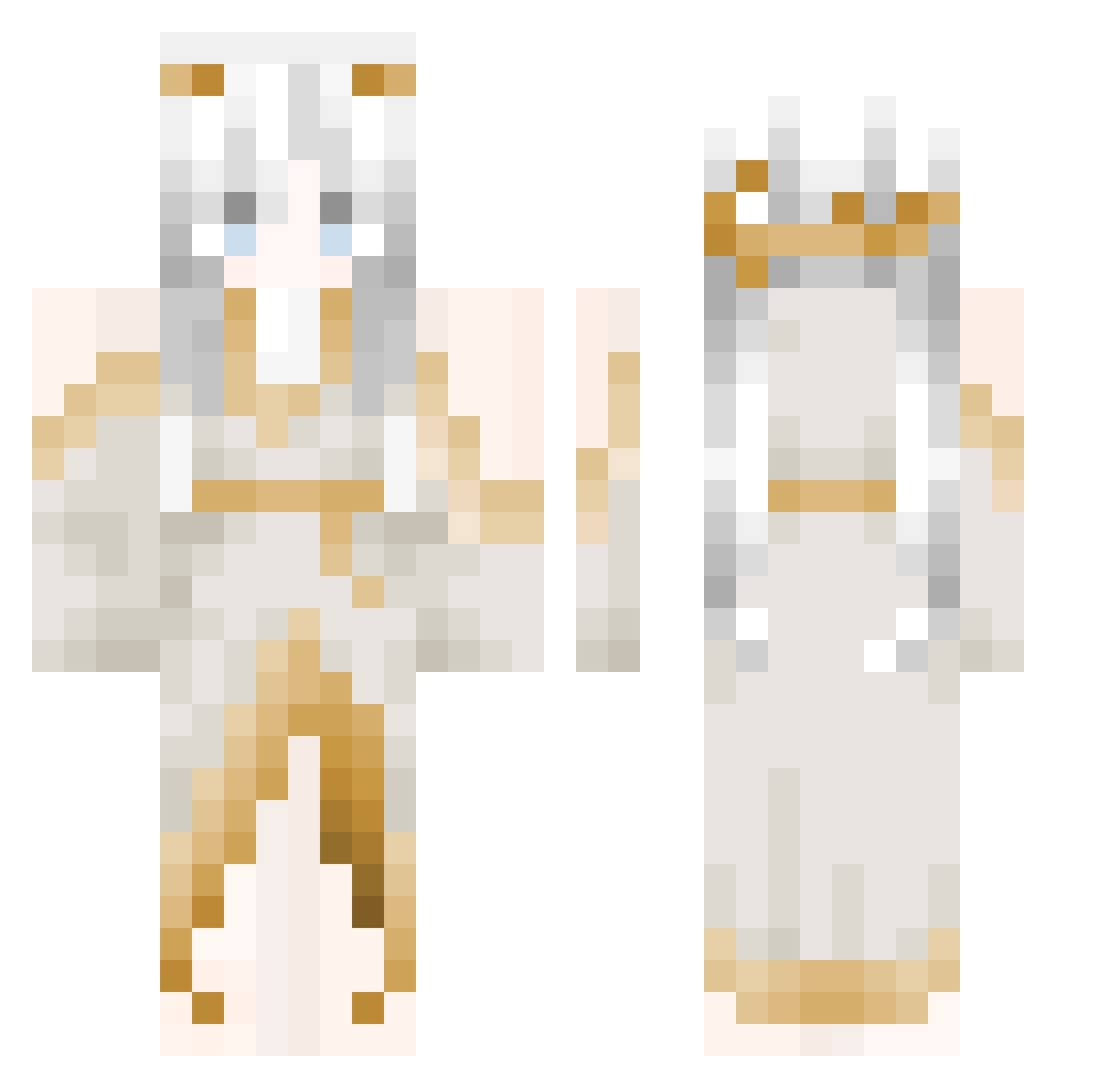
Current Minecraft skin of the player Aideesita, loaded from the official Mojang API. Rotate the 3D model with your mouse or finger, then download the skin as a PNG file and use it in Minecraft: Bedrock Edition or Java Edition for free. When Aideesita changes their skin, this page updates automatically and the old skin stays in the history below.
Other players with this skin (125)
Aideesita was the 105th player we have seen with this skin, first spotted on 30.10.2026. The same skin was seen on these players. Open a nickname to see their current skin and skin history.
 Celemonade POGOL_EQ ka0ruuu sunmin080519 Vystia MetalPegasus974 H________C_K o1o11 AiIQi may3ke TheLabyrin KeqiNg_g Jojocash32 aolingQWQ sleptnob Tinicia Lodo_gold OSi_Yu vibraniumduck mina_0923 AyakaNyashka SnK_Narukara MashaWasTaken yein2016 gulihui hanakyo SownFlea5 xmom60 qxicy Janel2137 4lqr ywxkn Pillo_TW Bambi067 cxrsedcxco savi90 lasagnezi0 Elmono0023 nyvorie Aykashi cuhcow SnowAngel24 HairyToee NeneLpb Amelia0804 yusuftr0007 suuuu24 Athena0315 RaPhililp Limpan333 Starflight_NW arminE_wow Rbt_9 Lea_nyx y4es axgelcat kmlkos xkxmuii neyd1s Ephtal
More Goddess Minecraft skins
How to install the Aideesita skin
- Press the Download button above to save the skin as a PNG file.
- Minecraft: Bedrock Edition (PE): open the Dressing Room from the main menu (or tap your character → Edit Character), go to Classic Skins → Owned, press the + (new skin) button, choose the downloaded PNG and pick the Classic (Steve) model. Works on PC and mobile; consoles cannot import custom skins.
- Minecraft: Java Edition: open the Minecraft Launcher, go to the Skins tab, click New Skin, load the PNG, pick the Classic (Steve) model and press Save & Use. You can also upload it at minecraft.net → Profile → Change Skin.
The skin does not show up after import - what should I do?
Restart Minecraft and open the Dressing Room again - imported skins sometimes appear only after a restart. Also make sure you selected the imported skin and picked the Classic (Steve) model.
Which model should I choose, Classic or Slim?
This skin is designed for the Classic (Steve) model. If you pick the wrong model, the arms of the skin will look stretched or squeezed.
Is the skin of Aideesita free to download?
Yes. Press Download, save the PNG file and use it in Minecraft: Bedrock Edition or Java Edition - no payment or registration needed. The skin also works on multiplayer servers and Realms.
More skins
Looking for more? Go back to all Minecraft skins and check the top skins of the week, month and all time, or find any player's skin by nickname.