
AiGuoDD - Minecraft Skins & Skin History
Current Minecraft skin of the player AiGuoDD, loaded from the official Mojang API. Rotate the 3D model with your mouse or finger, then download the skin as a PNG file and use it in Minecraft: Bedrock Edition or Java Edition for free. When AiGuoDD changes their skin, this page updates automatically and the old skin stays in the history below.
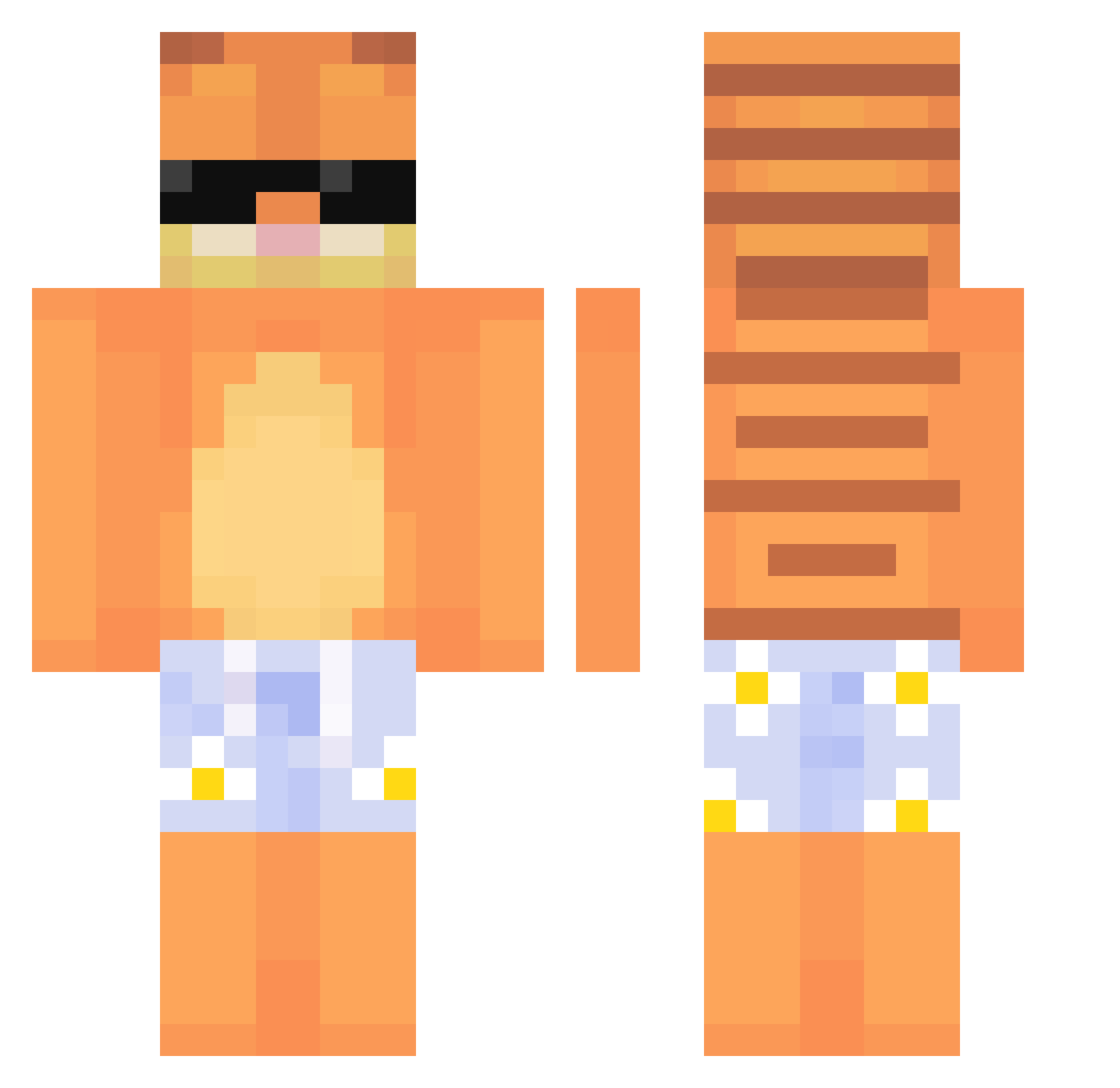
Other players with this skin (639)
AiGuoDD was the 493rd player we have seen with this skin, first spotted on 14.10.2026. The same skin was seen on these players. Open a nickname to see their current skin and skin history.
 qbubbless ghostmyers Budizao pinkviolyn Lysergic00 Hornkae DerockBar__ Marcellinoo G4BR11 Pxnpan gabslolz ShadowJoy kerserthecat2 _Bummi Zuki2011 s_u_h_a_n E_pik KuliKuliCo KoXcS Elkyn_Ecuatorian daddyleberto chengxixixia oscarpiastrii yowzemz Caszx_ Securityhide_net ReyloNN_ Ebbo36 Pragmat1k medievalbabe UrbanestMatei strefkapvp goomdan Pooxie JIANGSHANG55 Hidee11213 t0astt_y Filupv2 zazaSk glennhue84 zMoneca ChickenChickenY dbsdusgh jaylen272747478 Pkachu133 j_duddls Bobbiezz childplayer Kaido024 YUJISEONG RevivedRepper16 ichiwrld Zapi1 Plementius Joymess muuuioi ludvikkk adamrhli Canti0w0 JustttA
More Garfield Minecraft skins
How to install the AiGuoDD skin
- Press the Download button above to save the skin as a PNG file.
- Minecraft: Bedrock Edition (PE): open the Dressing Room from the main menu (or tap your character → Edit Character), go to Classic Skins → Owned, press the + (new skin) button, choose the downloaded PNG and pick the Classic (Steve) model. Works on PC and mobile; consoles cannot import custom skins.
- Minecraft: Java Edition: open the Minecraft Launcher, go to the Skins tab, click New Skin, load the PNG, pick the Classic (Steve) model and press Save & Use. You can also upload it at minecraft.net → Profile → Change Skin.
The skin does not show up after import - what should I do?
Restart Minecraft and open the Dressing Room again - imported skins sometimes appear only after a restart. Also make sure you selected the imported skin and picked the Classic (Steve) model.
Which model should I choose, Classic or Slim?
This skin is designed for the Classic (Steve) model. If you pick the wrong model, the arms of the skin will look stretched or squeezed.
Is the skin of AiGuoDD free to download?
Yes. Press Download, save the PNG file and use it in Minecraft: Bedrock Edition or Java Edition - no payment or registration needed. The skin also works on multiplayer servers and Realms.
More skins
Looking for more? Go back to all Minecraft skins and check the top skins of the week, month and all time, or find any player's skin by nickname.