
Ahrohcee - Minecraft Skins & Skin History
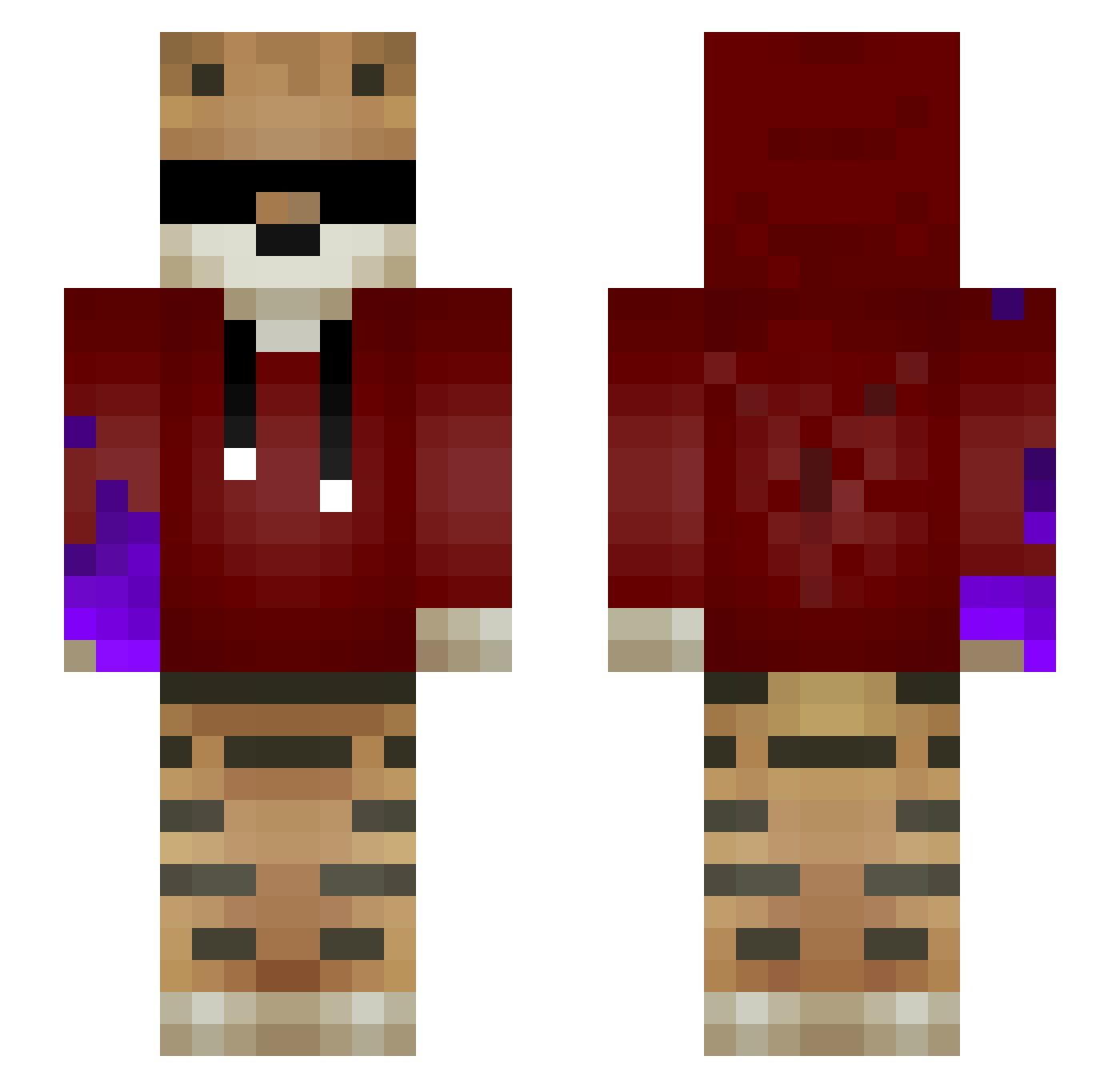
Current Minecraft skin of the player Ahrohcee, loaded from the official Mojang API. Rotate the 3D model with your mouse or finger, then download the skin as a PNG file and use it in Minecraft: Bedrock Edition or Java Edition for free. When Ahrohcee changes their skin, this page updates automatically and the old skin stays in the history below.
Other players with this skin (57)
Ahrohcee was the 10th player we have seen with this skin, first spotted on 18.08.2026. The same skin was seen on these players. Open a nickname to see their current skin and skin history.
 Krxzyyz ElaPegMur Michael7849 EluZion__ T1iger The__Hunter_ dlwns0928 _hyptic_ Stogman le_pro_gamer74 CosmoJD DarmProbleme Ibross_YT drxze_ CrOsTy_RiDeR Michael_2g Volcel FisTer_ TysMat Mighty_Shushko Liegacy TryhardHG Unterhund WhiteMetal lucky7tiger7 jonggyu4857 17LuckyTiger17 dud934 MMminus TheRealSlimFeli Sashurrita Rorodraw2410 Abi_head Ark7 kamycczek12 pingupeder BlueDefender12 SamuraidaLg Fullsun0412 Warzazinio Leorick7 GodzillaClann RealBirkebekk 1nD0x_ Markiloloboy Kurome420 NyxFlow X7X_G4MeR EinfachPaule ThunderEvolution kevinallves Duckfeeder DenTim8 jasmoine ii_Mr_Tiger_ii Primesixmoz _shiroiOkami_
More Tiger Minecraft skins
How to install the Ahrohcee skin
- Press the Download button above to save the skin as a PNG file.
- Minecraft: Bedrock Edition (PE): open the Dressing Room from the main menu (or tap your character → Edit Character), go to Classic Skins → Owned, press the + (new skin) button, choose the downloaded PNG and pick the Slim (Alex) model. Works on PC and mobile; consoles cannot import custom skins.
- Minecraft: Java Edition: open the Minecraft Launcher, go to the Skins tab, click New Skin, load the PNG, pick the Slim (Alex) model and press Save & Use. You can also upload it at minecraft.net → Profile → Change Skin.
The skin does not show up after import - what should I do?
Restart Minecraft and open the Dressing Room again - imported skins sometimes appear only after a restart. Also make sure you selected the imported skin and picked the Slim (Alex) model.
Which model should I choose, Classic or Slim?
This skin is designed for the Slim (Alex) model. If you pick the wrong model, the arms of the skin will look stretched or squeezed.
Is the skin of Ahrohcee free to download?
Yes. Press Download, save the PNG file and use it in Minecraft: Bedrock Edition or Java Edition - no payment or registration needed. The skin also works on multiplayer servers and Realms.
More skins
Looking for more? Go back to all Minecraft skins and check the top skins of the week, month and all time, or find any player's skin by nickname.